RPCS3 is a free and open-source PlayStation 3 emulator and debugger for Windows, Linux, and other supported platforms. It allows users to run compatible PS3 games on a PC with customizable graphics, audio, input, and performance settings.
The emulator supports a large library of PlayStation 3 titles, with compatibility and performance varying from game to game. It can also render games at resolutions higher than the original PS3 output when the hardware and game support it.
What's New
The latest RPCS3 builds continue to improve game compatibility, performance, graphics rendering, and emulator stability.
-
Improved compatibility with additional PS3 titles.
-
Performance improvements for supported games.
-
Updates to graphics and rendering components.
-
Improved Vulkan and OpenGL support.
-
Enhanced controller and input handling.
-
Game-specific fixes and patches.
-
Various bug fixes and stability improvements.
Key Features
PS3 Game Emulation – Run compatible PlayStation 3 games on a Windows PC and other supported platforms.
Large Game Compatibility – Supports a large and continually expanding library of PS3 titles, although individual games may have different compatibility levels.
High-Resolution Rendering – Render supported games at resolutions above the original PlayStation 3 output for improved visual quality.
Graphics Customization – Adjust resolution scaling, rendering options, texture filtering, and other graphics settings.
Vulkan and OpenGL Support – Provides modern graphics backends that can improve performance and compatibility depending on the game and hardware.
Controller Support – Supports a variety of input devices, including DualShock controllers, keyboards, mice, and Xbox-compatible controllers.
Game Patches – Supports game-specific patches that can improve performance, fix issues, or enable additional graphical options.
Audio Configuration – Provides configurable audio settings to help users achieve better compatibility with individual games.
Debugging Tools – Includes advanced debugging and development features primarily intended for developers and experienced users.
Game Library Management – Organizes installed PS3 games within the emulator interface for easier access.
User Interface
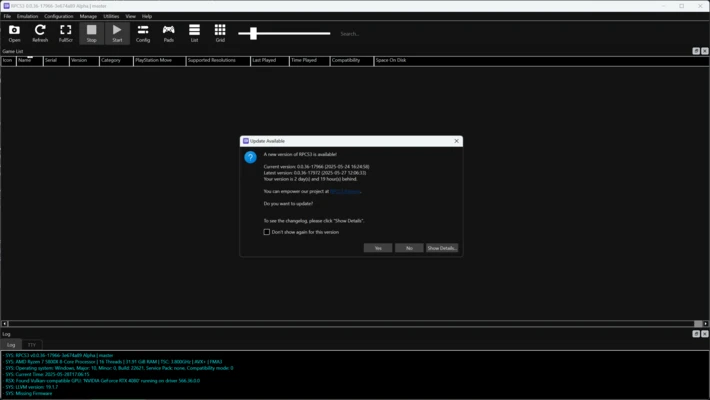
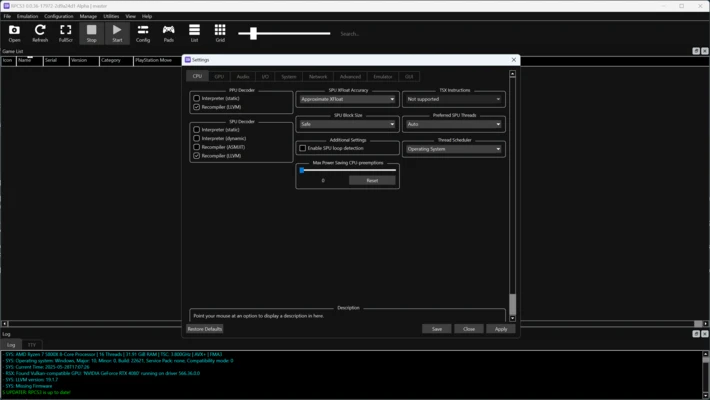
RPCS3 uses a straightforward desktop interface centered around a game library. Installed games can be displayed in the main window, while configuration menus provide access to graphics, audio, input, network, and system settings.
The emulator offers extensive customization for advanced users. Beginners can start with the default configuration and adjust individual settings when a particular game requires additional optimization.
Installation and Setup
Download the latest RPCS3 build for your operating system and extract or install the application according to the package provided.
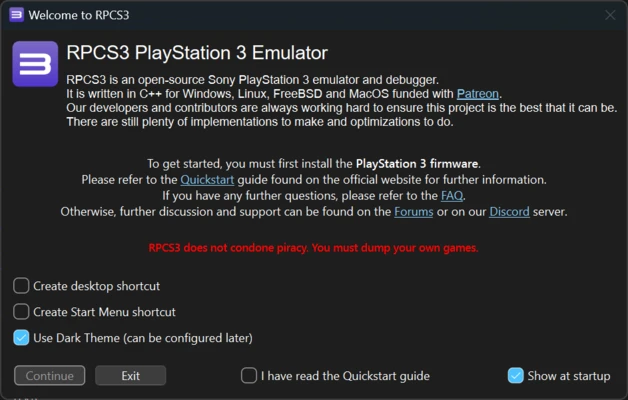
Before running games, users need to install the official PlayStation 3 system software firmware in RPCS3.
Basic setup includes:
-
Install the PS3 firmware.
-
Configure the graphics backend and resolution.
-
Configure a controller under the input settings.
-
Add legally obtained PS3 game files to the game library.
-
Check the compatibility of individual games.
-
Adjust game-specific settings when necessary.
Users should obtain PS3 firmware and game copies through legal means and follow applicable copyright laws.
How to Use
Install PS3 Firmware
Open RPCS3 and use the firmware installation option to install the appropriate PlayStation 3 system software.
Add Games
Add your legally obtained PS3 game files to RPCS3. Supported game formats and installation methods can vary depending on the title.
Configure Graphics
Open the graphics settings and select an appropriate renderer, such as Vulkan or OpenGL. Adjust resolution scaling and other options according to your hardware.
Configure a Controller
Open the Pads or input settings and select your controller type. Map the buttons if necessary.
Launch a Game
Select a compatible title from the game library and start it. If the game does not perform correctly, check its compatibility status and try the recommended settings.
Apply Game Patches
Use available game-specific patches when a title requires them for improved compatibility, performance, or graphical features.
FAQ
Is RPCS3 free?
Yes. RPCS3 is free and open-source software.
Is RPCS3 legal?
The emulator itself is legal. However, users are responsible for obtaining PlayStation 3 firmware and game software legally and complying with applicable copyright laws.
Can RPCS3 run every PS3 game?
No. RPCS3 supports a large and continually expanding number of PS3 titles, but compatibility and performance vary between games. Some titles may have graphical issues, performance problems, or may not be fully playable.
What hardware does RPCS3 require?
RPCS3 benefits from a modern CPU with strong single-thread performance and AVX2 support, along with a capable dedicated GPU and sufficient RAM. Requirements vary significantly between games.
Can I use a DualShock controller with RPCS3?
Yes. RPCS3 supports DualShock controllers and many other compatible gamepads.
Can RPCS3 play PS3 games at 4K?
Some games can be rendered at resolutions higher than the original PS3 output, including 4K, provided the game and hardware can handle the increased rendering load.
Does RPCS3 support online multiplayer?
Online functionality varies by game and service. Official PlayStation Network functionality is not generally available in the same way as on an original PS3, although some titles may support alternative online functionality.
Why is my game running slowly?
Performance depends on the game, CPU, GPU, emulator settings, and driver configuration. Check the compatibility information for the specific title and try recommended settings before changing advanced options.
Alternatives
PCSX2 – PlayStation 2 emulator designed for running PS2 games on modern computers.
Xenia – Open-source Xbox 360 emulator for compatible Xbox 360 games.
PPSSPP – PlayStation Portable emulator with support for enhanced rendering and configurable controls.
Pricing
RPCS3 is completely free and open-source. There is no subscription or paid license required to use the emulator.
System Requirements
Operating System: Windows 10 or later (64-bit) and other supported operating systems
Processor: Modern x64 CPU with AVX2 support recommended
Memory: 8 GB RAM minimum; 16 GB or more recommended for demanding games
Graphics: Vulkan-compatible GPU recommended
Storage: SSD recommended for the emulator and game files
Actual performance requirements vary considerably depending on the PS3 game being emulated.
Pros
-
Free and open-source
-
Large and growing PS3 game compatibility
-
Supports high-resolution rendering
-
Vulkan and OpenGL graphics backends
-
Extensive graphics and performance settings
-
Wide controller support
-
Game-specific patches and configuration options
-
Active development and community support
Cons
-
Requires relatively powerful PC hardware
-
Game compatibility varies considerably
-
Some titles still have graphical or performance issues
-
Advanced configuration can be complicated for beginners
-
PS3 firmware and games must be obtained separately
Conclusion
RPCS3 is a powerful open-source PlayStation 3 emulator that allows compatible PS3 games to be played on modern PCs. It provides high-resolution rendering, multiple graphics backends, extensive controller support, game patches, and a wide range of configuration options.
Compatibility continues to improve, but performance varies significantly between games and demanding titles can require a powerful CPU and GPU. For users with suitable hardware and legally obtained PS3 software, RPCS3 provides one of the most capable ways to experience PlayStation 3 games on a PC.