


Epic Games Launcher is a free digital game distribution platform and game library manager developed by Epic Games. It serves as the official client for accessing the Epic Games Store, downloading games, managing game libraries, and launching titles purchased through the Epic ecosystem.
In addition to hosting popular Epic Games titles such as Fortnite, the launcher provides access to thousands of games from third-party publishers and independent developers. It also acts as the central hub for developers using Unreal Engine, offering project management, engine downloads, and development tools.
With built-in cloud saves, automatic updates, social features, and frequent free game giveaways, Epic Games Launcher has become one of the leading alternatives to Steam for PC gamers.
Key Features
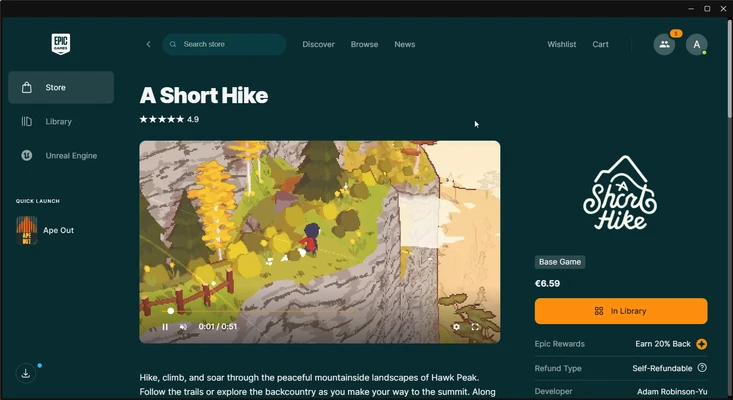
Epic Games Store
- Browse and purchase games directly from the Epic Games Store
- Access exclusive releases and timed exclusives
- Discover new titles through curated recommendations
Free Weekly Games
- Claim free games regularly through Epic's giveaway program
- Permanently add eligible titles to your library
- Expand your collection without additional cost
Game Library Management
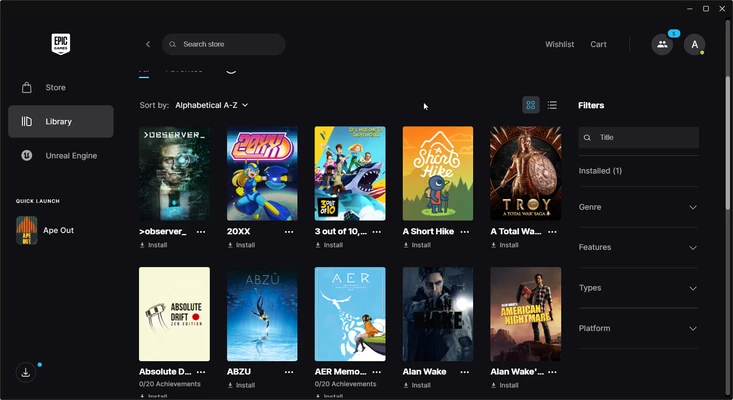
- Organize purchased and installed games
- Search, sort, and filter your library
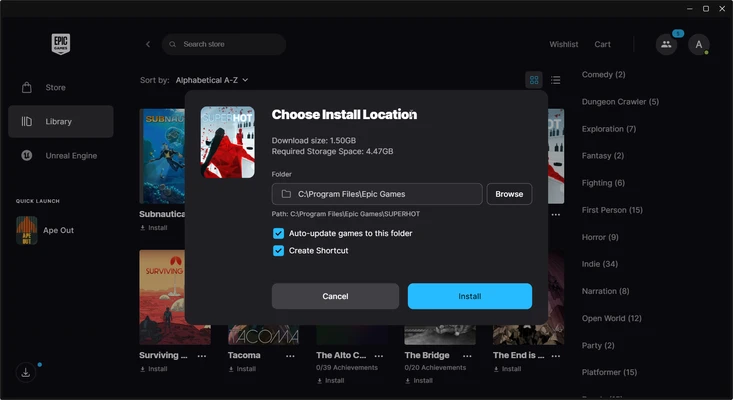
- Track download and update status
Cloud Saves
- Automatically synchronize game progress across devices
- Restore save files when reinstalling games
- Support for many modern game releases
Automatic Updates
- Keep games updated automatically
- Background downloading and patch management
- Reduced manual maintenance
Friends and Social Features
- Add and manage friends
- Text and voice chat support
- Party and multiplayer integration for supported games
Unreal Engine Integration
- Download and manage Unreal Engine versions
- Access development tools and project files
- Manage Marketplace assets and plugins
Controller Support
- Compatible with many modern game controllers
- Improved controller detection for supported titles
Why Choose Epic Games Launcher?
Epic Games Launcher combines a digital storefront, game library manager, and development platform into a single application. Its frequent free game promotions, exclusive releases, and Unreal Engine integration make it particularly attractive for both gamers and game developers.
For users looking to build a game library while spending less money, the platform's regular giveaways and competitive pricing often provide excellent value.
Best For
- PC gamers
- Fortnite players
- Unreal Engine developers
- Indie game enthusiasts
- Users looking for free game promotions
- Gamers seeking alternatives to Steam
Pros
- Completely free to download and use
- Frequent free game giveaways
- Clean and easy-to-use interface
- Cloud save support
- Integrated Unreal Engine tools
- Automatic game updates
- Supports many popular modern titles
Cons
- Smaller game catalog than Steam
- Fewer community features
- Limited mod support compared to competitors
- Occasional download speed inconsistencies
- Fewer customization options for the library
System Requirements
Windows
- Windows 10 or Windows 11 (64-bit)
- Dual-core processor or higher
- 4 GB RAM minimum
- Broadband internet connection
- Additional storage space for installed games
macOS
- Supported on compatible macOS versions
- Intel or Apple Silicon Mac
- Internet connection required
Conclusion
Epic Games Launcher is a powerful digital storefront and game management platform that continues to grow as a major competitor in the PC gaming market. With free weekly games, cloud saves, automatic updates, social features, and deep Unreal Engine integration, it offers an excellent solution for gamers and developers alike. Whether you're looking to expand your game collection or manage Unreal Engine projects, Epic Games Launcher provides a streamlined and reliable experience.