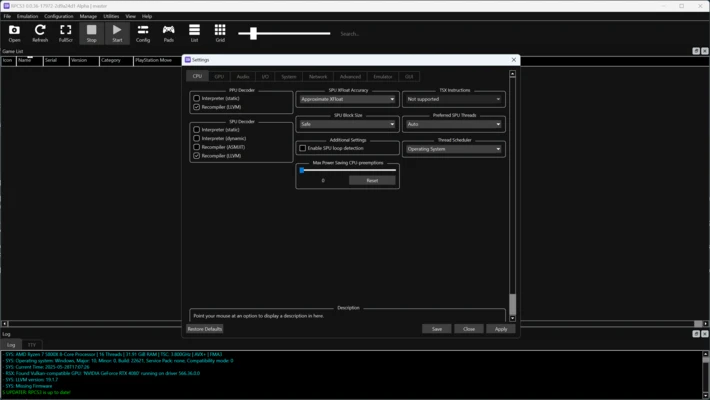
RPCS3 is a free and open-source PlayStation 3 emulator for Windows that allows users to play PS3 games on PC with enhanced graphics, improved performance, and advanced customization options.
Developed by an active community of developers, RPCS3 has become one of the most advanced PS3 emulators available, offering compatibility with thousands of PlayStation 3 titles.
The emulator supports high-resolution rendering, customizable controls, modern graphics APIs, and various performance improvements, allowing users to experience classic PS3 games with upgraded visuals on compatible hardware.
Features
Extensive PS3 Game Compatibility
RPCS3 supports a large library of PlayStation 3 games, with many titles playable at full speed depending on system configuration and emulator settings.
High-Resolution Graphics
Enhances original PS3 graphics with:
- 4K resolution support
- Improved texture quality
- Higher frame rates
- Advanced rendering options
Custom Controller Support
Supports multiple input devices, including:
- DualShock 3
- DualShock 4
- Xbox controllers
- Keyboard and mouse
Advanced Performance Options
RPCS3 provides multiple graphics backends, including:
- Vulkan
- OpenGL
- DirectX
Users can customize CPU, GPU, and rendering settings to achieve better performance.
Save States and Debugging Tools
Includes advanced features such as:
- Save state support
- Game patches
- Debugging options
- Configuration profiles
Open-Source Development
RPCS3 is completely free and continuously improved by the developer community with regular updates and compatibility improvements.
User Interface
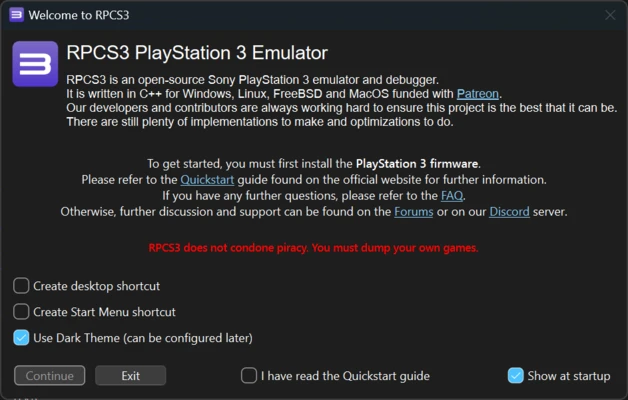
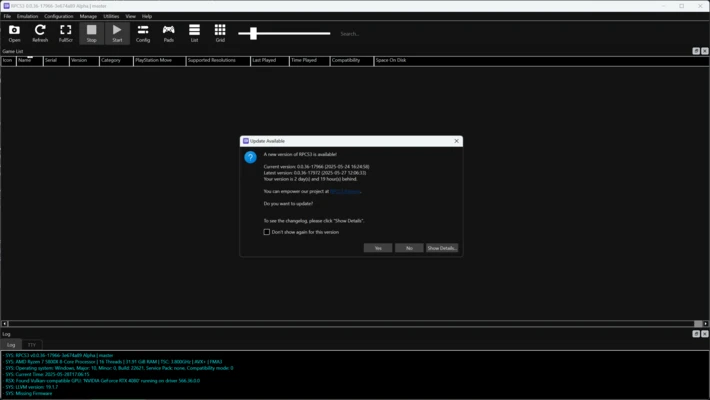
RPCS3 features a clean and intuitive interface with easy access to:
- Game library
- Emulator settings
- Graphics options
- Controller configuration
Advanced settings allow experienced users to fine-tune performance, while beginners can use default configurations for supported games.
System Requirements
Minimum Requirements
- Windows 10/11 (64-bit)
- Intel Core i5-2500K or AMD Ryzen 3 1200
- 8GB RAM
- NVIDIA GTX 660 or AMD Radeon HD 7870
- SSD recommended
Recommended Requirements
- Windows 10/11 (64-bit)
- Intel Core i7-9700K or AMD Ryzen 5 3600X
- 16GB RAM
- NVIDIA RTX 2060 or AMD RX 5700
- SSD storage
FAQ
Is RPCS3 free?
Yes. RPCS3 is completely free and open-source software.
Is RPCS3 legal?
Yes. The emulator itself is legal. Users should use legally obtained PlayStation 3 firmware and game backups.
Can RPCS3 play all PS3 games?
No. Compatibility varies between games. Some titles run perfectly, while others may have graphical issues or performance problems.
Can I use a PS3 controller with RPCS3?
Yes. RPCS3 supports DualShock 3, DualShock 4, and many other compatible controllers.
Why is RPCS3 running slowly?
Performance depends on your CPU, GPU, game compatibility, and emulator configuration. Updating drivers and adjusting settings can improve results.
Pros
- Free and open-source
- Excellent PS3 emulation technology
- Supports high-resolution graphics
- Wide controller compatibility
- Regular updates
Cons
- Requires powerful hardware
- Some games remain incompatible
- Setup may be complicated for beginners
Conclusion
RPCS3 is one of the most advanced PlayStation 3 emulators for PC, offering powerful features, high-resolution rendering, and extensive game compatibility.
With continuous development and strong community support, RPCS3 provides an excellent way to experience PlayStation 3 games on Windows with improved graphics and performance.
However, users should note that PS3 emulation requires modern hardware, and some games may still require additional configuration for optimal gameplay.