
Go to Windows platform Display platforms icon
Go to Windows platform Go to Mac platform Go to Android platform
Cxbx-Reloaded icon

Cxbx-Reloaded

CI-cada161
The Cxbx-Reloaded Team
5
4.26 MB size

A powerful Xbox emulator for Windows

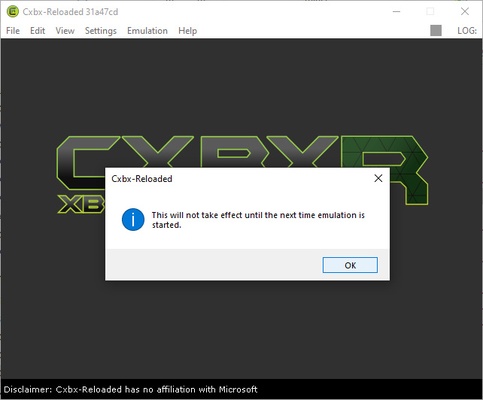
Cxbx-Reloaded is an emulator of the first Xbox for Windows that lets you enjoy some of this console's exclusive classics on your PC. The emulator does not require installation, and the configuration process is very simple, so you will be able to start playing within just a few minutes of downloading it.

As usual with most emulators, you will need to download a BIOS file from the console (or transfer the BIOS directly from your console, though this is more complicated to do) to be able to run video games. Regardless of the process you choose to get the BIOS, you will definitely need them to be able to fully enjoy the emulator.

Once you have loaded the Xbox BIOS, all you have to do is put in one of your games or load any ROM (which, of course, do not come included in the emulator). Cxbx-Reloaded's compatibility list is extensive, and you can find the full version available on its official website. Currently, with the CI-31a47cd version, there are over 150 games that work perfectly, with an additional 500 games that work but with certain problems.

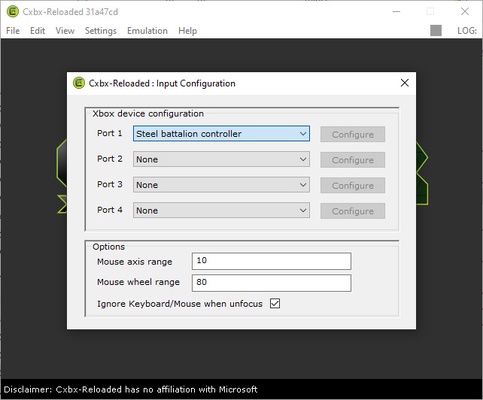
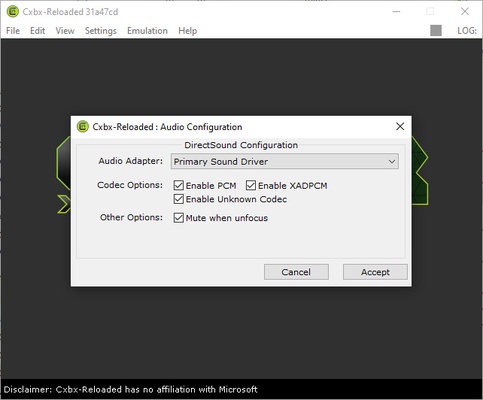
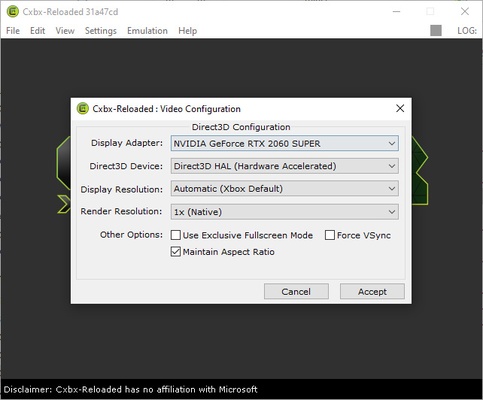
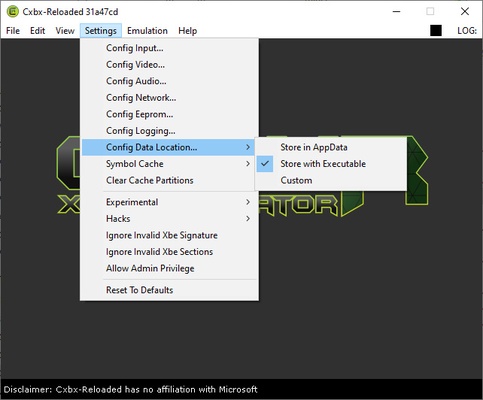
Cxbx-Reloaded is an excellent Xbox emulator that lets you enjoy all your original Xbox games on any Windows PC easily. The emulator is also very intuitive, so it won't be difficult to configure the graphics, sound or controls.

Information about Cxbx-Reloaded

License Free
Op. System Windows
Category Games
Language English
Author The Cxbx-Reloaded Team
permission icon Permissions Not applicable
Date 2026-06-02
Size 4.26 MB
File type ZIP

Apps recommended for you

Bingo Las Vegas icon
DESOF Software
Block Blast! icon
Challenge your mind with highly addictive puzzles
Prism Launcher icon
Manage different Minecraft accounts and mods
PCSX2 icon
PCSX2 for Windows is an open-source PlayStation 2 emulator that allows users to play PS2 games on their PC with enhanced graphics.
Playnite icon
Playnite for Windows is an open-source game library manager that consolidates your games from multiple platforms into one unified interface.
PPSSPP icon
PPSSPP for Windows is a PSP emulator that allows users to play PlayStation Portable games on their PC with enhanced graphics.
Legends of Runeterra icon
Card duels in the world of League of Legends
Strinova icon
A third-person shooter with brave female warriors
Candy Crush Saga 1.3370.2.0 icon
Enjoy Candy Crush on your Windows PC
Hytale 2026.09.21-909ac0c icon
Explore a procedurally generated fantasy world
Once Human 1.5.26.11 icon
Survive in an open world full of dangers
GOG Galaxy 2.1.10.56 icon
Install and update your games with GOG Galaxy for Windows PC Desktop
BlueStacks 10.42.265.1001 icon
Play and Run Android Mobile Games and Apps on Windows PC
MEmu 9.5.7 icon
Play Android games on Windows PC with keyboard, mouse and joystick
LaunchBox 14.0.1 icon
Emulate, Organize, and Beautify Your Game Collection!
RPCS3 0.0.42-19921 icon
Open-source PlayStation 3 Emulator, enjoy PS3 games on your PC!
Commander Wars icon
An open source Advance Wars clone for Windows
Playnite icon
Playnite for Windows is an open-source game library manager that consolidates your games from multiple platforms into one unified interface.
Smart Game Booster icon
Boost gaming performance on Windows with Smart Game Booster, the optimization tool that frees system resources, lowers lag, and enhances FPS for a smoother gameplay experience.
PCSX2 2.8.0 icon
Free and open-source PlayStation 2 emulator for Windows PC
Simutrans icon
Build your own transport business and make it profitable
DevilutionX icon
The best way to play Diablo on modern computers
Ship of Harkinian icon
The best way to play Ocarina of Time
PPSSPP icon
PPSSPP for Windows is a PSP emulator that allows users to play PlayStation Portable games on their PC with enhanced graphics.