
Go to Windows platform Display platforms icon
Go to Windows platform Go to Mac platform Go to Android platform
Sudachi icon

Sudachi

1.0.15
Sudachi Development Team
5
22.26 MB size

An excellent Swtich emulator for Windows

Sudachi is a Nintendo Switch emulator for Windows, based on the original development of Yuzu, one of the pioneers of the emulation of this popular console. The emulator is written in C++ and intended to work seamlessly with other operating systems, such as Android or Mac. It's also 100% free and open source, although it doesn't accept contributions from developers outside the team.

Accessible minimum requirements

The recommended requirements to smoothly run most Switch games using Sudachi are moderate: Intel Core i5-8600K and the NVIDIA GeForce GTX 1060 6GB graphics card. However, these are the recommended specifications to correctly play some of the most demanding video games: those with open worlds or high-poly characters. On the other hand, the minimum requirements, Intel Core i3-6100 and NVIDIA GeForce GT 1030, are much more accessible. Any mid-range PC is capable of running most Switch video games without much trouble.

Configure the emulator in under five minutes

Before you can play any Nintendo Switch game, you'll need to take a look at the quick start guide, which you can find on the official Sudachi website itself, or watch any of the many available video tutorials. Once you've installed the Decryption Keys and the latest Firmware version, you can start running any video game. This process is not complicated at all, and in just five minutes, you'll be able to download and install everything you need to get the most out of the emulator.

Choose your controls

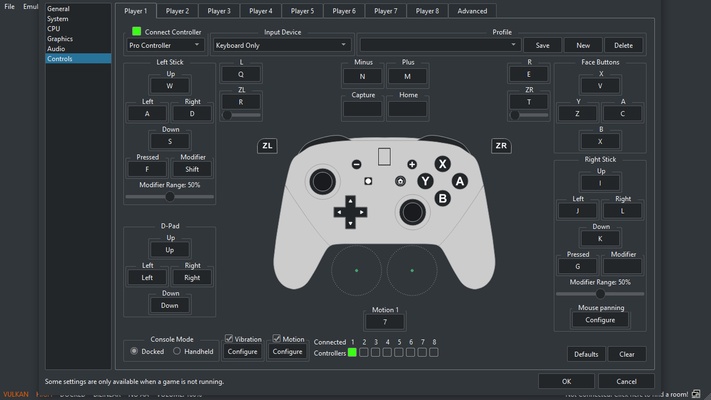
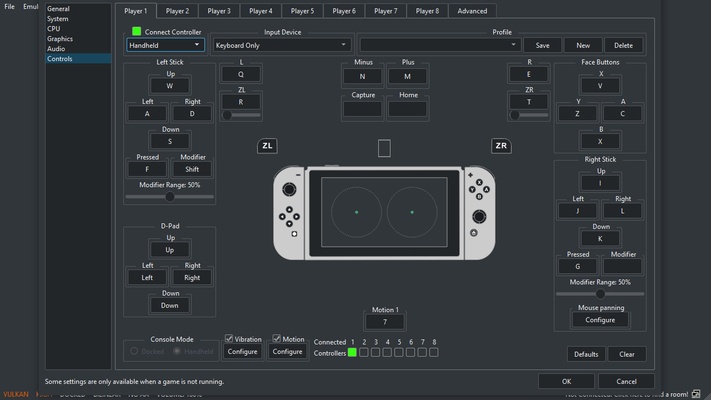
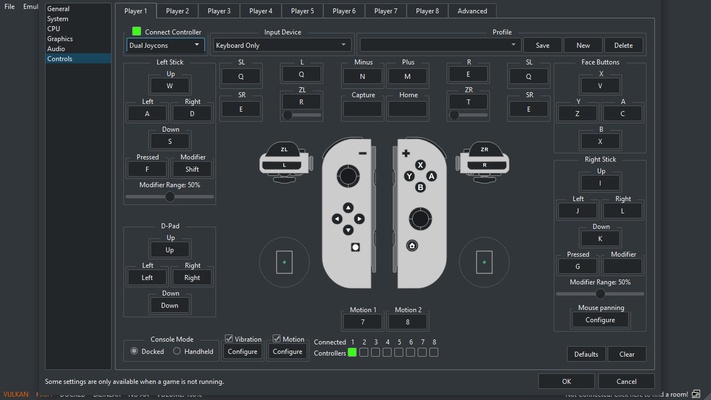
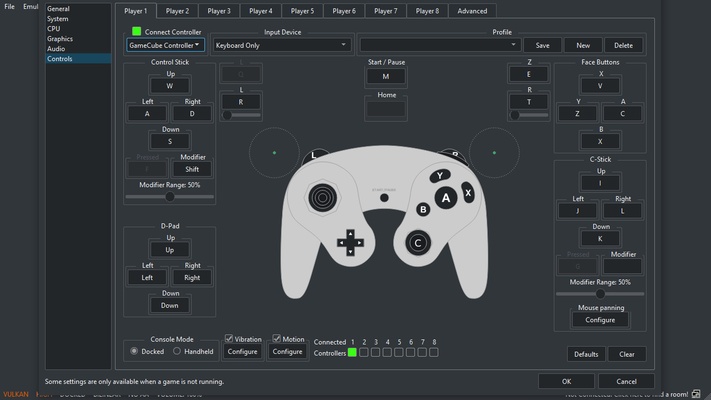
From the Sudachi settings, you can easily customize the emulator controls. By default, the emulator lets you use your PC keyboard as if it were a Pro Controller. But you can change the control setup as you like; choose between Dual Joycons, only the right Joycon, only the left Joycon, the console's handheld mode, or the GameCube controller. And, of course, if you have a gamepad connected to your PC, you can set it up and play with it. You decide how you want to enjoy your video games.

An excellent emulator alternative for Switch

Download Sudachi if you want to try out a powerful, stable and relatively easy-to-use emulator for Nintendo Switch. Thanks to this software, you can enjoy some of the best Nintendo Switch games on your Windows PC. As with all emulators in constant development, the compatibility list grows with each new version, so a game that didn't work properly a couple of weeks ago may work properly now.

Information about Sudachi

License Free
Op. System Windows
Category Games
Language English 47 more
Author Sudachi Development Team
permission icon Permissions Not applicable
Date 2026-06-02
Size 22.26 MB
File type 7Z

Apps recommended for you

Honkai: Star Rail icon
Journey through a sea of stars in this adventure
VTM: Bloodlines Unofficial Patch icon
Best way to play Vampire: the Masquerade - Bloodlines
Simutrans icon
Build your own transport business and make it profitable
WinDS PRO icon
Multi-platform emulators pack for PCs
Xbox Game Bar icon
The best Windows tool for gamers
DevilutionX icon
The best way to play Diablo on modern computers
SameBoy icon
Lior Halphon
Diablo IV Companion icon
Diablo IV Companion for Windows is an official app that enhances the Diablo IV gaming experience by providing features like character tracking, event notifications, and game updates.
Epic Games Launcher 20.1.0 icon
All Epic Games titles in one desktop app for Windows PC!
RPCS3 icon
MySQL Workbench for Windows is a powerful database management tool that enables users to design, query, and administer MySQL databases with ease on Windows.
Hearthstone Deck Tracker icon
The companion app to help you play better in Hearthstone
ExtraMAME icon
Play and manage classic arcade games on Windows with ExtraMAME, the enhanced MAME emulator offering improved performance and game compatibility.
LabyMod icon
LabyMod for Windows is a Minecraft launcher that adds mods, enhancements, and customizable features to improve gameplay.
FlightGear icon
Experience realistic flight simulation with FlightGear for Windows, the free open-source flight simulator featuring advanced aircraft and global scenery.
PCSX2 2.7.394 icon
Free and open-source PlayStation 2 emulator for Windows PC
3DMark icon
Benchmark and test your PC performance with 3DMark for Windows, featuring advanced GPU, CPU, and gaming benchmark tools.
IMVU icon
An instant-messaging classic with avatars
Game Backup Monitor icon
Store backup copies of your game saves in the cloud
HyperX NGENUITY icon
Control all your HyperX peripherals
Azahar Emulator icon
3DS emulator that takes the baton from Citra
Legends of Runeterra icon
Card duels in the world of League of Legends
LaunchBox icon
An elegant frontend for all your games
The Battle for Wesnoth icon
Fight for control over your towns
Script Hook V icon
The library for installing mods and scripts in GTA V