Go to Windows platform Display platforms icon
Go to Windows platform Go to Mac platform Go to Android platform
MiniTool ShadowMaker icon

MiniTool ShadowMaker

4.7
MiniTool Ltd
5
1.92 MB size

Make backups and protect the files on your PC

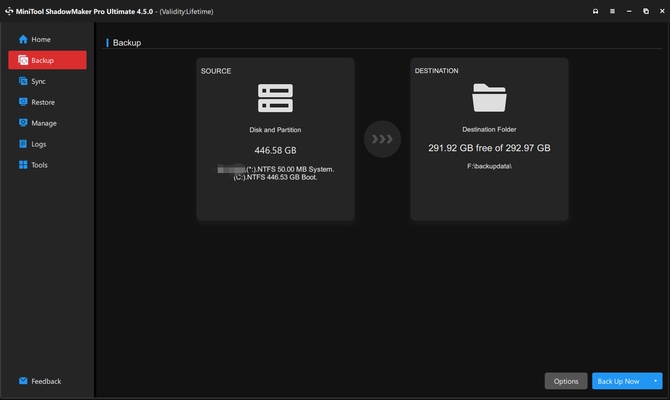
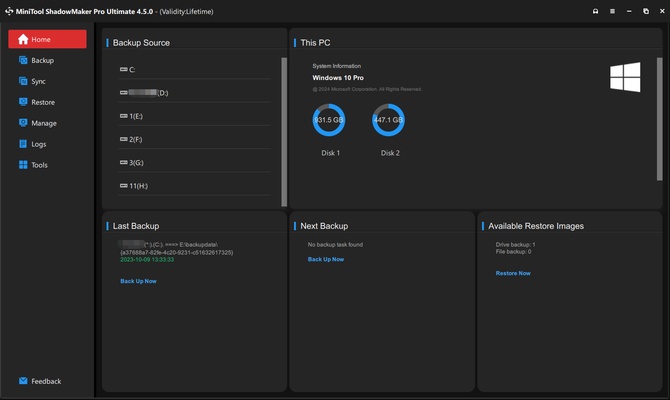
MiniTool ShadowMaker is a Windows program with which you can make different backups and protect the files saved on your PC. Having a tool like this is always important, as it will help you keep all your data safe and avoid possible losses from a software or hardware failure.

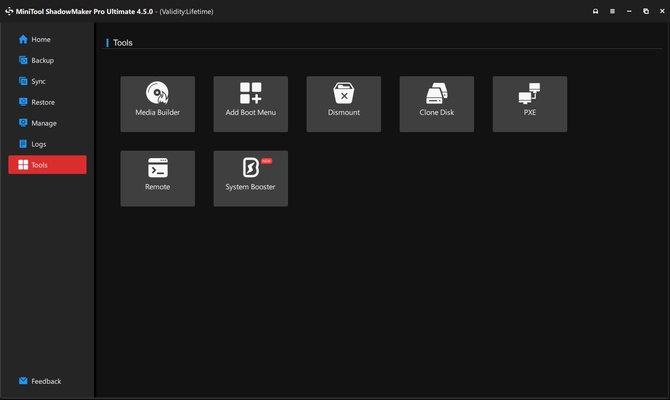
The interface in MiniTool ShadowMaker is quite intuitive, and this is something to appreciate in programs of this kind. At the top part of the screen you'll have a toolbar where you observe the different functions represented with icons. One of the most outstanding things about this program is that you can select at any time which files you want to back up. Thus you'll save the important information without having to do a full PC backup.

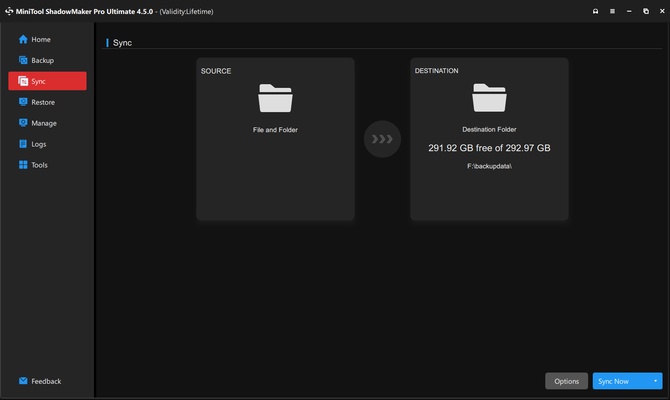
In addition, the backups you make will be updated to save space on your drive. Another option in MiniTool ShadowMaker is that you can sync all your files or schedule how often you want to do each backup. This means you don't have do anything yourself to make sure your files are protected. Whether they're docs, pics, videos, or audio, everything will be safe and available when you need it.

Another interesting feature in MiniTool ShadowMaker is that the program lets you create a bootable USB to make restoring your operating system simpler. Thanks to this feature, in minutes you'll have your own launch system to restore a previous version.

Information about MiniTool ShadowMaker

License Free
Op. System Windows
Category Utilities
Language English 2 more
Author MiniTool Ltd
permission icon Permissions Not applicable
Date 2026-06-02
Size 1.92 MB
File type EXE

Apps recommended for you

TGMacro icon
Automate repetitive tasks
Easy System Utility icon
Easy System Utility for Windows is a system optimization tool that cleans, repairs, and speeds up your PC for better performance.
FreeFileSync 14.12 icon
Backup software which helps you compare and synchronize files and folders
DriversCloud icon
Detect hardware, analyze drivers, and update your system efficiently with DriversCloud for Windows, the comprehensive PC diagnostics and driver update tool.
PrusaSlicer icon
Export files to print on your 3D printer
GoodSync 12.11.4 icon
GoodSync is a backup and file synchronization program for Windows
Citrix Workspace 26.10.0.31 icon
Access other desktops remotely
Files App icon
Files App for Windows is a modern file manager that lets users browse, organize, and manage files with a clean and intuitive interface.
KCleaner 4.0.5.0 icon
A quick way to Free space in your Hard Drive
Intel Extreme Tuning Utility (XTU) 10.0.1.248 icon
Monitor your processor's performance and overclock it
iDrive 7.0.1.22 icon
Get 10GB of free storage space for your backups
Argente Utilities 3.1.1.0 icon
Complete tools to maintain and optimize your PC
PhraseExpress 18.0.86 icon
Finally! Autotext completion for your desktop
Privacy Eraser 6.32.0.5620 icon
Protect your privacy by erasing all traces of your activity
Evernote 11.42.3 icon
Notes organize your life, Evernote organizes your notes
Zotero 10.0.8 icon
Your own personal research assistant
BleachBit 6.0.4 icon
BleachBit quickly frees disk space and tirelessly guards your privacy
Driver Genius Professional icon
Keep your drivers up to date with just one click
Google Antigravity 2.29.0 icon
Google's official advanced AI-first IDE
ChrisPC CPU Booster icon
Optimize your system in seconds
AOMEI Partition Assistant Standard Edition 10.11.0 icon
Safely partition your hard drive without data loss
HashMyFiles 2.52 icon
Check the MD5 and SHA1 of any file
Handy Backup icon
Handy Backup for Windows is a backup software that securely saves and restores files, folders, and system data automatically.
Hyena icon
SystemTools