
Go to Windows platform Display platforms icon
Go to Windows platform Go to Mac platform Go to Android platform
HashMyFiles 2.52 icon

HashMyFiles 2.52

2.52
NirSoft
5.0
83.68 KB size

Check the MD5 and SHA1 of any file

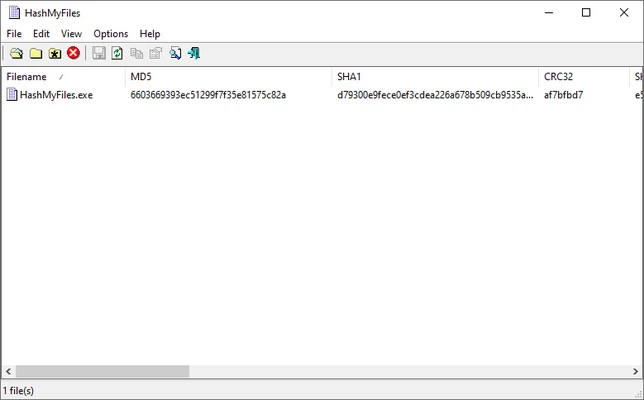
HashMyFiles is a lightweight utility that calculates the MD5, SHA1, and other hash values of files on your PC. These cryptographic hashes can be used to verify file integrity by checking whether a file has changed since its original hash was generated.

Context menu integration

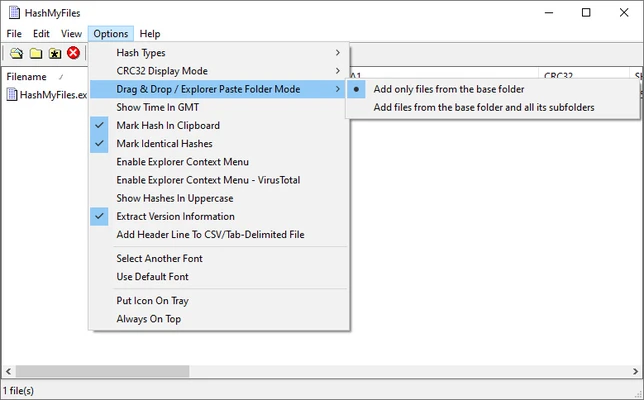
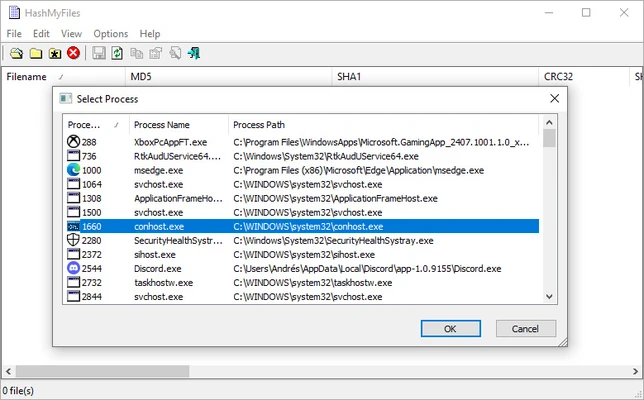
Using HashMyFiles is simple: drag and drop any file into the program window to instantly calculate its hash values. The program supports several cryptographic hash algorithms, enabled by default. You can also integrate HashMyFiles into the Windows context menu, allowing you to right-click a file and open it directly with the program. Another option lets you open the selected file on the VirusTotal website for further analysis.

Make sure you have the original files

HashMyFiles is useful when you need to check whether a file or document has been modified. It calculates hash values in seconds and lets you copy them with a single click, making it easy to compare or share the results.

Information about HashMyFiles 2.52

License Freeware
Op. System Windows
Category Utilities
Language English + more
Author NirSoft
permission icon Permissions Not applicable
Date 2026-10-31
Size 83.68 KB
File type Official Website

Apps recommended for you

Coolmuster iOS Assistant 4.6.38 icon
Easily Back Up Data from iPhone/iPad/iPod to Computer
Driver Booster Free 14.0.0.444 icon
Quickly Find and Update 9,500,000+ Drivers for Your Windows PC
STDU XMLEditor Portable icon
STDU XMLEditor Portable is a lightweight and portable XML editing tool designed for viewing, editing, and validating XML files without installation.
Windows Terminal 3001.24.12741.0 icon
Run any application from the command line
CalendarTask 3.30.294.9103 icon
Desktop Calendar app on your Windows desktop
MobiKin Eraser for Android 5.1.10 icon
Erase All Files & Histories on Your Android Devices Permanently!
EF Commander icon
Manage all the files on your hard drive
MiniTool Power Data Recovery Free icon
MiniTool Power Data Recovery Free for Windows is a powerful data recovery tool that helps users recover lost or deleted files, photos, and documents from various storage devices.
Proxyman 26.1.0 icon
Monitor HTTP/HTTPS traffic
Q-Dir 12.82 icon
A four-panel file manager with extra options
novaPDF 11.9.530 icon
Convert any document into PDF
PC Fresh 1.0.0.0 icon
Optimize your computer in seconds
Windows Terminal 3001.24.12741.0 icon
Run any application from the command line
Fixyfier 9.4.0.0 icon
Fix common Windows problems with just one click
WinScript 2.26.0 icon
Automation and advanced customization for Windows
TightVNC 2.8.89 icon
Remotely control a computer via web browser
SignalRGB 2.5.71 icon
Control and sync your favorite RGB devices from any brand!
NewFileTime icon
Modify file and folder timestamps easily with NewFileTime for Windows, the lightweight utility for changing creation, modification, and access dates.
Cisdem PDF Converter OCR icon
Convert and OCR PDFs to Office, images formats and more.
SystemInfo icon
View detailed hardware and system information with SystemInfo for Windows, the lightweight diagnostic tool for monitoring PC specifications and performance.
WinScript 2.26.0 icon
Automation and advanced customization for Windows
OneDrive 26.129.0706 icon
Store Photos and Docs Online. Access them from any PC, Mac or Phone
Nextcloud icon
Nextcloud is a self-hosted cloud storage solution that allows users to securely store, share, and collaborate on files from any device.
PeaZip Portable icon
Mobile version of this excellent file compressor