


Microsoft OneDrive is a cloud storage and file synchronization service that allows users to store, access, and share files across multiple devices.
Deeply integrated with Windows 10 and Windows 11, OneDrive provides a convenient way to back up documents, photos, and important files while keeping data synchronized between computers, smartphones, and tablets.
With Microsoft 365 integration, OneDrive also offers real-time collaboration, file version history, ransomware protection, and secure sharing features for both personal and business users.
Free Plan: 5GB cloud storage.
Key Features
Cloud Storage and Sync
Automatically synchronizes files between local devices and the cloud, allowing users to access their data anytime from PCs, mobile devices, or web browsers.
File Backup
Back up important folders such as:
- Documents
- Desktop
- Pictures
Keep important files protected and available across devices.
File Version History
Save previous versions of files and restore older copies when needed.
Real-Time Collaboration
Works with Microsoft 365 apps such as Word, Excel, and PowerPoint, allowing multiple users to edit documents together.
Personal Vault
Provides additional protection for sensitive files with identity verification and enhanced security controls.
Ransomware Protection
Detects suspicious activity and helps recover files affected by ransomware attacks.
Files On-Demand
Access cloud files without storing everything locally, helping save disk space.
Offline Access
Mark files for offline use and continue working without an internet connection. Changes will sync automatically when connected again.
Cross-Platform Support
Available on:
- Windows
- macOS
- Android
- iOS
- Web browsers
User Interface
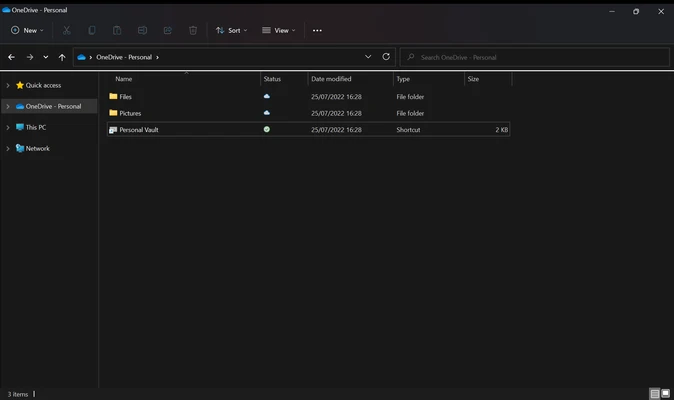
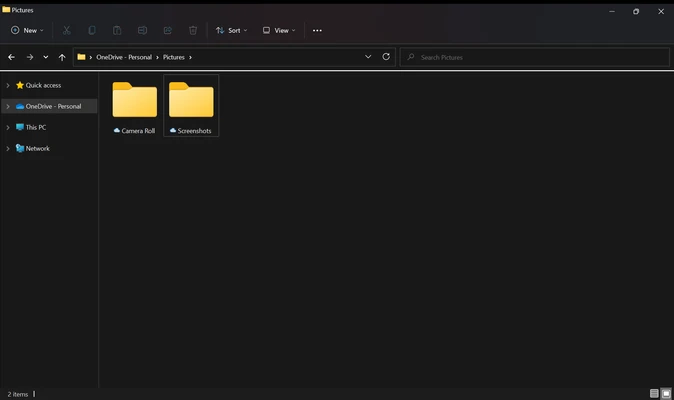
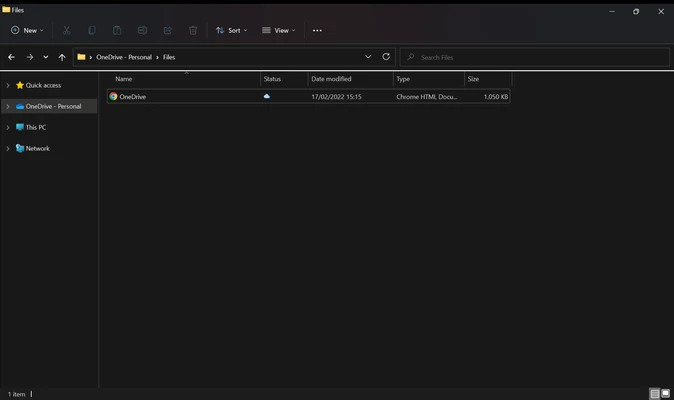
OneDrive integrates directly into Windows File Explorer, allowing users to manage cloud files like normal folders.
The interface provides clear sync status indicators showing whether files are:
- Available online
- Stored locally
- Currently syncing
The web interface also provides file management, sharing, and recovery options.
Installation and Setup
- OneDrive is included with Windows 10 and Windows 11.
- Sign in with a Microsoft account.
- Select folders for synchronization.
- Configure backup and security settings.
- Enable Personal Vault if required.
How to Use
Upload Files
Drag and drop files into the OneDrive folder to upload them automatically.
Share Files
Right-click a file and create a sharing link with customized permissions.
Access Files Anywhere
Open OneDrive through desktop apps, mobile apps, or a web browser.
Restore Deleted Files
Recover deleted files from the OneDrive recycle bin.
Manage Storage
Check storage usage and upgrade your plan when additional space is required.
FAQ
Is OneDrive free?
Yes. OneDrive provides 5GB of free cloud storage. Additional storage is available through Microsoft 365 plans.
Do I need a Microsoft account?
Yes. A Microsoft account is required to use OneDrive.
Does OneDrive automatically back up my PC?
It can automatically back up Desktop, Documents, and Pictures folders. Other files need to be manually added to OneDrive.
Can I use OneDrive offline?
Yes. Files marked for offline access can be opened and edited without an internet connection.
Is OneDrive secure?
Yes. OneDrive includes encryption, Personal Vault, file recovery, and ransomware protection features.
Alternatives
- Google Drive – Cloud storage service with strong Google Workspace integration.
- iCloud Drive – Cloud storage designed for Apple devices.
- Dropbox – Popular file synchronization and sharing platform.
- MEGA – Cloud storage service focused on privacy and encryption.
Pricing
Microsoft 365 Free
- 5GB OneDrive storage
- Web and mobile Office apps
- Basic cloud backup features
Microsoft 365 Basic
- 100GB cloud storage
- Outlook mailbox storage
- Enhanced security features
Microsoft 365 Personal
- 1TB OneDrive storage
- Desktop Office applications
- Advanced security and AI features
System Requirements
- Operating System: Windows 10, Windows 11
- Processor: 1.6 GHz or faster
- Memory: 2GB RAM minimum
- Storage: 200MB free disk space
- Internet: Broadband connection recommended
PROS
- Excellent Windows integration
- Reliable file synchronization
- Microsoft 365 collaboration support
- Strong security features
- Cross-platform availability
- Personal Vault protection
CONS
- Limited free storage space
- Large sync operations may consume bandwidth
- Performance can slow with many files
- Best experience requires Microsoft ecosystem
Conclusion
Microsoft OneDrive is one of the best cloud storage solutions for Windows users, especially for those who already use Microsoft 365.
Its deep Windows integration, automatic backup features, file synchronization, and security tools make it a practical choice for personal users, students, and businesses.