

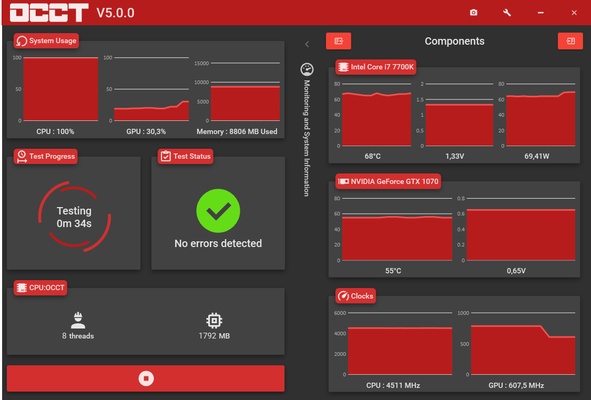
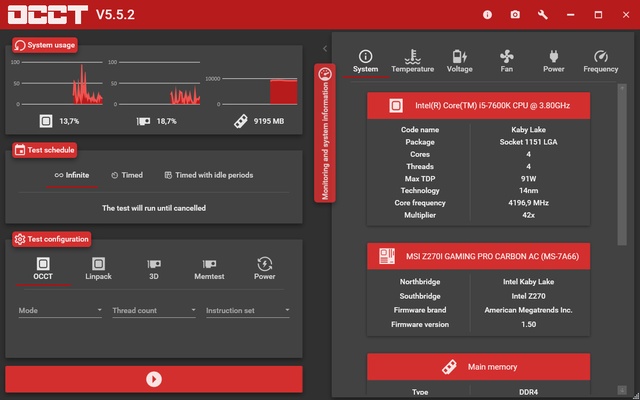
OCCT is a powerful hardware diagnostic and stability testing utility designed to stress-test your computer's core components. Initially built for overclockers, it has become a go-to tool for gamers and IT professionals to identify hardware stability issues, trace system errors, and test cooling efficiency under maximum workloads.
By pushing your hardware to its absolute processing limits, the software quickly reveals faulty components, unstable overclocks, or failing power supplies before they cause daily system crashes.
Overview and Key Features
-
Multi-Component Stressing: Features dedicated stress tests for your CPU (OCCT and Linpack workloads), GPU (DirectX/OpenGL rendering), VRAM, and system memory (RAM).
-
Power Supply Testing: Combines maximum CPU and GPU workloads simultaneously to pull peak power, allowing you to test the stability of your Power Supply Unit (PSU) under extreme power draw.
-
Combined Testing Framework: Allows you to run multiple tests at the same time, generating thousands of shifting load variations to hunt down hard-to-find stability flaws.
-
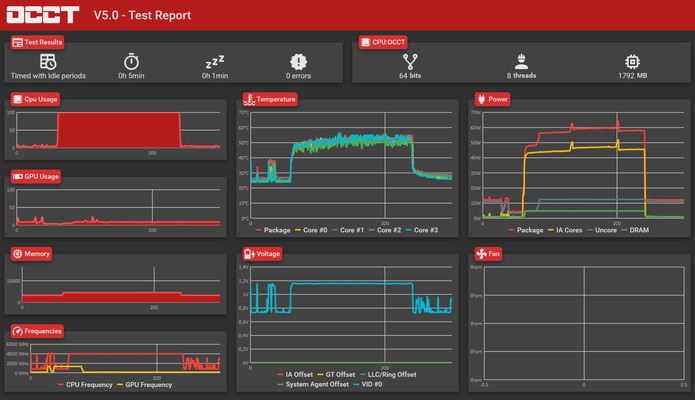
Real-Time System Monitoring: Tracks critical inner temperatures, system voltages, and fan speeds on live plotting graphs during execution.
-
Automated Overheat Alarms: Includes fully customizable sensor thresholds that instantly terminate active stress profiles if a component exceeds safe temperature or voltage limits.
-
Latency & Bandwidth Benchmark: Features a built-in memory benchmark module to measure your system RAM and cache performance accurately.
-
Flexible Execution Schedules: Lets you set fixed test durations or run tests indefinitely, with options to include idle periods at the beginning or end to monitor thermal recovery rates.
How to Use
-
Run the downloaded installer file and launch the application to load the main diagnostics control panel.
-
Allow the software to complete its automatic hardware scan to map out your specific CPU, GPU, and RAM layout.
-
Select the target component you want to evaluate from the main dashboard tabs (CPU, Memory, GPU, or Power).
-
Configure your test constraints, such as choosing the dataset size, instruction sets, and runtime duration (fixed time or infinite).
-
Navigate to the safety settings to double-check that temperature alarm thresholds match your computer's cooling limits.
-
Click the red Start button to begin driving heavy execution loads into your hardware.
-
Monitor the real-time sensor graphs to track how your system temperatures and voltages react under heavy load.
-
Review the final report generated at the end of the test session to see if the engine detected any computing errors or hardware drops.
Pros and Cons Pros
-
All-in-one hardware testing suite eliminates the need to download separate tools for CPU, GPU, and RAM checking.
-
Built-in safety cutoff triggers instantly prevent hardware damage if your cooling system fails during a test.
-
The interface is clean and accessible for beginners while offering advanced, granular configuration options for power users.
-
Light monitoring engine can freeze graph rendering when hidden to avoid consuming extra system resources. Cons
-
Generating peak synthetic loads creates massive heat output, requiring a capable aftermarket CPU cooler or liquid loop.
-
The free version is strictly restricted to personal home use and lacks advanced enterprise deployment scripts.
-
Running heavy power tests on a low-quality, generic power supply can cause immediate system shutdowns if the PSU lacks proper safety protections.
Top Alternatives
-
Prime95: The industry standard for absolute CPU/FPU torture testing, utilizing heavy mathematical FFT routines to find core clock instability.
-
FurMark: A specialized GPU stress tester that utilizes intensive, high-overhead 3D rendering to push graphics cards to their thermal and power limits.
-
AIDA64: A comprehensive system utility providing thorough hardware identification alongside clean, everyday synthetic stress loops.
-
MemTest86: A dedicated RAM diagnostic tool that boots independently from a USB drive outside of Windows to test physical memory cells with zero driver interference.