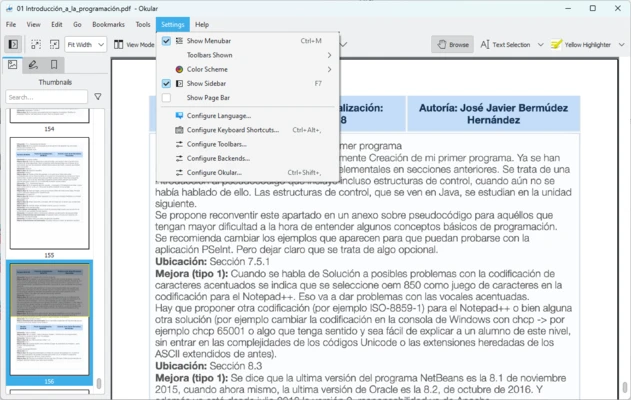
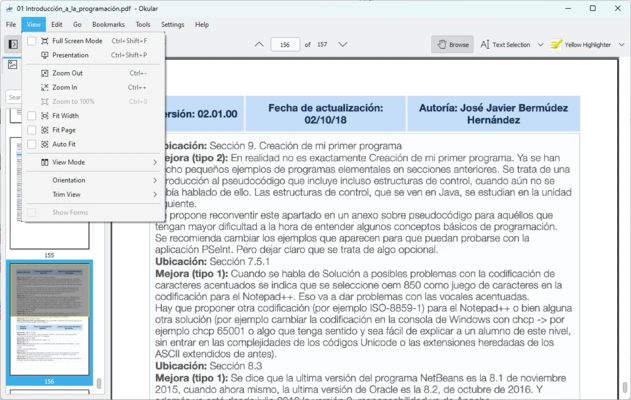
Okular is a free and open-source document viewer developed by KDE. It supports a wide range of document and image formats, including PDF, EPUB, DjVu, Markdown, JPEG, PNG, TIFF, WebP, CBR, and CBZ. In addition to viewing files, it provides tools for searching, text selection, annotations, bookmarks, and digital signatures.
Key Features
-
Multi-Format Document Viewer
-
PDF Support
-
EPUB and DjVu Support
-
Image and Comic Book Support
-
Text Search and Selection
-
PDF Annotations
-
Highlighting and Underlining
-
Comments and Drawing Tools
-
Bookmarks and Thumbnails
-
Text Extraction
-
Digital Signature Support
-
Customizable Viewing Options
-
Open Source
User Interface
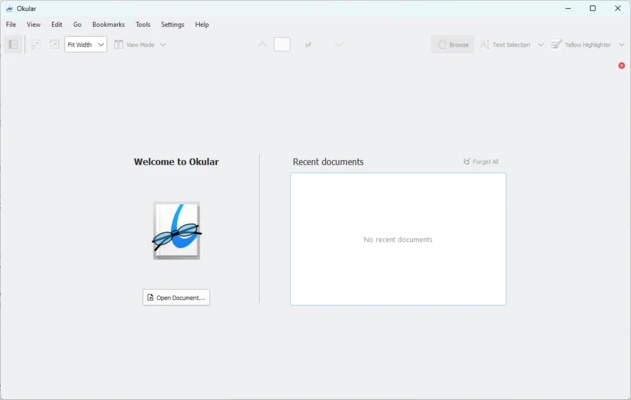
Okular features a clean interface designed for document reading and navigation. A sidebar provides quick access to thumbnails, bookmarks, and annotations, while the main viewing area displays the selected document. Zoom, search, selection, and annotation tools are available from the toolbar.
Installation and Setup
Download and install Okular on your Windows PC using the standard installer. Follow the on-screen instructions to complete the installation, then launch the application and open a supported document.
How to Use
-
Launch Okular and select File > Open.
-
Choose a supported document or image file.
-
Use the sidebar to navigate pages, thumbnails, bookmarks, or annotations.
-
Adjust the zoom level and viewing options as needed.
-
Use the search tool to find specific words or phrases.
-
Select text or use annotation tools to highlight, underline, or add notes.
-
Save the document if you have added annotations or other changes.
Pros
-
Supports many document and image formats
-
Comprehensive PDF annotation tools
-
Built-in search and text selection
-
Bookmark and thumbnail navigation
-
Free and open-source
-
Available for Windows
Cons
-
Not designed for full document editing
-
Some advanced features may take time to learn
-
Fewer integrations than some commercial PDF applications
Conclusion
Okular is a versatile document viewer for users who need more than basic PDF reading. Its broad format support, annotation tools, search functions, bookmarks, and open-source design make it a practical choice for reading and working with documents on Windows.