

Go to Windows platform Display platforms icon
Go to Windows platform Go to Mac platform Go to Android platform
OnionShare icon

OnionShare

2.6.3
Micah Lee
0
131.71 MB size

Work with files and chat with friends anonymously

OnionShare is an open source tool for sharing and receiving files anonymously and securely, hosting websites, and chatting with other people on the TOR network. If you want extra privacy when you perform these kinds of tasks, OnionShare is the perfect tool for working with your files and communicating with others.

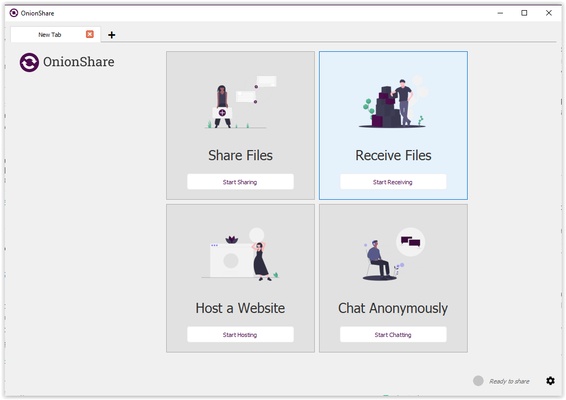
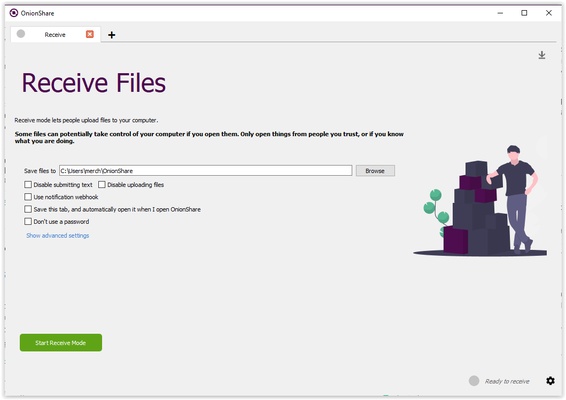
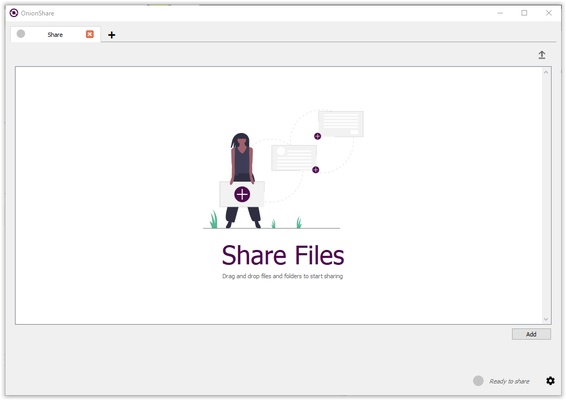
This app's interface is pretty simple, and each of its four main functions is clearly divided into four large windows: share files, receive files, host a website, and chat. To access one of them, all you have to do is tap on the function you're interested in, then follow the steps given by OnionShare. One of the advantages of this tool is that you can open multiple processes simultaneously, which are added to the top bar as if it were a web browser.

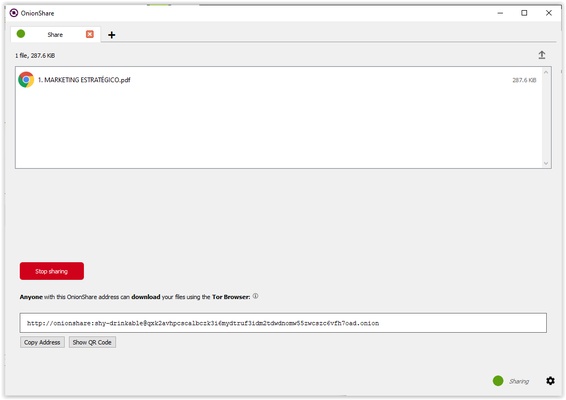
Sharing your website or the chat room you've created is as simple as sending the link generated by the tool, which means you can control who has access to it. Another advantage is that the chat rooms are only temporary, so all the information shared in them disappears when you close them. In addition, you don't need an account in order to access the chat.

In short, OnionShare is a great option for sending and receiving files and participating in anonymous and secure chats through the TOR network without needing the necessary knowledge to work with this darknet. OnionShare makes these four tasks so easy that you can use them without any advanced setup, simplifying your life and increasing your privacy in one fell swoop.

Information about OnionShare

License Free
Op. System Windows
Category Personal
Language English 10 more
Author Micah Lee
permission icon Permissions Not applicable
Date 2026-06-02
Size 131.71 MB
File type MSI

Apps recommended for you

Tera Term icon
Conveniently connect to remote systems
EssentialPIM icon
Very complete agenda compatible with Outlook
Simple Sticky Notes icon
Fill your desktop with reminder notes
EdrawMind icon
Edrawsoft
MuseScore icon
MuseScore (Windows) – Create, play, and print sheet music with ease.
Xournal++ icon
Take notes in the most efficient way
Octoparse icon
Scrape the web without needing to write code
TomTom MyDrive Connect icon
Use and update your TomTom GPS from Windows
FocusMe icon
FocusMe is a productivity tool that helps users block distractions and improve focus by restricting apps and websites.
MuseScore icon
MuseScore (Windows) – Create, play, and print sheet music with ease.
TomTom MyDrive Connect icon
Use and update your TomTom GPS from Windows
ArsClip icon
Manage your clipboard in a simple way
Ambie icon
Sounds to boost your concentration in front of the PC
Metalith icon
A. A. Semyonov
C-Organizer icon
A well-designed and practical planner
GUIPropView icon
NirSoft
Power Automate icon
Automate tasks and simplify processes
Treesheets icon
A simple way to organize your data
Quick Share (Nearby) icon
Send files quickly from Android to Windows
EssentialPIM Free Portable icon
Portable version of this full-featured professional agenda
Advanced Diary icon
Full featured personal diary for free
3uTools icon
The best way to manage your iOS device
AlomWare Toolbox icon
Complete suite of tools to optimize productivity
Gaia Sky icon
Powerful 3D simulator of the universe