Go to Windows platform Display platforms icon
Go to Windows platform Go to Mac platform Go to Android platform
Power Automate icon

Power Automate

11.2504.176.0
Microsoft Corporation
5
1.27 GB size

Automate tasks and simplify processes

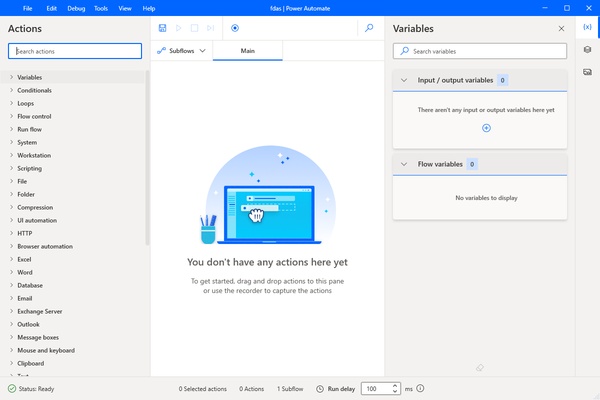
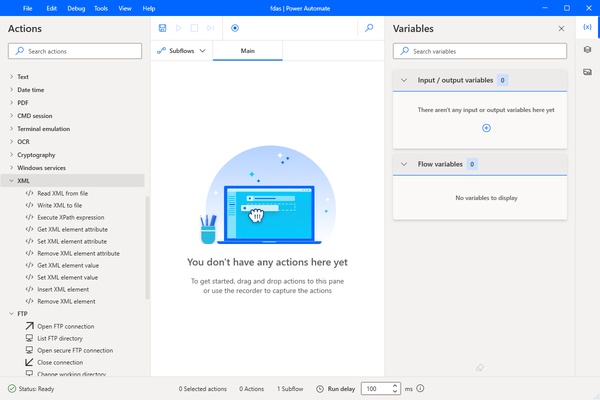
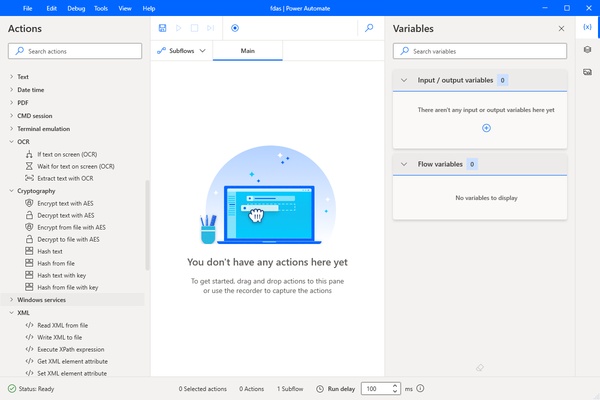
Power Automate is a revolutionary tool designed to optimize and simplify business processes by automating workflows. As a cloud-based platform, it offers an effective solution for creating, managing and executing repetitive, time-consuming tasks efficiently.

Simplified automation

Power Automate enables both process automation and notification classification, data collection and alert management, so you can eliminate repetitive and low-effort tasks. Its no-code/low-code approach makes it easy to use even for users with little programming experience, offering ready-to-use templates and recommendations on application linking.

Versatility of use

Power Automate is used both to create new applications and to establish flows between them. For example, you can use it to automatically copy data between applications, making it easier to access and share information between friends. In addition, the tool enables the connection between different platforms, such as SharePoint and Outlook, allowing the automation of processes such as the automatic upload of attachments to SharePoint when receiving an e-mail.

Comprehensive connectivity

Power Automate offers end-to-end connectivity to over 500 data sources and the ability to connect to any available public API. You will also be able to work with a wide variety of connectors, providing flexibility to adapt to diverse needs and usage scenarios.

In summary, Power Automate is presented as a comprehensive solution that simplifies task automation, improves efficiency in process management and provides users, regardless of their programming experience, with a powerful tool to optimize their workflows.

Information about Power Automate

License Free
Op. System Windows
Category Personal
Language English
Author Microsoft Corporation
permission icon Permissions Not applicable
Date 2026-06-02
Size 1.27 GB
File type MSIXBUNDLE

Apps recommended for you

Rainlendar Lite icon
Rainlendar Lite for Windows is a lightweight calendar app that helps users manage events, tasks, and reminders efficiently.
Kindle icon
The best way to read your Kindle books on a computer
ChatGPT icon
Windows desktop version of ChatGPT
My Family Tree icon
Chronoplex Software
MyTourbook icon
Visualize and analyze cycling route data
GARMIN Express icon
GARMIN Express for Windows is a management tool that updates Garmin devices, backs up data, and syncs maps and software easily.
Octoparse icon
Scrape the web without needing to write code
Ollama icon
Run any LLM locally
FocusMe icon
FocusMe is a productivity tool that helps users block distractions and improve focus by restricting apps and websites.
MuseScore icon
MuseScore (Windows) – Create, play, and print sheet music with ease.
TomTom MyDrive Connect icon
Use and update your TomTom GPS from Windows
ArsClip icon
Manage your clipboard in a simple way
Ambie icon
Sounds to boost your concentration in front of the PC
Metalith icon
A. A. Semyonov
C-Organizer icon
A well-designed and practical planner
GUIPropView icon
NirSoft
OnionShare icon
Work with files and chat with friends anonymously
Personal Budget Maker icon
Unique Budgeting Tool that is simple to setup and use
ToDoList Portable icon
Manage your work in an efficient and effective way
EarthTime icon
What is the time all around the world?
Microsoft To Do icon
Plan your day-to-day with this Microsoft tool
12-ants icon
Fill your desktop with ants - and play with them
TodoList icon
Get things done in the simplest way
Logi Options+ icon
Logi Options+ is a customization and device management software that allows users to configure buttons, gestures, and settings for Logitech mice and keyboards to enhance productivity.