

PC Tweaker is a Windows system optimization and maintenance tool that helps monitor system resources, clean unnecessary files, adjust performance settings, and apply privacy-related tweaks. It provides a quick system scan and displays available optimization options from a central interface.
Performance Optimization
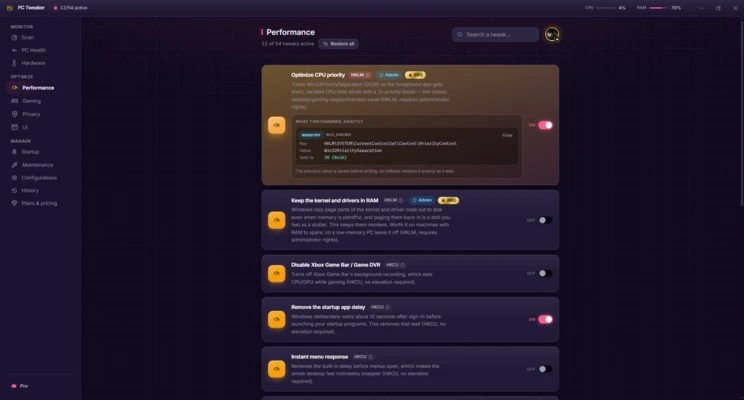
PC Tweaker can apply various Windows performance tweaks, including adjusting CPU priority, enabling the High Performance power plan, and optimizing foreground applications. It also provides RAM management tools that can release unused memory and schedule automatic memory cleanup.
Gaming Optimization
The Gaming section includes options such as Hardware-Accelerated GPU Scheduling (HAGS), mouse input adjustments, and a Turbo Gaming preset. These settings are designed to modify Windows configurations commonly associated with gaming performance.
Privacy Tweaks
PC Tweaker provides settings for disabling or reducing certain Windows privacy-related features, including telemetry, location tracking, advertising ID, tailored experiences, Cortana, and recommendations.
System Maintenance
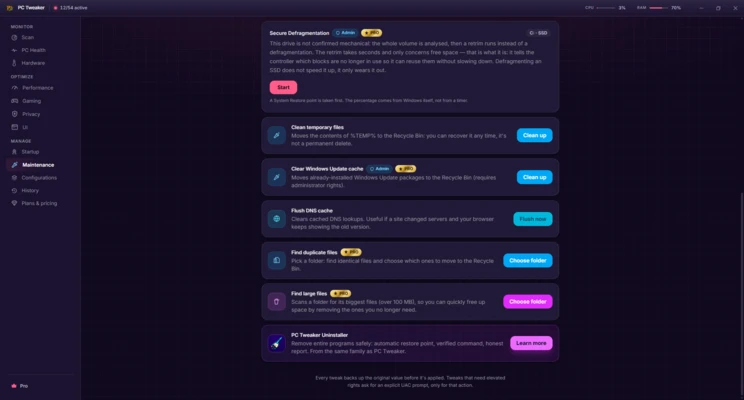
The maintenance tools can clean temporary files and the Windows Update cache, flush the DNS cache, and help identify duplicate or large files that may be taking up storage space. PC Tweaker also supports drive maintenance features such as SSD health checks, TRIM, and disk defragmentation where applicable.
System Information and Customization
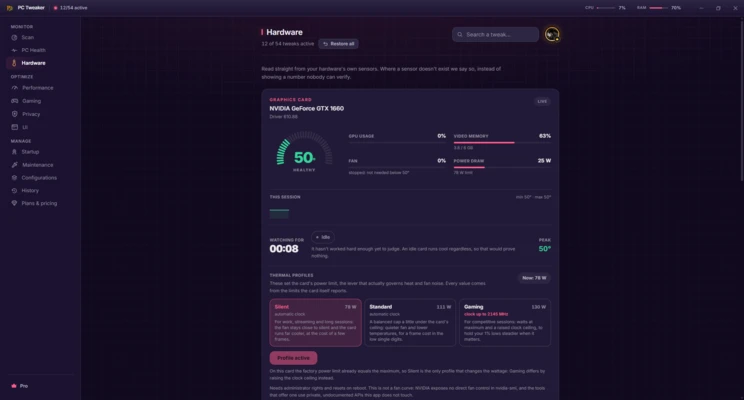
The main interface displays information about CPU, RAM, and disk usage. PC Tweaker also includes interface customization options, multiple themes, dark mode, taskbar settings, and options for displaying hidden files.
Some advanced system changes require administrator privileges. The software also allows applied tweaks to be reverted, providing a way to restore previous settings when necessary.