


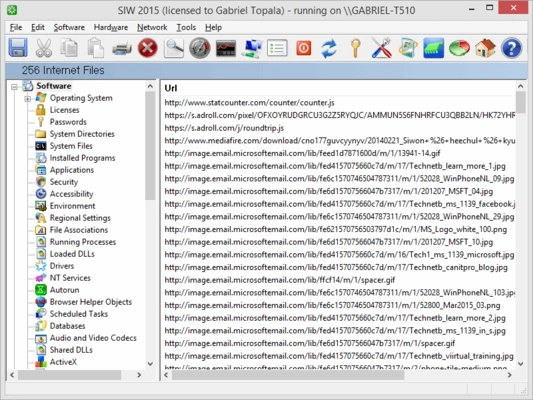
SIW (System Information for Windows) is a powerful system information and hardware diagnostic tool that provides detailed information about your Windows computer.
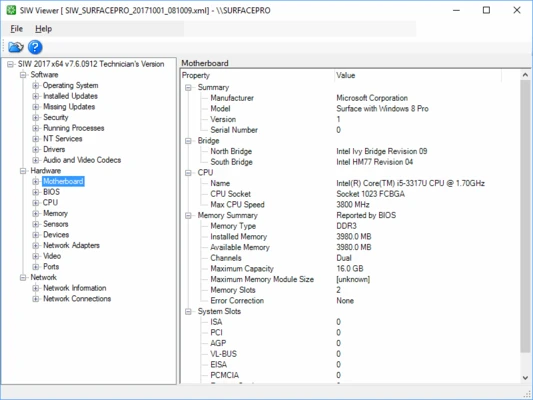
It analyzes your system configuration and displays information about hardware components, installed software, network settings, security details, and Windows configuration in an organized interface.
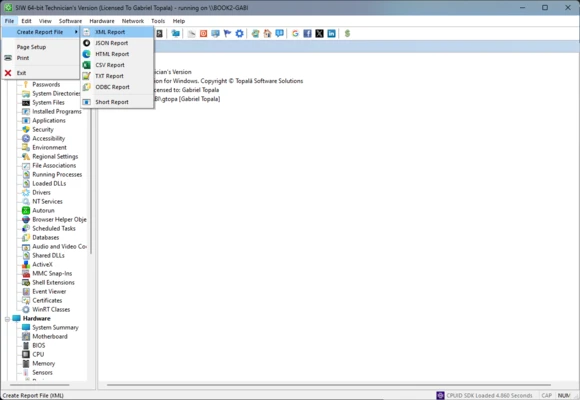
SIW can generate detailed reports in multiple formats, including HTML, JSON, CSV, TXT, and XML. It also supports batch mode, making it useful for computer inventory, IT auditing, software license management, and system troubleshooting.
Features and Highlights
Complete Hardware Information
SIW provides detailed information about your computer hardware, including:
- CPU and motherboard details
- BIOS and chipset information
- RAM and memory modules
- Graphics card and monitor information
- Storage devices and S.M.A.R.T. status
- USB and PCI devices
- Printers and connected hardware
Software Information
View detailed software-related information such as:
- Windows operating system details
- Installed applications
- Software licenses
- Windows updates and hotfixes
- Running processes
- System services
- Multimedia codecs
Network Analysis
Monitor and analyze network configurations:
- Network adapters
- IP configuration
- Active connections
- Shared resources
- Open ports
- Network statistics
- Active Directory information
System Monitoring
Built-in monitoring tools allow users to check:
- CPU usage
- Memory usage
- Page file activity
- Network traffic
Report Generation
Create detailed system reports in different formats:
- HTML
- XML
- CSV
- TXT
- JSON
Reports can be used for IT documentation, troubleshooting, and hardware inventory management.
Additional Tools
SIW also includes several useful utilities:
- MAC address changer
- Network scanner
- Ping and trace tools
- Wake-on-LAN support
- Monitor testing tools
- Shutdown and restart functions
How to Use
- Download and install SIW on your Windows PC.
- Launch the application.
- Select hardware, software, or network categories from the sidebar.
- Browse detailed system information.
- Export reports if required.
System Requirements
- OS: Windows 10 / Windows 11 (32-bit or 64-bit)
- Processor: 1 GHz or faster
- RAM: 512 MB or more
- Storage: 50 MB free disk space
- Internet connection required for updates and activation
PROS
- Provides detailed hardware and software information
- Includes network diagnostic tools
- Supports multiple report formats
- Portable version available
- Useful for IT professionals and system administrators
CONS
- Commercial software with limited trial version
- Interface design feels outdated
- Windows-only application
- Some advanced features require paid editions
Alternatives
- Speccy
- HWiNFO
- AIDA64
- CPU-Z
- Open Hardware Monitor
Conclusion
SIW is a comprehensive system information and diagnostic tool for Windows users who need detailed hardware, software, and network analysis. With extensive reporting features and portable support, it is especially useful for IT technicians, administrators, and users troubleshooting computer systems.
Note: Trial version available. Some information may be limited in the evaluation version.