


Sticky Password is a secure and easy-to-use password manager designed to store, manage, and autofill all your passwords in one encrypted vault. It allows users to remember just one master password while securely handling the rest automatically.
Overview
Sticky Password helps simplify online security by storing all login credentials in a highly encrypted digital vault. It uses AES-256 encryption to protect sensitive data and provides automatic login and form-filling across websites and apps. The software is available on Windows, macOS, Android, and iOS.
Key Features
- Secure password vault with AES-256 encryption
- One master password for full access
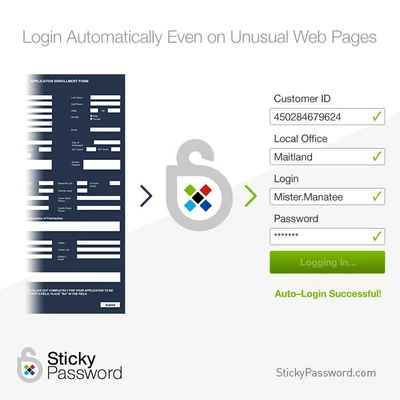
- Automatic login and form filling
- Cross-device synchronization support
- Biometric authentication (fingerprint / Touch ID)
- Auto-lock for inactive sessions
- Secure password generator for strong credentials
- Local Wi-Fi sync option for privacy-focused users
- Cloud sync available in Premium version
- Multi-platform support (PC, Mac, mobile)
Why Choose Sticky Password
Sticky Password is designed for users who want strong security with simple usability. It reduces the risk of password reuse while offering flexible sync options, including offline local network syncing for enhanced privacy control.
Best For
- Everyday users managing multiple accounts
- Online shopping and banking security
- Business and work account protection
- Users needing cross-device password access
- Privacy-focused users
Pros
- Strong AES-256 encryption
- Simple and beginner-friendly interface
- Supports biometric login
- Flexible sync options (cloud or local)
- Cross-platform availability
Cons
- Some features require Premium version
- Interface is less modern than competitors
- Fewer advanced tools than high-end password managers
System Requirements
- macOS 10.13 or later
- Intel or Apple Silicon processor
- 2GB RAM minimum
- Internet required for sync features
Conclusion
Sticky Password is a reliable and secure password manager that focuses on simplicity and strong encryption. It is a practical choice for users who want to manage passwords safely without complex setup or technical learning.