Microsoft Safety Scanner is a free portable malware removal tool developed by Microsoft. It helps detect and remove viruses, spyware, worms, trojans, and other malicious software from Windows computers.
Unlike traditional antivirus software, it does not require installation and works as an on-demand scanner. Users can download the latest version, run a scan, and remove detected threats manually.
Microsoft Safety Scanner is designed as a secondary security tool and does not replace real-time antivirus protection.
Features
Malware Detection and Removal
Microsoft Safety Scanner can detect and remove common malware threats, including:
- Viruses
- Spyware
- Trojan horses
- Worms
- Other malicious programs
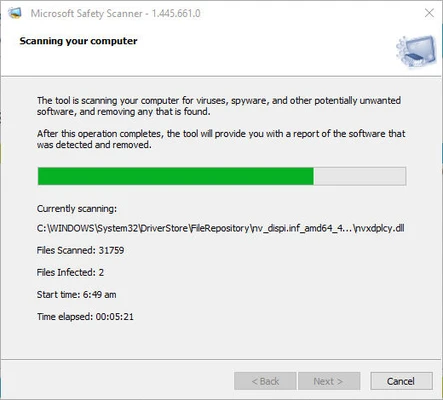
It uses Microsoft's malware detection technology to identify suspicious files, registry entries, and system changes.
Portable Security Tool
The program runs directly after downloading without installation.
Users can:
- Carry it on a USB drive
- Scan multiple computers
- Remove it by deleting the executable file
Multiple Scan Options
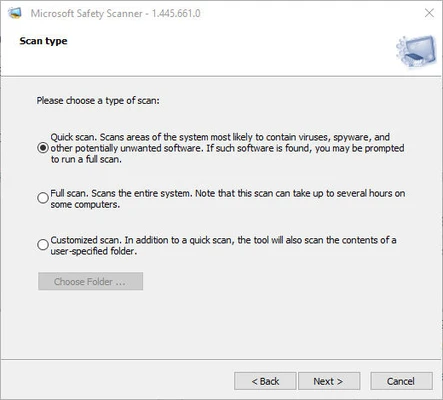
It provides different scanning modes:
- Quick Scan
- Full Scan
- Custom Scan
Users can choose the appropriate scan method depending on their security needs.
Regular Malware Database Updates
Microsoft updates the tool regularly with new malware definitions and detection improvements.
For the best protection, users should download the latest version before each scan.
How to Use
- Download Microsoft Safety Scanner.
- Run the downloaded file.
- Accept the license agreement.
- Choose a scan type.
- Start scanning your computer.
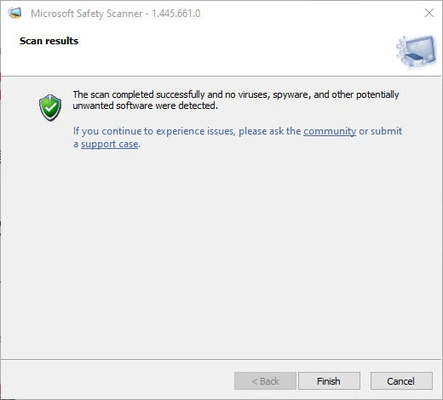
- Review detected threats.
- Follow the instructions to remove malware.
System Requirements
- Operating System:
- Windows 11
- Windows 10
- Windows 8.1
- Windows 8
- Windows 7
- Windows Server editions
- Processor:
- 1 GHz or faster
- RAM:
- 1 GB or more
- Storage:
- 200 MB free disk space
Pros
- Free malware removal tool
- Developed by Microsoft
- No installation required
- Easy to use
- Works alongside existing antivirus software
- Regularly updated malware definitions
Cons
- No real-time protection
- Must manually download updates
- Only available for Windows
- Cannot replace full antivirus software
Alternatives
- Malwarebytes
- Microsoft Defender
- AdwCleaner
- HitmanPro
- ESET Online Scanner
Conclusion
Microsoft Safety Scanner is a useful emergency malware removal tool for Windows users. It is lightweight, portable, and easy to run when you suspect your computer may be infected.
Although it does not provide continuous protection like a full antivirus program, it works well as an additional security scanner for detecting and removing malware threats.