

Universal Media Server (UMS) is a free and open-source media server for Windows that lets you stream and transcode videos, music, and other media files to TVs, smartphones, game consoles, and computers over a local network. It supports a wide range of DLNA and UPnP-compatible devices and can automatically transcode content when required for playback.
Key Features
-
Media Streaming – Stream videos, music, and photos to compatible devices on your network.
-
DLNA and UPnP Support – Works with a wide range of TVs, game consoles, media players, and other compatible devices.
-
Real-Time Transcoding – Converts media when the target device does not support the original format.
-
Wide Format Support – Supports common formats such as MP4, MKV, AVI, MP3, FLAC, and many others.
-
Subtitle Support – Supports subtitles and can download subtitles when configured with the appropriate services.
-
Metadata Support – Retrieves media information such as titles, genres, actors, and directors.
-
Web Interface – Browse and access shared media through a web browser.
-
Open Source – Free to use and developed as an open-source project.
-
Cross-Platform – Available for Windows, Linux, and macOS.
User Interface
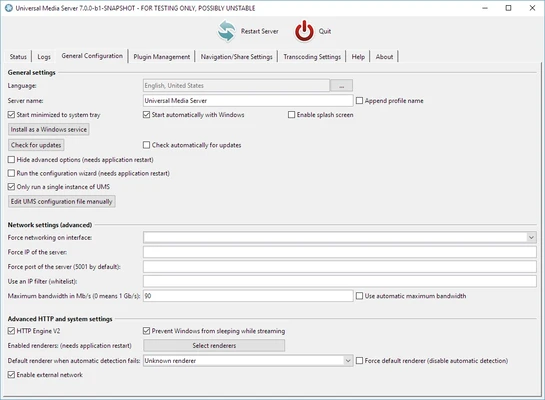
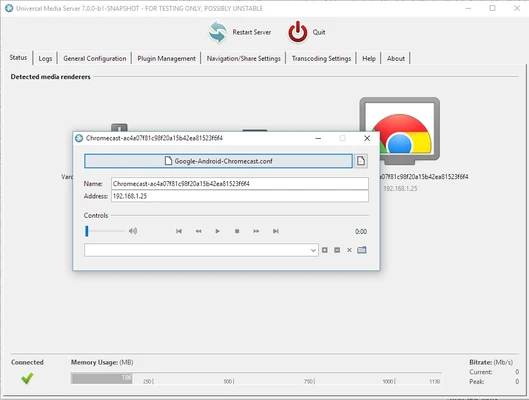
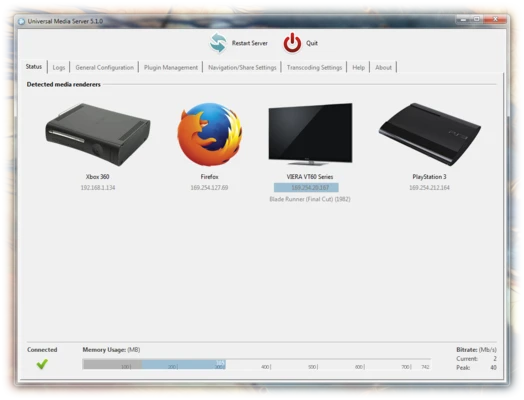
UMS provides a straightforward desktop interface for configuring shared folders, network settings, transcoding options, and other server settings.
A web interface is also available for browsing the media library from compatible devices and web browsers. The interface is functional rather than highly polished, but it provides the essential controls needed to manage a home media server.
Installation and Setup
Install Universal Media Server on your Windows PC and launch the application. During the initial setup, select the folders containing your videos, music, and other media files.
Once the server is running, compatible devices on the same network can detect the media server. Additional transcoding, subtitle, and network settings can be adjusted if needed.
How to Use
-
Install and launch Universal Media Server.
-
Add the folders containing your media files to the shared folders list.
-
Start the media server.
-
Open the DLNA or UPnP media browser on your TV, console, or other compatible device.
-
Select Universal Media Server and browse the available media.
-
Adjust transcoding or subtitle settings if a device cannot play a particular file directly.
System Requirements
-
Operating System: Windows 7, 8, 10, or 11
-
Processor: Dual-core CPU or better recommended
-
Memory: 1 GB RAM minimum; more may be required for real-time transcoding
-
Storage: Sufficient free space for the application and media library
-
Additional: Java Runtime Environment may be required depending on the version
Pros
-
Free and open-source
-
Supports many media formats
-
Wide DLNA/UPnP device compatibility
-
Real-time transcoding
-
Cross-platform support
-
Suitable for home media streaming
Cons
-
Interface is relatively basic
-
Transcoding can require significant CPU resources
-
Some device configurations may require additional setup
-
Primarily designed for local network streaming
Conclusion
Universal Media Server is a practical free media server for users who want to stream their local video, music, and photo collections to TVs, game consoles, and other network-connected devices. Its broad format support, DLNA/UPnP compatibility, and real-time transcoding make it suitable for home media setups.
It does not offer the polished interface or extensive ecosystem of some commercial media servers, but its open-source nature and flexible device support make it a solid choice for straightforward local media streaming.