

Developed by Mozilla, Mozilla Firefox is a free, open-source web browser and a popular alternative to Google Chrome. Unlike most major browsers, Firefox uses its own Gecko engine rather than Chromium. It supports modern web standards and offers a straightforward interface with plenty of customization options, making it suitable for both casual browsing and advanced users.
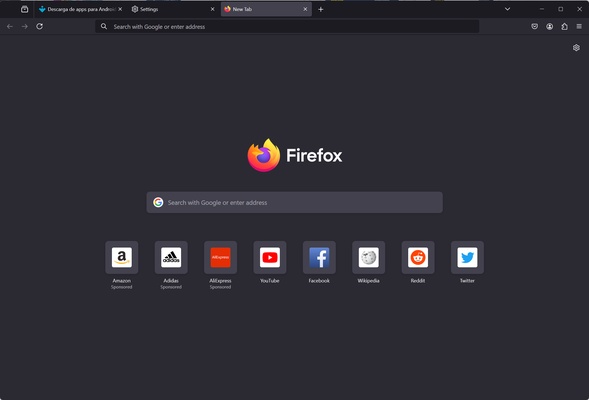
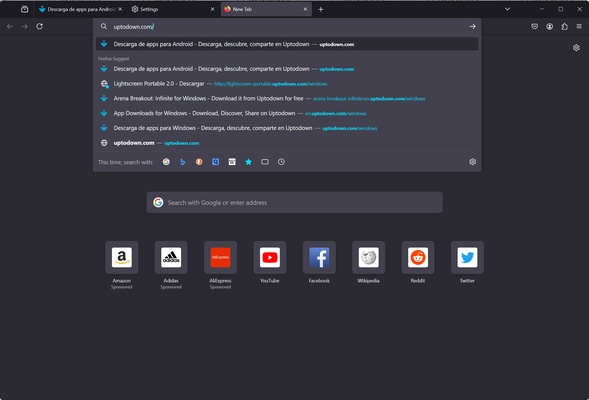
When you open Firefox, the home page displays shortcuts to frequently visited websites. You can add, remove, or rearrange these shortcuts to access your favorite sites more quickly. The address bar also combines URL entry, search, bookmarks, browsing history, and suggestions to help you find websites as you type.
Privacy and Security
Mozilla Firefox includes several features designed to protect your privacy while browsing. Enhanced Tracking Protection can block many known trackers, while HTTPS support helps establish encrypted connections to websites that support it.
Private Browsing windows do not save browsing history, cookies, or site data after the private session ends. However, private browsing does not make you completely anonymous, as websites, network administrators, and internet service providers may still be able to observe certain activity.
Excellent Performance
Firefox is built on Mozilla's Gecko engine, which is designed to handle modern websites and multiple open tabs. Its performance depends on factors such as system hardware, website complexity, and the number of active tabs. The browser also includes memory management features to help maintain responsive browsing during everyday use.
Customization and Extensions
Firefox offers a wide selection of extensions, add-ons, and themes that let you customize its appearance and functionality. You can choose light or dark themes and install extensions for ad blocking, privacy protection, proxy management, tab organization, and media downloads.
Popular options include Adblock, ClearURLs, FoxyProxy, Tree Style Tab, Privacy Badger, and Video DownloadHelper, although availability and compatibility may vary between versions.
Multi-Device Synchronization
By signing in with a Mozilla account, you can synchronize bookmarks, passwords, browsing history, and open tabs across supported devices. This makes it easier to continue browsing when switching between computers and mobile devices.
Firefox receives regular updates that introduce new features, improve compatibility, and address security issues. On Windows, updates can be installed automatically, helping keep the browser up to date.
Support and Community
Mozilla Firefox has an active user and developer community, along with official support resources for troubleshooting common problems. Users can also report bugs and provide feedback to help improve future versions of the browser.