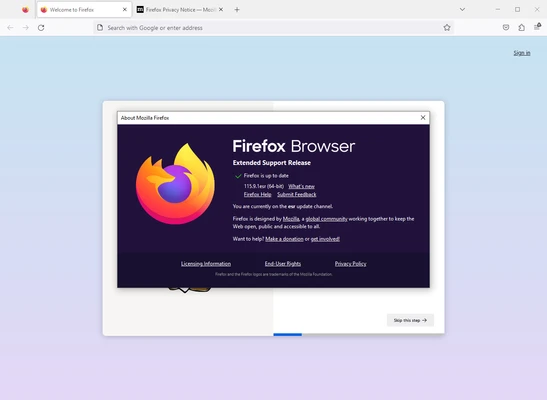
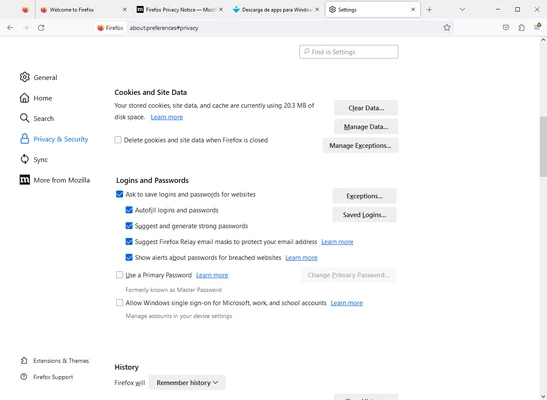
Mozilla Firefox 64-bit is a fast, privacy-focused web browser designed for Windows. It provides a smooth browsing experience with strong tracking protection, customizable settings, tab management, built-in PDF tools, and support for thousands of extensions and themes.
Firefox is developed by Mozilla and is available for Windows, macOS, Linux, Android, and iOS. The 64-bit Windows version is designed to take advantage of modern hardware while providing improved performance and memory management.
What’s New
Recent Firefox releases focus on performance, privacy, security, and compatibility improvements. Updates include enhanced Total Cookie Protection, stronger tracking protection, improved PDF tools, better tab management, memory optimizations, updated developer tools, and support for modern web standards.
Mozilla regularly releases security and stability updates to address vulnerabilities and improve the overall browsing experience.
Key Features
Privacy Protection: Firefox blocks many trackers automatically and includes Total Cookie Protection to help prevent websites from tracking users across different sites.
Fast Browsing: The modern browser engine provides responsive page loading, smooth scrolling, and efficient tab management.
Private Browsing: Private Windows prevent Firefox from saving local browsing history and other session data after the window is closed.
Tab Management: Open multiple tabs, search through open tabs, and access recently closed tabs for easier browsing.
Extensions: Thousands of browser extensions are available for adding new features, improving productivity, blocking unwanted content, and customizing the browser.
Firefox Sync: Sync bookmarks, passwords, browsing history, open tabs, and other browser data across supported devices.
PDF Tools: View and work with PDF documents directly in the browser without installing a separate PDF reader.
Customization: Change themes, toolbar layouts, settings, and other interface options to create a personalized browsing environment.
Developer Tools: Built-in developer tools provide features for inspecting webpages, debugging code, analyzing network activity, and testing web applications.
User Interface
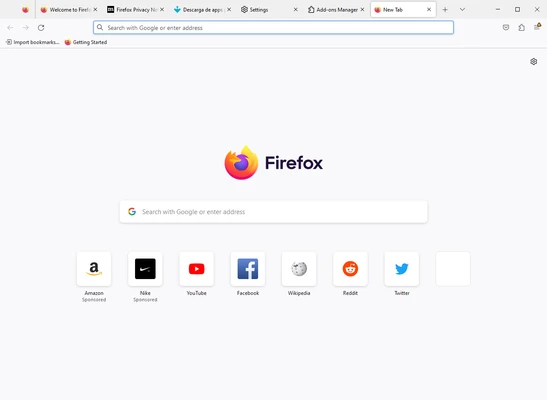
Firefox features a clean and customizable interface designed to keep frequently used browsing tools within easy reach.
The address bar also functions as a search bar, while the toolbar provides quick access to bookmarks, downloads, history, extensions, and browser settings. Users can customize the toolbar and choose from different themes to change the browser's appearance.
The interface is suitable for both everyday browsing and more advanced web development tasks.
Installation and Setup
-
Download the 64-bit Windows installer.
-
Run the installer and follow the on-screen instructions.
-
Launch Firefox after installation.
-
Set Firefox as your default browser if desired.
-
Sign in to a Mozilla account to enable Firefox Sync.
-
Import bookmarks, passwords, and browsing data from another browser if needed.
-
Customize privacy, appearance, and extension settings.
The installation process is straightforward and normally takes only a few minutes.
How to Use
Browse the Web: Enter a website address or search term in the address bar and press Enter.
Manage Tabs: Open new tabs, close unwanted tabs, or use tab search to quickly find an open page.
Use Private Browsing: Open a Private Window when you do not want Firefox to retain local browsing history for that session.
Install Extensions: Open the extensions manager to browse, install, and manage supported add-ons.
Customize Firefox: Adjust privacy settings, themes, toolbar buttons, homepage settings, and other browser preferences.
Sync Devices: Sign in with your Mozilla account to synchronize supported browsing data between devices.
Manage Downloads: Use the built-in download manager to view and manage downloaded files.
FAQ
Is Mozilla Firefox free?
Yes. Firefox is free to download and use.
Is Firefox available for 64-bit Windows?
Yes. Firefox provides a 64-bit version for supported modern Windows systems.
Can Firefox block advertisements?
Firefox includes tracking protection and blocks certain unwanted content and trackers. Additional content-blocking capabilities can be added through supported extensions.
Does Firefox support extensions?
Yes. Firefox supports a large library of extensions that can add features and customize the browsing experience.
Can I sync Firefox between multiple devices?
Yes. Firefox Sync can synchronize supported data such as bookmarks, passwords, browsing history, and open tabs between devices.
Can I import bookmarks from Chrome or another browser?
Yes. Firefox provides tools for importing bookmarks and other supported browsing data from compatible browsers.
Does Firefox have a private browsing mode?
Yes. Private Browsing allows you to browse without retaining local browsing history and certain other session information after the private window is closed.
Can Firefox open PDF files?
Yes. Firefox includes a built-in PDF viewer for opening PDF documents directly in the browser.
Does Firefox work on Windows 7 or Windows 8?
Modern Firefox versions require supported versions of Windows. Firefox 115 ESR was the final Firefox release line supporting Windows 7, Windows 8, and Windows 8.1.
Alternatives
Google Chrome – A widely used browser with strong website compatibility, extensive extensions, and integration with Google services.
Microsoft Edge – A Chromium-based browser with strong Windows integration, modern performance, and built-in Microsoft services.
Brave – A privacy-focused Chromium-based browser with built-in ad and tracker blocking.
Opera – A feature-rich browser offering customization options, built-in tools, and additional productivity features.
Opera GX – A browser designed primarily for gamers, with controls for managing CPU, RAM, and other system resources.
Pricing
Firefox is free to use.
There is no paid subscription required for the core browser. Additional functionality can be added through extensions, many of which are also available for free.
System Requirements
-
Operating System: Windows 10 or Windows 11
-
Architecture: 64-bit
-
Processor: x64-compatible processor
-
RAM: 2 GB minimum for 64-bit systems
-
Storage: Approximately 200 MB or more of available space
-
Internet Connection: Required for downloading the browser and browsing the web
Actual resource requirements may vary depending on the number of open tabs, extensions, and websites being used.
Pros
-
Strong privacy and tracking protection
-
Free to download and use
-
Large extension ecosystem
-
Highly customizable interface
-
Cross-platform synchronization
-
Built-in PDF support
-
Regular security and performance updates
-
Useful developer tools
Cons
-
Some websites may perform better on Chromium-based browsers
-
Memory usage can increase with many open tabs and extensions
-
Certain websites may have occasional compatibility issues
Conclusion
Mozilla Firefox 64-bit is a reliable and privacy-focused web browser for Windows users who want strong tracking protection, extensive customization, and a large selection of extensions.
Its combination of performance, privacy controls, synchronization, PDF support, and developer tools makes it suitable for everyday browsing as well as professional web development. For users looking for a free alternative to Chrome and Edge, Firefox remains one of the strongest choices available for Windows.