
Maxthon is a feature-rich web browser for Windows that combines standard web browsing with built-in tools for privacy, media downloading, cloud synchronization, and interface customization. It includes ad blocking, split-screen browsing, tab management, resource detection, and synchronization across supported devices.
Key Features
-
Cloud Sync – Synchronize bookmarks, tabs, passwords, and browser settings across supported devices.
-
Built-in Ad Blocker – Blocks many advertisements and pop-ups for a cleaner browsing experience.
-
Resource Sniffer – Detects downloadable media and other resources available on web pages.
-
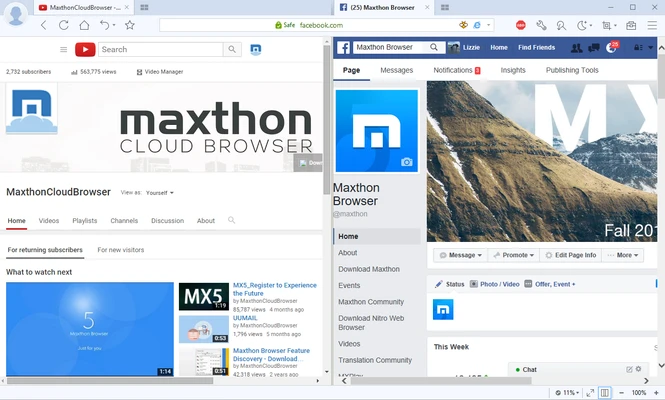
Split-Screen Browsing – Display two web pages side by side in the same browser window.
-
Tab Management – Supports tab grouping, tab sleeping, and other tools for organizing multiple pages.
-
Reader and Night Modes – Provide more comfortable options for reading web content.
-
Extensions and Plugins – Extend browser functionality with additional tools and services.
-
Privacy and Security Tools – Includes Do Not Track and anti-phishing features.
-
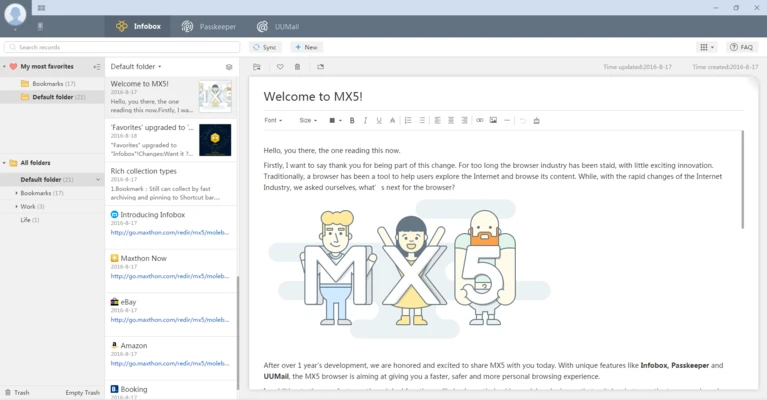
Notes Manager – Create and manage notes directly within the browser.
-
File Transfer – Send files between supported devices.
-
Mouse Gestures – Perform common browser actions using customizable mouse movements.
-
Customizable Interface – Customize the browser layout, toolbar, sidebar, and other interface elements.
-
AIchat – Provides an integrated AI assistant accessible from the browser interface.
User Interface
Maxthon uses a tab-based interface with customizable toolbars and a sidebar for accessing additional features. Users can organize tabs, open tools such as notes and downloads, and adjust the browser layout through the settings.
Installation and Setup
Download and run the Windows installer, then follow the on-screen instructions to complete the installation. During setup, you can choose whether to make Maxthon the default browser and import data from another browser.
After installation, sign in with a Maxthon account if you want to use cloud synchronization and related cross-device features.
How to Use
-
Launch Maxthon and enter a website address or search query in the address bar.
-
Open additional tabs to browse multiple websites.
-
Use the built-in ad blocker and privacy settings as needed.
-
Use split-screen mode when comparing or viewing two pages simultaneously.
-
Access the Resource Sniffer when a web page contains downloadable resources.
-
Sign in to your Maxthon account to synchronize supported browser data.
-
Customize the interface, extensions, sidebar, and other settings according to your preferences.
Pros
-
Built-in ad blocking and privacy tools
-
Cloud synchronization
-
Integrated media/resource detection
-
Split-screen browsing
-
Extensive interface customization
-
Built-in productivity tools
Cons
-
Smaller extension ecosystem than major browsers
-
Less widely used than Chrome, Edge, or Firefox
Conclusion
Maxthon provides a Windows browsing experience with a range of built-in tools that go beyond basic web browsing. Cloud synchronization, resource detection, split-screen browsing, tab management, and interface customization make it suitable for users who prefer having additional browsing utilities integrated into one application.