Lansweeper is an IT asset management and network discovery platform designed to help organizations discover, inventory, monitor, and manage hardware, software, and other connected assets across their IT environment.
It provides detailed information about devices, installed software, network infrastructure, and asset changes. Lansweeper can discover many systems without requiring an agent, making it useful for IT administrators who need centralized visibility into their infrastructure.
What's New
Recent Lansweeper updates focus on improving asset discovery, cloud management, reporting, integrations, security visibility, and the overall administration experience.
-
Improved network and asset discovery capabilities.
-
Enhanced cloud-based asset management and administration.
-
More detailed hardware and software inventory information.
-
Improvements to reporting, dashboards, and data visualization.
-
Enhanced integrations with third-party IT management platforms.
-
Improved security and vulnerability visibility.
-
Performance and usability improvements across the platform.
Key Features
Network Discovery – Automatically discovers computers, servers, network devices, printers, and other connected assets.
Agentless Scanning – Can collect information from many supported systems without requiring software agents to be installed on every device.
IT Asset Inventory – Provides detailed hardware and software information, including operating systems, installed applications, device specifications, and other asset data.
Software Inventory – Tracks installed applications across the environment and helps administrators identify software usage.
License Management – Provides information that can help organizations monitor software licensing and compliance.
Vulnerability Insights – Helps identify outdated software and potential security risks associated with discovered assets.
Custom Reports – Allows administrators to create reports and dashboards based on collected IT asset information.
Asset History – Tracks changes to devices and software over time, helping administrators understand how the IT environment evolves.
Third-Party Integrations – Can integrate with various IT service management, security, monitoring, and business systems.
Cloud and On-Premises Options – Supports different deployment approaches depending on organizational requirements.
User Interface
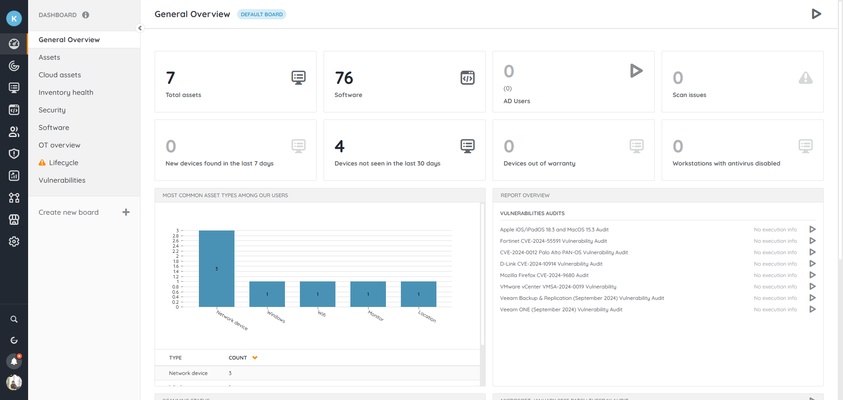
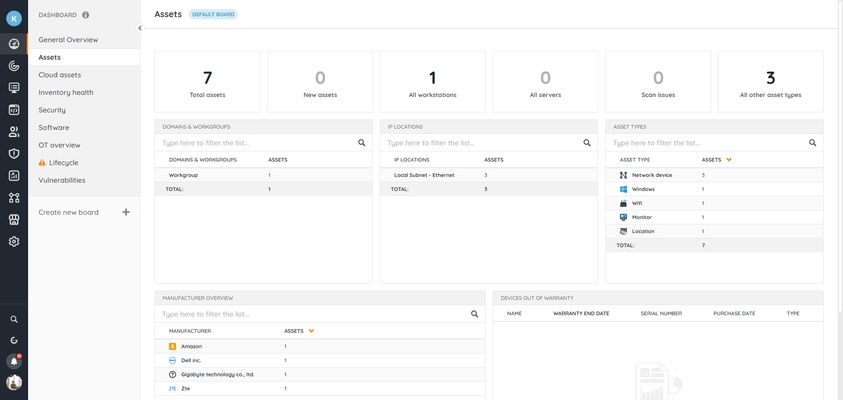
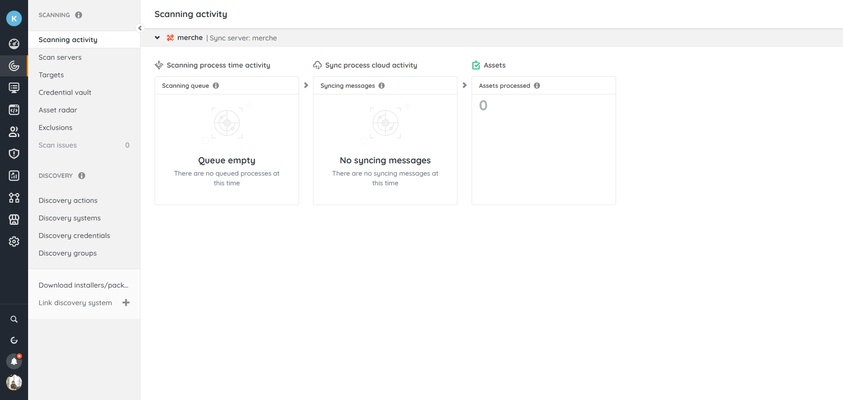
Lansweeper provides a web-based interface centered around asset discovery, inventory management, reporting, and administration.
The dashboard gives administrators an overview of discovered assets and related information. Search and filtering tools make it possible to locate specific devices, software, users, and other inventory data.
Reports and dashboards can also be customized to present information relevant to different IT management tasks.
Installation and Setup
-
Choose the appropriate Lansweeper deployment option for your organization.
-
Install and configure the required Lansweeper components.
-
Select the appropriate database configuration.
-
Configure network discovery and scanning credentials where required.
-
Define the networks, IP ranges, or systems that should be scanned.
-
Run an initial discovery scan.
-
Review discovered assets and adjust scanning settings as needed.
-
Use the web interface to manage inventory, reports, and administrative settings.
For larger environments, database configuration and network permissions should be planned before deployment.
How to Use
Discover Assets – Configure scanning methods and network ranges to identify computers, servers, network devices, and other assets.
Review Inventory – Open individual asset records to examine hardware specifications, installed software, operating systems, and other available information.
Monitor Software – Use software inventory data to identify installed applications and review software usage across the organization.
Create Reports – Build or customize reports to analyze assets, software, network infrastructure, and security-related information.
Track Changes – Use asset history to identify changes to hardware, software, and other infrastructure components.
Integrate IT Systems – Connect Lansweeper with supported third-party platforms when additional IT service management or security workflows are required.
FAQ
Is Lansweeper free?
Lansweeper offers different licensing options, including a free option with limitations and paid plans designed for larger environments and more advanced requirements.
Can Lansweeper scan non-Windows devices?
Yes. Lansweeper can discover and inventory a wide range of platforms and network devices, including Windows, Linux, macOS, servers, routers, switches, printers, and other supported equipment.
Does Lansweeper require an agent?
Many assets can be discovered using agentless scanning methods. Lansweeper also provides agent-based options for situations where additional information or remote monitoring capabilities are required.
Can Lansweeper integrate with other IT tools?
Yes. It supports integrations with various IT service management, security, monitoring, and enterprise platforms.
Can Lansweeper be used in large organizations?
Yes. It is designed to support environments ranging from smaller networks to large and complex IT infrastructures. Deployment and database planning become increasingly important as the number of assets grows.
What is Lansweeper mainly used for?
Its primary uses include IT asset discovery, hardware and software inventory, software license management, vulnerability visibility, reporting, and infrastructure management.
Alternatives
ManageEngine OpManager – Focuses primarily on network and infrastructure monitoring, with tools for servers, network devices, applications, and performance management.
Device42 – Provides IT infrastructure discovery, dependency mapping, asset management, and data center documentation.
Snipe-IT – An open-source asset management platform focused on tracking hardware, software, users, licenses, and other organizational assets.
Spiceworks – Provides IT inventory and management tools aimed primarily at small and medium-sized organizations.
Pricing
Lansweeper offers multiple licensing options based on the size and requirements of an organization. A free tier is available with limitations, while paid plans provide additional capabilities and support for larger environments.
Pricing can change over time and may depend on the number of assets and selected features.
System Requirements
Lansweeper's requirements depend on the deployment method, number of assets, scanning configuration, and database architecture.
For Windows-based deployments, supported Windows desktop or Windows Server versions are required. Additional requirements may include:
-
Modern multi-core processor recommended
-
At least 4GB RAM for smaller environments
-
8GB RAM or more recommended for larger installations
-
Sufficient storage for the Lansweeper installation, database, reports, and collected asset data
-
A supported database configuration
-
Appropriate network permissions and credentials for asset discovery
Large environments should use resources appropriate for the number of assets being scanned and the expected database workload.
Pros
-
Comprehensive IT asset discovery
-
Supports agentless network scanning
-
Detailed hardware and software inventory
-
Useful reporting and dashboard capabilities
-
Supports Windows, Linux, macOS, and network devices
-
Security and vulnerability visibility
-
Integrates with other IT management platforms
-
Suitable for organizations of different sizes
Cons
-
Can take time to configure correctly
-
Large environments may require careful database planning
-
Advanced functionality may require a paid plan
-
The large number of features can be overwhelming for new users
-
Network discovery may require appropriate credentials and permissions
Conclusion
Lansweeper is a comprehensive IT asset discovery and management platform that gives organizations centralized visibility into hardware, software, network devices, and other infrastructure.
Its agentless discovery capabilities, detailed inventory, reporting tools, software tracking, and integrations make it particularly useful for IT administrators managing complex environments.
While initial configuration can require some technical knowledge, Lansweeper is a strong choice for organizations that need a detailed and centralized view of their IT infrastructure.