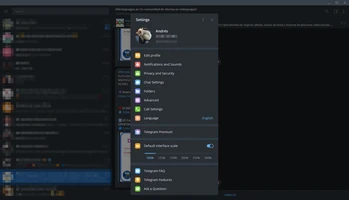

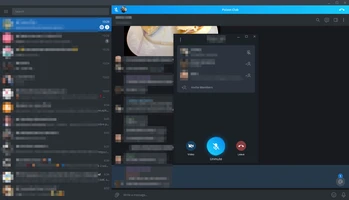
Telegram Desktop is a fast, secure, and free messaging application that allows users to send messages, photos, videos, documents, and files across multiple devices.
The desktop client syncs chats automatically with mobile devices and provides features such as group chats, channels, voice and video calls, cloud storage, and privacy-focused communication tools.
Telegram supports personal messaging, business communication, online communities, and large-scale broadcasting through channels and groups.
Features
- Fast messaging with cloud synchronization
- Send text messages, photos, videos, and files
- Support for large groups and public channels
- Voice and video calls
- End-to-end encrypted secret chats
- Self-destructing messages
- Two-factor authentication
- Cross-platform sync between PC and mobile devices
- Cloud-based message storage
- Custom themes and interface settings
How to Use
- Download and install Telegram Desktop.
- Sign in with your phone number.
- Sync your existing chats and contacts.
- Start messaging, creating groups, or joining channels.
- Customize privacy, notifications, and appearance settings.
System Requirements
- OS: Windows 7/8/10/11
- Memory: 1GB RAM or higher
- Storage: 100MB free disk space
PROS
- Fast and lightweight messaging client
- Works across multiple platforms
- Large file sharing support
- Powerful group and channel features
- Strong privacy and security options
- Completely free to use
CONS
- Some advanced privacy features require extra setup
- Large communities can be difficult to manage
- Requires a phone number for registration
Note: Requires a Telegram account. Available for Windows, macOS, Linux, Android, and iOS.