


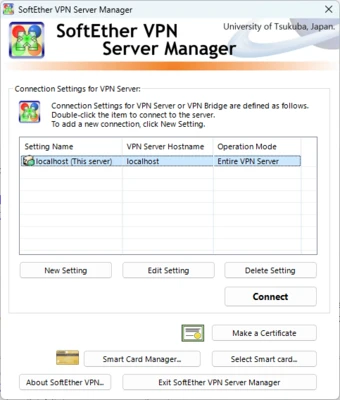
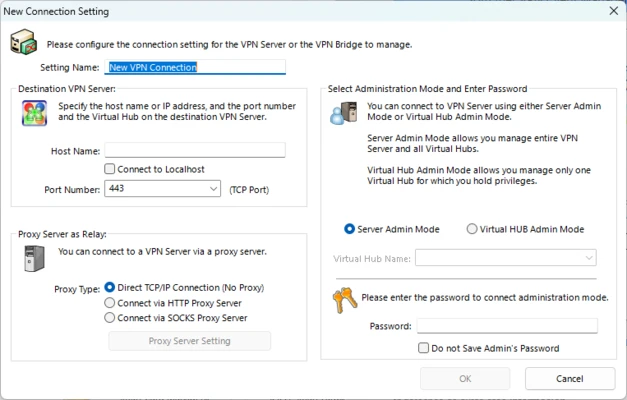
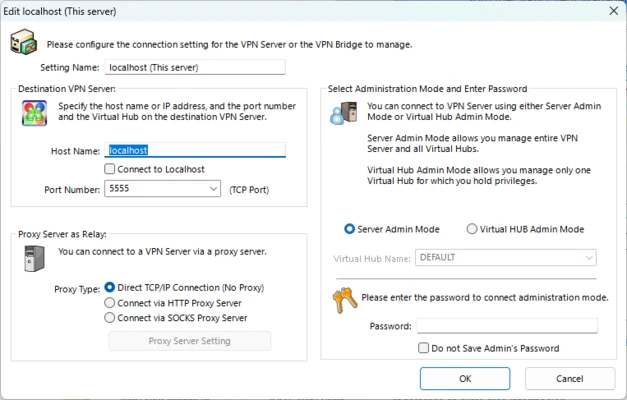
SoftEther VPN Gate Client Plugin is a free and open-source VPN extension for SoftEther VPN Client that allows users to connect to thousands of public VPN relay servers operated by volunteers around the world. Developed by the University of Tsukuba, it provides a convenient way to browse the internet securely, bypass network restrictions, and access geographically restricted content.
Unlike commercial VPN services, VPN Gate operates through a global network of volunteer-hosted servers. Users can choose from available public VPN servers without registration or subscription fees. The plugin supports multiple VPN protocols, including SoftEther SSL-VPN, OpenVPN, L2TP/IPsec, SSTP, EtherIP, and L2TPv3, offering excellent compatibility across different devices and operating systems.
With strong encryption, firewall traversal technology, and high-speed performance, SoftEther VPN Gate is widely used for secure browsing, remote access, and internet censorship circumvention.
Key Features
Public VPN Relay Network
Connect to thousands of free VPN servers hosted by volunteers worldwide.
High-Speed VPN
Optimized SSL-VPN protocol delivers excellent throughput with low latency and minimal CPU usage.
Multiple VPN Protocols
Supports:
- SoftEther SSL-VPN
- OpenVPN
- L2TP/IPsec
- Microsoft SSTP
- EtherIP
- L2TPv3
Strong Encryption
Protects network traffic using:
- AES 256-bit encryption
- RSA 4096-bit certificates
- SSL/TLS security
Bypass Internet Restrictions
Access websites and online services that may be blocked by local firewalls or network restrictions.
Anonymous Browsing
Hide your public IP address by routing traffic through public VPN relay servers.
Firewall & NAT Traversal
Designed to work even behind restrictive firewalls using HTTPS-based SSL-VPN technology.
Cross-Platform Compatibility
Compatible with:
- Windows
- Linux
- macOS
- FreeBSD
- Solaris
- Android
- iPhone & iPad
Dynamic DNS & NAT Traversal
Supports connections without requiring a static public IP address.
Site-to-Site & Remote Access VPN
Can be used for both personal VPN connections and enterprise VPN deployments.
How VPN Gate Works
- Public VPN servers are operated by volunteers worldwide.
- No registration or account is required.
- Users select a public relay server from the available server list.
- Internet traffic is securely routed through the selected VPN server.
- Server availability and IP addresses may change at any time because servers are volunteer-operated.
How to Use
- Install SoftEther VPN Client.
- Install the VPN Gate Client Plugin.
- Launch SoftEther VPN Client Manager.
- Open VPN Gate Public VPN Relay Servers.
- Select a server based on location and connection speed.
- Click Connect.
- Browse the internet through the encrypted VPN connection.
System Requirements
- Windows 11, 10, 8, or 7
- SoftEther VPN Client installed
- Internet connection
- Administrator privileges for installation
Pros
- Completely free and open source
- No registration required
- Large global network of public VPN servers
- Supports multiple VPN protocols
- Strong encryption and security
- Excellent firewall traversal capabilities
- Cross-platform compatibility
Cons
- Connection speed depends on volunteer-hosted servers
- Server availability changes frequently
- No guaranteed uptime or bandwidth
- Public servers may experience heavy traffic
Conclusion
SoftEther VPN Gate Client Plugin is a reliable free VPN solution that extends SoftEther VPN Client with access to a worldwide network of public VPN relay servers. Its support for multiple VPN protocols, strong encryption, high-speed SSL-VPN technology, and excellent firewall bypass capabilities make it a valuable tool for secure browsing, remote access, and overcoming internet restrictions. While performance depends on volunteer-operated servers, it remains one of the most capable free VPN solutions available for Windows.