Vivaldi is a feature-rich and highly customizable web browser for Windows designed for users who want greater control over their browsing experience.
Based on the Chromium engine, Vivaldi supports Chrome extensions while adding advanced tab management, privacy tools, keyboard shortcuts, mouse gestures, web panels, and built-in productivity features.
Key Features
- Highly customizable interface, themes, toolbars, and layouts
- Tab Stacks for organizing multiple tabs
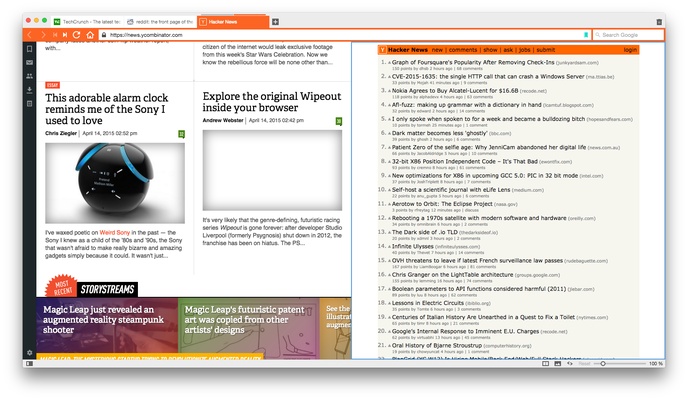
- Tab tiling for split-screen browsing
- Built-in ad and tracker blocking
- Support for Chrome extensions
- Custom keyboard shortcuts and mouse gestures
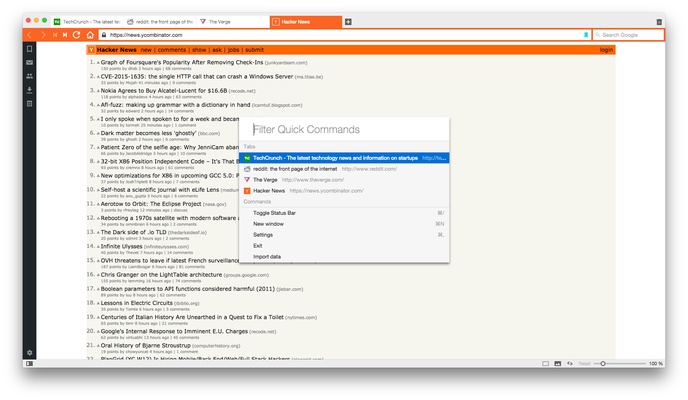
- Quick Commands for fast navigation and actions
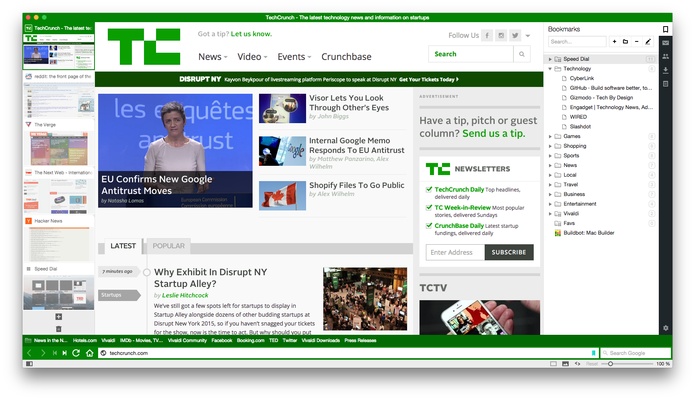
- Web Panels for accessing websites from the sidebar
- Built-in Notes and screenshot capture
- Reader View for distraction-free reading
- Sync for bookmarks, passwords, history, and settings
- Built-in Mail, Calendar, and Feed features
- Pop-out video for multitasking
- Private page translation
Installation and Setup
- Download the Vivaldi installer for Windows.
- Run the installer and follow the on-screen instructions.
- Launch Vivaldi after installation.
- Import bookmarks and settings from another browser if needed.
- Customize the interface, privacy settings, themes, and tab layout.
How to Use
- Open websites using the address bar.
- Drag tabs together to create Tab Stacks.
- Use tab tiling to display multiple pages side by side.
- Open Web Panels from the sidebar for quick access to frequently used websites.
- Use Quick Commands to search tabs, bookmarks, history, and settings.
- Customize keyboard shortcuts and mouse gestures in Settings.
- Enable Sync to access browser data across supported devices.
FAQ
Is Vivaldi free?
Yes, Vivaldi is free to download and use.
Does Vivaldi support Chrome extensions?
Yes. Because Vivaldi is based on Chromium, it supports extensions from the Chrome Web Store.
Is Vivaldi available for Windows 11?
Yes, Vivaldi supports modern Windows versions, including Windows 10 and Windows 11.
Does Vivaldi have an ad blocker?
Yes, Vivaldi includes built-in ad and tracker blocking.
Can Vivaldi sync browser data?
Yes. It can synchronize supported data such as bookmarks, passwords, history, and settings across devices.
Is Vivaldi available on mobile devices?
Yes, Vivaldi is also available for Android and iOS.
Alternatives
Google Chrome – Fast and widely compatible with extensive extension support.
Mozilla Firefox – An open-source browser with strong privacy and customization options.
Opera – A Chromium-based browser with several built-in productivity and browsing tools.
Brave – A privacy-focused browser with built-in ad and tracker blocking.
System Requirements
- Operating System: Windows 10 or Windows 11
- Processor: Compatible 64-bit processor
- RAM: 1 GB or more recommended
- Storage: Sufficient free space for installation and browser data
PROS
- Extensive customization options
- Excellent tab management
- Built-in privacy and ad-blocking features
- Supports Chrome extensions
- Useful productivity tools
- Free to use
CONS
- Can feel overwhelming for users who prefer a simple browser
- Uses more system resources than some lightweight browsers
- Large number of settings may require time to configure
Conclusion
Vivaldi is a powerful web browser for Windows users who want extensive customization, advanced tab management, and built-in productivity and privacy features.
Its Chromium foundation provides broad website and extension compatibility, while features such as Tab Stacks, Web Panels, Quick Commands, and custom shortcuts make it particularly useful for power users.