Opera is a fast and feature-rich web browser for Windows 11 and Windows 10. It combines a clean interface with built-in tools for privacy, productivity, media, and tab management.
Opera includes features such as a built-in ad blocker, free browser VPN, Workspaces, Tab Islands, sidebar integrations, battery-saving options, and support for Chrome extensions. It is designed to provide a flexible browsing experience for everyday web use, work, and multitasking.
What’s New
Recent versions of Opera include improvements to browser performance, privacy features, tab management, AI tools, and the user interface. Updates also improve Workspaces, Tab Islands, sidebar integrations, synchronization, ad and tracker blocking, and overall stability.
Key Features
-
Fast and responsive web browsing.
-
Built-in free browser VPN.
-
Built-in ad and tracker blocking.
-
Tab Islands for organizing related tabs.
-
Workspaces for separating different browsing sessions.
-
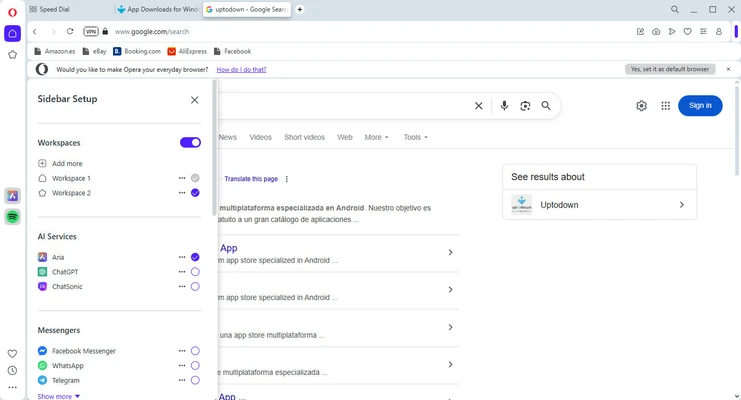
Customizable sidebar with integrated services.
-
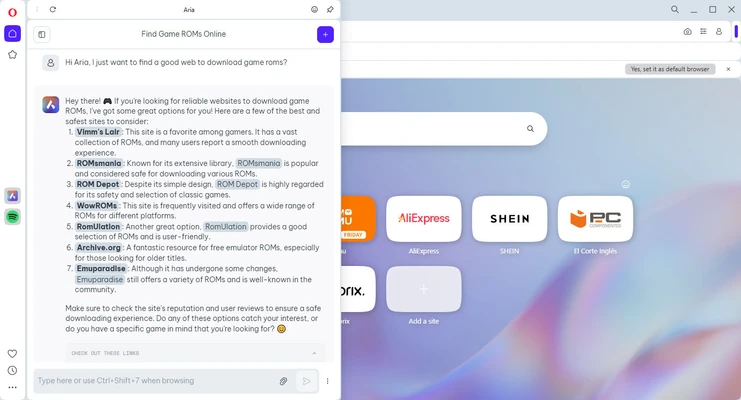
Built-in AI assistant, Aria.
-
Support for Chrome extensions and Opera add-ons.
-
Speed Dial for quick access to favorite websites.
-
Bookmark and visual bookmark management.
-
Cross-device synchronization.
-
Battery-saving features for laptops.
-
Flow for sharing links, notes, and files between devices.
-
Private browsing mode.
-
Built-in screenshot and web page capture tools.
-
Customizable themes and browser appearance.
-
Support for keyboard shortcuts and mouse gestures.
-
Integrated media controls and video pop-out features.
-
Fraud and malware protection.
-
Multiple search engine options.
-
Customizable start page.
User Interface
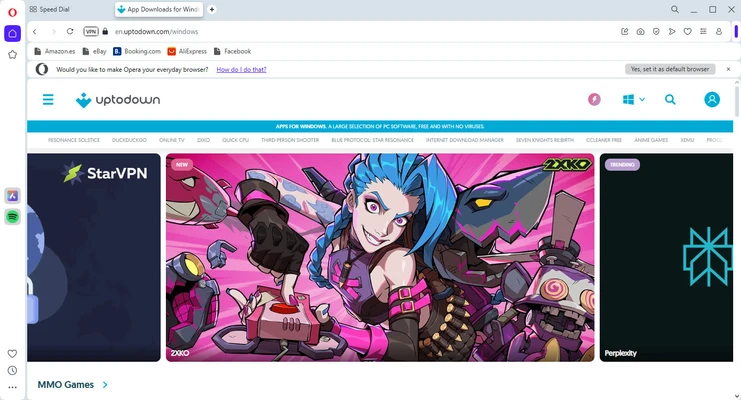
Opera uses a modern interface with a combined address and search bar, tab management controls, bookmarks, and a customizable sidebar.
The sidebar provides quick access to supported messaging, media, productivity, and other integrated services. Workspaces allow users to separate tabs into different browsing environments, while Tab Islands help group related tabs together.
The interface can also be customized with themes, shortcuts, and other browser settings.
Installation and Setup
Download the Opera installer for Windows and run the setup file.
Follow the on-screen instructions to complete the installation. After installation, launch Opera and configure your preferred search engine, privacy settings, appearance, and other browser options.
If you are switching from another browser, Opera can import bookmarks, browsing data, and other supported settings.
How to Use
Browse the Web
Enter a website address or search term in the address bar to open a website or perform a search.
Manage Tabs
Open multiple websites using tabs. Use Tab Islands and Workspaces to organize large numbers of tabs and separate browsing sessions.
Block Ads and Trackers
Open Opera's privacy settings to configure the built-in ad blocker and tracker protection. These features can help reduce unwanted advertisements and improve page loading times.
Use the VPN
Enable Opera's built-in VPN from the browser's privacy settings when you want an additional layer of privacy while browsing.
Sync Your Data
Sign in to your Opera account to synchronize supported bookmarks, settings, passwords, and other browsing data across compatible devices.
Install Extensions
Opera supports its own add-ons as well as many extensions designed for Google Chrome, allowing you to customize the browser with additional tools and features.
Use Workspaces
Create separate Workspaces for different activities, such as work, personal browsing, research, or entertainment. This helps keep related tabs organized.
Use Aria
Open the built-in Aria AI assistant from the sidebar to interact with AI-powered tools directly within the browser.
FAQ
Is Opera free?
Yes. Opera is free to download and use. Some optional services or features may have separate terms or limitations.
Does Opera have a built-in VPN?
Yes. Opera includes a built-in browser VPN that can be enabled from the privacy settings.
Does Opera block ads?
Yes. Opera includes a built-in ad blocker and tracker protection that can be configured through the browser settings.
Can Opera use Chrome extensions?
Yes. Opera supports many Google Chrome extensions in addition to extensions available through its own add-on catalog.
What is Opera One?
Opera One is the modern version of the Opera browser with a redesigned interface and features such as Tab Islands, Workspaces, and integrated AI tools.
Does Opera support Windows 10 and Windows 11?
Yes. Opera is available for modern Windows versions, including Windows 10 and Windows 11.
Can I import bookmarks from another browser?
Yes. Opera provides tools for importing bookmarks and other supported browsing data from compatible browsers.
Does Opera have an AI assistant?
Yes. Opera includes Aria, an integrated AI assistant that can be accessed directly from the browser.
Is Opera good for multitasking?
Yes. Features such as Workspaces, Tab Islands, split-screen browsing, and sidebar integrations make Opera suitable for users who regularly work with multiple websites and tabs.
Alternatives
Opera GX: A browser designed primarily for gamers, with tools for controlling resource usage and gaming-related features.
Google Chrome: A widely used browser with extensive extension support and strong compatibility with modern websites.
Mozilla Firefox: A customizable browser with a strong focus on privacy, security, and open web standards.
Microsoft Edge: A Chromium-based browser with strong Windows integration and Microsoft services.
Brave: A privacy-focused browser with built-in ad and tracker blocking.
System Requirements
-
Operating System: Windows 10 or Windows 11 (64-bit)
-
Processor: 1 GHz or faster
-
Memory: 512 MB RAM or more
-
Graphics: DirectX 9.0c compatible graphics hardware or equivalent
-
Storage: Sufficient free space for installation and browser data
-
Internet connection: Required for browsing and online services
Pros
-
Fast and feature-rich.
-
Built-in ad and tracker blocker.
-
Built-in free VPN.
-
Tab Islands and Workspaces improve tab organization.
-
Supports Chrome extensions.
-
Integrated AI assistant.
-
Cross-device synchronization.
-
Customizable interface and sidebar.
-
Useful productivity and media features.
Cons
-
Some users may find the number of built-in features overwhelming.
-
Certain integrated services may consume additional system resources.
-
VPN performance can vary depending on network conditions.
-
Some advanced features may not be necessary for users who prefer a minimal browser.
Conclusion
Opera is a feature-rich web browser that combines everyday browsing with built-in privacy, productivity, and customization tools. Its ad blocker, browser VPN, Workspaces, Tab Islands, Chrome extension support, synchronization, and integrated AI assistant make it a versatile option for Windows users.
For users who want more built-in functionality than a traditional web browser provides, Opera offers a convenient combination of browsing, tab management, privacy tools, and customization in a single application.