
KakaoTalk for Windows is a free instant messaging and VoIP application developed by Kakao Corporation. Originally popular in South Korea, it brings the full mobile messaging experience to desktop, allowing users to stay connected across devices.
With real-time messaging, voice calling, and seamless synchronization, KakaoTalk for PC is designed for both personal communication and lightweight team collaboration.
Key Features
Free Messaging & Voice Calls
Send text messages, voice notes, and make internet-based voice calls for free.
Cross-Device Sync
Automatically syncs chats, contacts, and media between mobile and Windows desktop.
Group Chats
Create and manage group conversations with customizable settings, notifications, and themes.
File Sharing
Share images, videos, documents, and other files up to 100MB per file.
Multimedia Chat Support
Preview images, videos, and links directly inside conversations.
Friend Management
Easily organize, search, and manage your contact list.
Calendar & Scheduling Tools
Create reminders and schedule events directly within chat windows.
Theme Customization
Personalize chat appearance with different themes, fonts, and layouts.
User Interface
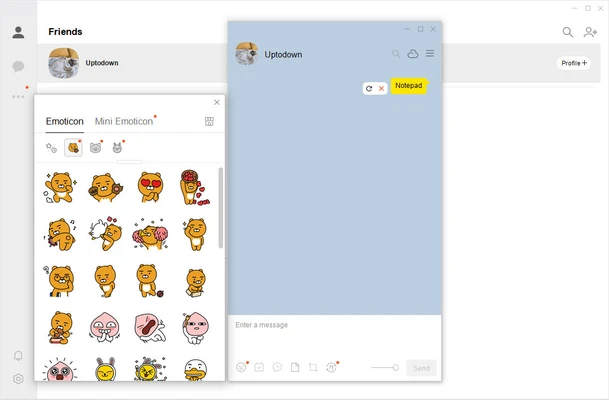
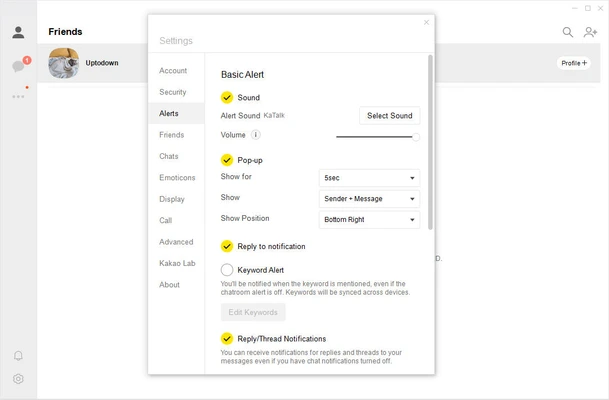
KakaoTalk for Windows features a clean, mobile-inspired interface. The left panel displays contacts and chats, while the main window focuses on active conversations.
The design is minimal and easy to navigate, making it suitable for both beginners and regular users. Notifications are clearly highlighted, and keyboard shortcuts improve usability.
Installation & Setup
- Download KakaoTalk for Windows from the official source
- Run the installer and complete setup
- Log in using your Kakao Account
- Authenticate via mobile device for security
- Sync messages and contacts automatically
System Requirements
- Windows 10 or Windows 11
- Intel or AMD processor
- Minimum 2 GB RAM
- Internet connection required
- Kakao mobile app for initial login verification
Pros
- Free and easy to use
- Strong mobile + desktop synchronization
- Lightweight and stable performance
- Good group chat features
- Clean and simple interface
Cons
- Requires mobile app for first login
- Limited advanced collaboration tools
- Smaller global user base outside Korea
- Basic productivity features compared to Slack/Teams
Conclusion
KakaoTalk for Windows is a reliable cross-platform messaging app that extends mobile communication to desktop users. With smooth synchronization, group chat support, and simple UI design, it is ideal for users who want a lightweight and easy messaging solution.