




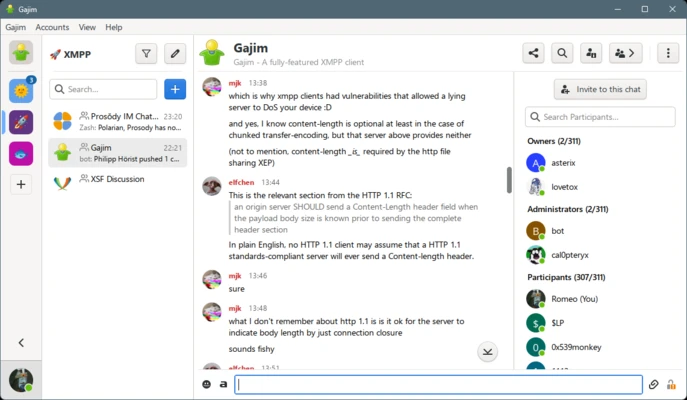

Gajim is a free and open-source XMPP messaging client for Windows that allows users to connect to any XMPP server for secure instant messaging.
It is built using Python and GTK and supports core chat features such as contact management, file transfer, group chats, and message history. Gajim is designed for users who prefer decentralized communication through the XMPP protocol.
The application supports strong security features including end-to-end encryption via OMEMO and OpenPGP, making it suitable for privacy-focused communication.
Key Features
- Supports multiple XMPP accounts
- End-to-end encryption (OMEMO, OpenPGP)
- Group chats (MUC support)
- File transfer with previews
- Chat history and message archiving
- Plugin system for extended features
- Message synchronization across devices (message carbons)
- Experimental voice and video calls (WebRTC)
Interface
Gajim uses a clean GTK-based interface with a contact list and chat windows. Conversations open in tabs or separate windows, and settings are organized for quick access to accounts, encryption, and plugins.
How to Use
- Install Gajim on Windows
- Add or register an XMPP account
- Connect to your server
- Add contacts and start chatting
- Enable OMEMO encryption for secure conversations
- Install plugins from the built-in manager
Security
Gajim supports modern encryption standards such as OMEMO and PGP, allowing users to secure messages end-to-end when both parties support encryption.
Pros
- Strong privacy and encryption support
- Open-source and actively maintained
- Lightweight and efficient
- Highly customizable via plugins
Cons
- Only supports XMPP protocol
- Voice/video features still limited
- Interface feels basic compared to modern messengers
- No official mobile app
Best for
Users who want a secure, decentralized, and open-source messaging client based on the XMPP protocol for Windows.