


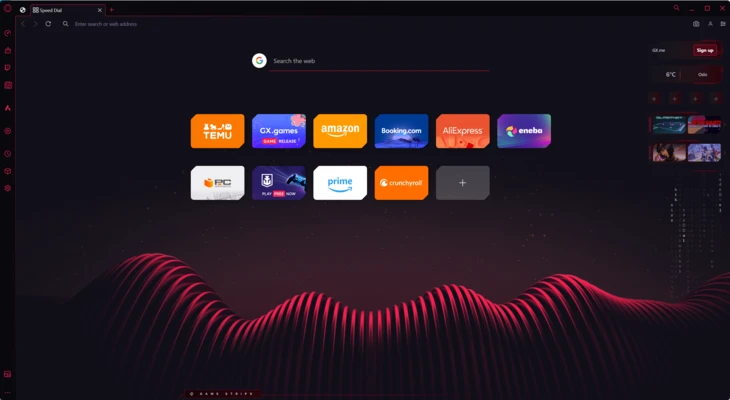
Opera GX is a gaming-focused web browser developed by Opera Software. It is designed to enhance both browsing and gaming performance by offering built-in system resource controls and integrations for popular gaming and streaming platforms.
Based on the Opera browser engine, Opera GX provides a fast and modern browsing experience with additional features tailored specifically for gamers, streamers, and power users.
Key Features
GX Control (CPU, RAM, Network Limiter)
Opera GX allows users to limit CPU, RAM, and network usage to ensure that the browser does not interfere with gaming performance.
Gaming-Oriented Interface
A customizable user interface designed with gaming themes, animations, and color accents.
Twitch Integration
Built-in Twitch sidebar lets users follow streams, receive notifications, and watch live content directly inside the browser.
Discord Integration
Access Discord directly from the browser sidebar for quick communication while gaming or browsing.
GX Corner
A built-in dashboard that provides gaming news, deals, release updates, and industry information.
Built-in Ad Blocker
Blocks ads and pop-ups for a faster and cleaner browsing experience.
Free VPN Feature
Includes a built-in browser VPN to enhance privacy and protect browsing activity.
Video Pop-Out
Allows videos from platforms like YouTube or Twitch to play in a floating window while multitasking.
Cross-Device Flow
Sync files, links, and content between desktop and mobile devices.
Chrome Extension Support
Compatible with Google Chrome extensions for extended functionality.
Main Features
- CPU, RAM, and network usage limiter
- Gaming-optimized browser interface
- Twitch and Discord sidebar integration
- Built-in ad blocker
- Free browser VPN
- GX Corner gaming news hub
- Video pop-out feature
- Custom themes and visual effects
- Chrome extension support
- Cross-device sync via Flow
Why Use Opera GX
Opera GX is designed for users who want a browser that does not consume excessive system resources during gaming. It provides tools to control performance, enhance privacy, and integrate gaming services directly into the browsing experience.
It is especially useful for gamers who stream, multitask, or keep their browser open while playing resource-intensive games.
System Requirements
Windows 10 or Windows 11
Intel or AMD processor
4 GB RAM minimum
Stable internet connection
Pros
- Unique gaming-focused features
- Resource usage control (CPU and RAM limiter)
- Built-in VPN and ad blocker
- Twitch and Discord integration
- Highly customizable interface
Cons
- Some features are niche and not needed for general users
- Heavier than lightweight browsers in certain cases
- Limited appeal outside gaming audience
Conclusion
Opera GX is a feature-rich gaming browser designed to optimize system performance while providing entertainment and communication tools in one place. It is ideal for gamers who want control over browser resource usage and quick access to gaming-related services.