

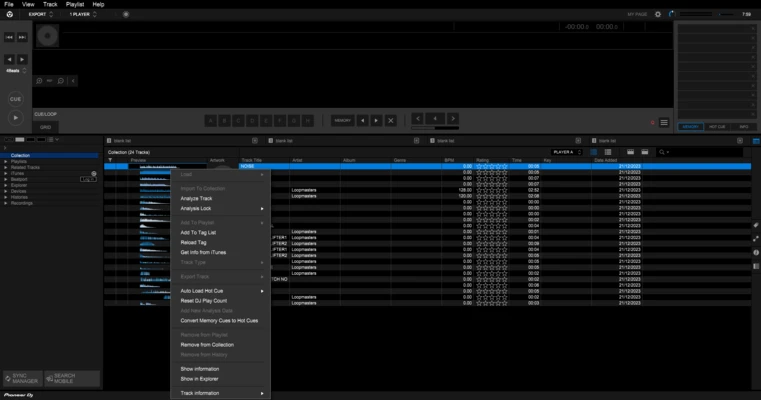
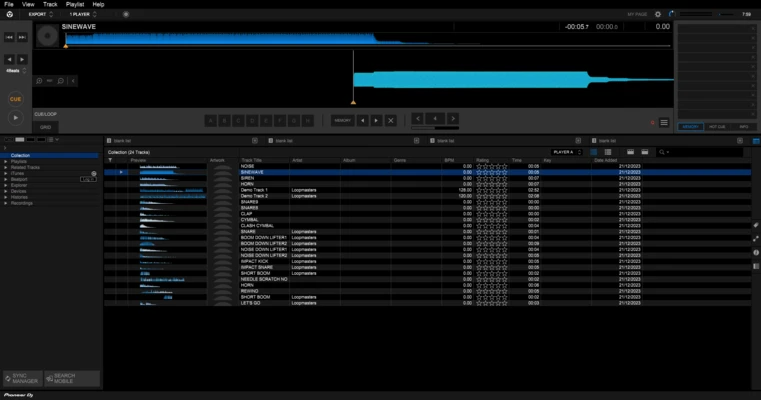
rekordbox is a professional DJ music management and performance software developed by AlphaTheta Corporation (formerly Pioneer DJ).
Designed for DJs using Pioneer DJ equipment, rekordbox helps users organize music libraries, analyze tracks, create playlists, set cue points, and prepare performances on Windows PCs.
It supports advanced DJ workflows including waveform analysis, beatgrid editing, USB export, cloud library synchronization, and DVS control.
Key Features
Music Library Management
Organize tracks with playlists, tags, ratings, and search tools. Manage large music collections efficiently.
Track Analysis
Automatically analyzes BPM, key, waveform, and beatgrid information to help DJs prepare smoother mixes.
Performance Mode
Mix tracks in real time with supported DJ controllers, including hot cues, loops, effects, and sampler functions.
USB Export
Export playlists and analyzed tracks to USB drives or SD cards for use with Pioneer DJ players.
Cloud Library Sync
Synchronize music libraries across multiple devices with cloud storage support.
DVS Support
Provides low-latency vinyl-style control for professional DJs using compatible hardware.
Harmonic Mixing
Detects track keys to help DJs create smoother transitions between songs.
Lighting Control
Automatically creates lighting effects based on track analysis.
Lyrics Display
Supports real-time lyrics display for interactive performances.
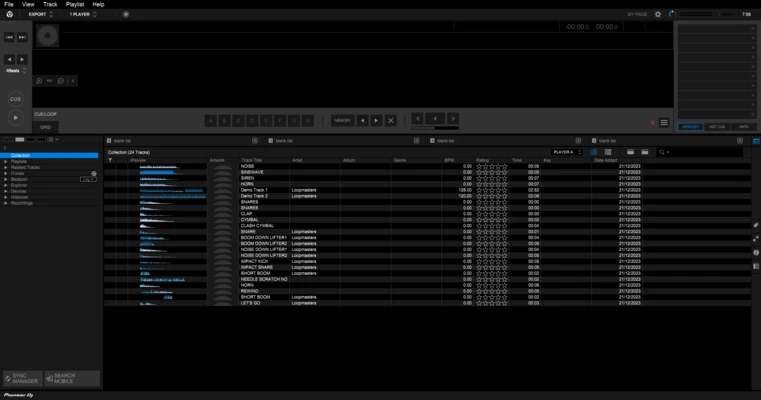
User Interface
rekordbox features a professional DJ workflow interface with:
- Music browser and playlist panels
- Detailed waveform display
- Virtual decks
- Performance controls
- Customizable layouts
The interface is designed to work similarly to Pioneer DJ hardware, making it easier for users to switch between software and physical equipment.
Installation and Setup
- Download and install rekordbox.
- Sign in with a Pioneer DJ account.
- Import music files into the library.
- Allow rekordbox to analyze BPM, waveform, and key information.
- Connect DJ hardware and configure audio settings.
How to Use
Import Music
Drag and drop audio files into rekordbox and wait for track analysis.
Create Playlists
Organize tracks into playlists and add tags for quick access during performances.
Set Cue Points
Prepare hot cues, loops, and beatgrids before live mixing.
Performance Mode
Connect compatible DJ equipment or use virtual decks for mixing.
Export Tracks
Transfer prepared playlists to USB drives for use with Pioneer DJ players.
Supported Audio Formats
- MP3
- WAV
- FLAC
- AIFF
- ALAC
- AAC
Alternatives
Serato DJ Pro
Popular DJ software known for scratch performance and professional mixing tools.
Traktor Pro
Advanced DJ software with powerful effects and creative mixing features.
VirtualDJ
Beginner-friendly DJ software with extensive hardware support.
Mixxx
Free and open-source DJ software for basic mixing needs.
Pricing
rekordbox offers a free version with basic music management features.
Paid plans provide additional functions such as:
- Performance Mode
- Cloud Library Sync
- Advanced DJ tools
- Unlimited cloud storage options
System Requirements
Minimum Requirements
- OS: Windows 10 / Windows 11 (64-bit)
- CPU: Intel Core i3 or equivalent
- RAM: 4GB
- Storage: 2GB available space
- Graphics: DirectX 11 compatible
Recommended Requirements
- CPU: Intel Core i7 or AMD Ryzen 7
- RAM: 8GB or more
- SSD storage recommended
- Dedicated graphics card
PROS
- Excellent Pioneer DJ hardware integration
- Powerful music library management
- Accurate waveform and beat analysis
- Supports professional DJ workflows
- Regular feature updates
CONS
- Advanced features require subscription
- Best experience requires Pioneer DJ hardware
- Can be demanding on older computers
Conclusion
rekordbox is a professional DJ software solution for Windows users who need powerful music management and performance preparation tools.
With advanced track analysis, USB export, cloud synchronization, and deep Pioneer DJ hardware integration, it is one of the preferred choices for professional DJs.
The free version is suitable for basic library management, while paid plans unlock advanced performance features.
Note: Free version includes limited functionality.