


SoftEther VPN Gate Client Plugin is a free and open-source VPN client extension that allows users to connect to the public VPN Gate network directly through the SoftEther VPN Client. Developed by the University of Tsukuba, the project provides access to thousands of volunteer-operated VPN relay servers located around the world.
Designed for privacy-conscious users, researchers, students, and network professionals, SoftEther VPN Gate Client Plugin offers a secure way to connect to public VPN servers without registration fees or subscription costs.
What is VPN Gate?
VPN Gate is a public VPN relay project operated by volunteers worldwide. The service was created as an academic research project to help users access the open internet, improve online privacy, and establish secure encrypted connections.
By installing the VPN Gate Client Plugin, users can browse available public VPN relay servers and connect with a single click through the SoftEther VPN Client.
Key Features
Access Public VPN Servers
Connect to thousands of publicly available VPN relay servers hosted by volunteers across multiple countries and regions.
Free and Open Source
Completely free to use with no subscription fees, account registration, or licensing costs.
Strong Encryption
Uses advanced encryption technologies to help secure internet traffic and protect data transmitted across public networks.
High-Speed VPN Protocol
Built on the SoftEther VPN protocol, which is optimized for performance, low latency, and stable connectivity.
Firewall-Friendly Technology
Designed to operate in environments where traditional VPN protocols may encounter connectivity limitations.
Anonymous Browsing
Helps mask a user's public IP address and provides an additional layer of privacy while browsing online.
Public Wi-Fi Protection
Encrypts network traffic when using public hotspots, helping reduce exposure to network-based threats.
SoftEther VPN Features
SoftEther VPN is one of the most versatile VPN platforms available and supports multiple VPN technologies within a single solution.
Supported protocols include:
- SoftEther SSL-VPN
- OpenVPN
- L2TP/IPsec
- MS-SSTP
- EtherIP
- L2TPv3
- IPsec VPN
This broad compatibility allows SoftEther VPN to integrate with numerous VPN devices, routers, and third-party VPN solutions.
Main Features
- Free VPN Gate public relay access
- Open-source VPN platform
- SSL-VPN technology
- High-performance VPN protocol
- Strong encryption support
- Multi-protocol compatibility
- Public Wi-Fi protection
- Firewall traversal capabilities
- Anonymous internet access
- No registration required
- Global volunteer-operated server network
Why Choose SoftEther VPN Gate Client Plugin?
Unlike commercial VPN providers that require monthly subscriptions, SoftEther VPN Gate Client Plugin provides free access to a large network of public VPN relay servers.
Its open-source architecture, academic background, and support for multiple VPN protocols make it a popular choice among students, developers, IT professionals, and users looking for a free VPN solution.
User Interface
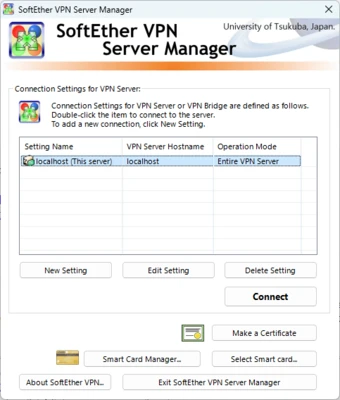
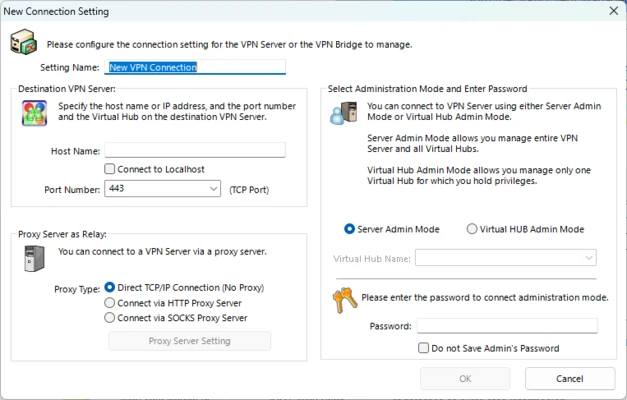
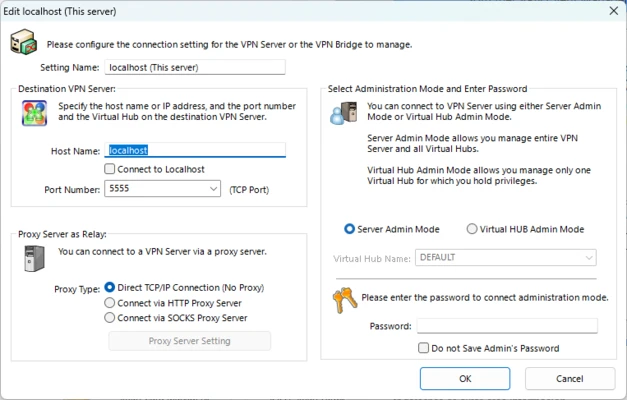
The plugin integrates directly with the SoftEther VPN Client Manager. Users can view available VPN Gate servers, compare connection speeds and latency, and establish secure VPN connections through a simple graphical interface.
System Requirements
Minimum Requirements
- Windows 7, 8, 8.1, 10, or 11
- SoftEther VPN Client installed
- 1 GHz processor or higher
- 2 GB RAM
- Internet connection
Recommended Requirements
- Windows 10 or Windows 11
- 4 GB RAM or more
- Broadband internet connection
Pros
- Completely free and open source
- No registration required
- Access to thousands of public VPN servers
- Strong encryption and security
- Supports multiple VPN protocols
- Lightweight and easy to install
Cons
- Server availability depends on volunteers
- Connection speeds may vary by server
- User interface is less modern than commercial VPNs
- Not all public servers offer consistent performance
Frequently Asked Questions
Is SoftEther VPN Gate Client Plugin free?
Yes. Both SoftEther VPN and VPN Gate are free and open-source projects.
Do I need an account to use VPN Gate?
No. Users can connect to public VPN Gate servers without creating an account.
Does VPN Gate work with SoftEther VPN Client?
Yes. The VPN Gate Client Plugin is specifically designed to work with the SoftEther VPN Client.
Is SoftEther VPN secure?
SoftEther VPN supports strong encryption technologies and multiple VPN protocols, making it a secure VPN platform when properly configured.
Conclusion
SoftEther VPN Gate Client Plugin is an excellent choice for users looking for a free, open-source VPN solution. With access to thousands of public VPN relay servers, multi-protocol support, and strong encryption capabilities, it remains one of the most popular free VPN client tools available for Windows.