

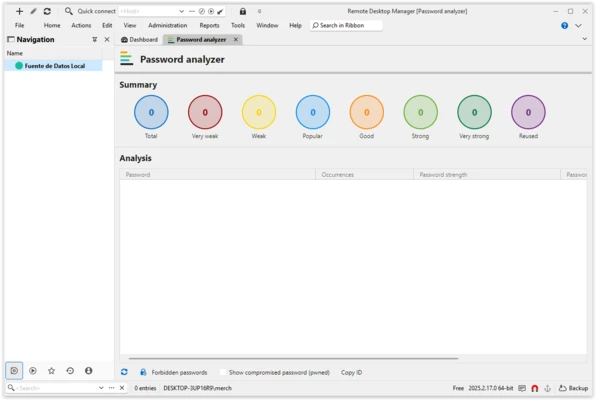
Remote Desktop Manager (RDM) is a professional remote connection management tool designed for IT administrators, network engineers, and enterprise teams. It allows users to centralize, organize, and securely manage all remote connections from a single interface.
The software supports a wide range of connection protocols and is widely used in enterprise environments for managing servers, virtual machines, and remote systems.
Overview
Remote Desktop Manager provides a centralized platform to manage multiple remote sessions and credentials. Instead of switching between different tools, users can handle all connections from one dashboard.
It is commonly used in IT departments for managing infrastructure, accessing remote systems, and controlling virtual environments across local and global networks.
Remote Connection Management
RDM supports a broad range of connection types, including:
- Microsoft Remote Desktop (RDP)
- SSH and Telnet
- VNC connections
- FTP/SFTP access
- VPN integrations
- Web-based sessions
This makes it suitable for managing heterogeneous IT environments with multiple technologies.
Enterprise Features
Remote Desktop Manager is designed with enterprise workflows in mind. It includes tools for security, collaboration, and access control:
- Centralized connection database
- Role-based access permissions
- Two-factor authentication support
- Shared vaults for teams
- Audit logs and activity tracking
- Secure credential storage
These features help organizations maintain control over sensitive access credentials and remote infrastructure.
Session Organization
Users can organize remote connections into structured folders for easier management. Sessions can be grouped by department, location, or purpose.
The built-in search system allows fast retrieval of specific connections, even in large-scale environments with hundreds or thousands of entries.
Quick Connect & Workflow Tools
RDM includes a quick connection feature that allows users to instantly connect to a remote system using an IP address or hostname.
It also provides tray icon shortcuts for fast access to:
- Active sessions
- Connection templates
- System tools (Command Prompt, Registry Editor, etc.)
Security
Security is a core focus of Remote Desktop Manager. The application uses AES-256 encryption combined with user-defined master passwords and private keys to protect stored credentials and session data.
This makes it suitable for enterprise and government-level environments where security compliance is required.
VPN and Protocol Support
The software integrates with multiple VPN and remote access solutions, including:
- Cisco VPN
- OpenVPN
- SonicWall VPN
- IPSec-compatible VPNs
This allows users to securely connect to remote environments without switching between multiple tools.
Alternatives to RDCMan
Microsoft’s Remote Desktop Connection Manager (RDCMan) has limitations in modern enterprise environments. As a result, many users switch to:
- AnyDesk – Fast remote desktop access
- RemotePC – Simple remote PC control
- Splashtop – Remote work and support platform
- mRemoteNG – Open-source session manager
User Interface
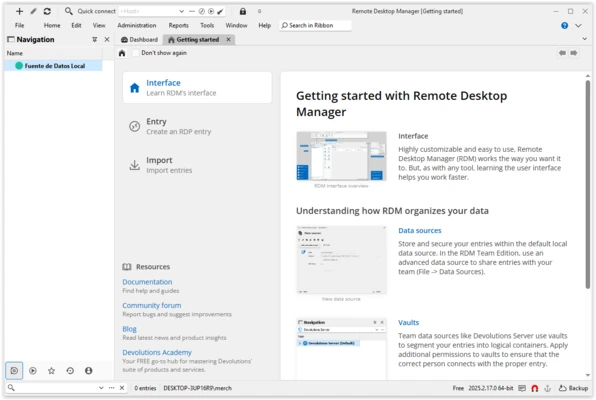
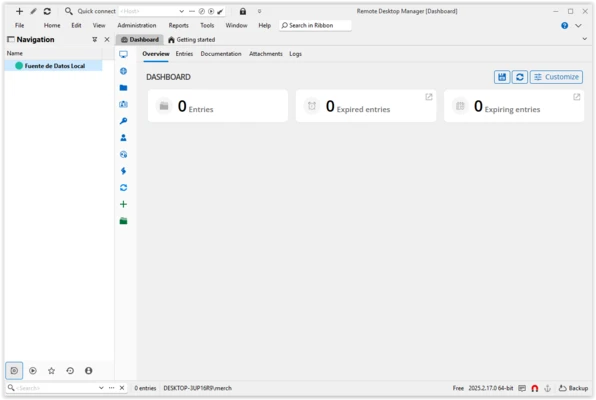
The interface is structured around a central dashboard where all sessions, folders, and credentials are displayed. Navigation is straightforward, with quick access to search, connection groups, and active sessions.
While feature-rich, the layout remains organized and suitable for both individual users and enterprise teams.
Key Features
- Centralized remote connection management
- Multi-protocol support (RDP, SSH, VNC, FTP, etc.)
- Secure credential storage with AES-256 encryption
- Role-based access control system
- Two-factor authentication support
- Shared team vaults and databases
- Quick connect and session templates
- Audit logs and activity tracking
- VPN integration support
- Cross-platform compatibility
Pros
- Supports a wide range of remote protocols
- Strong enterprise-grade security features
- Excellent for IT infrastructure management
- Flexible team collaboration tools
- Highly scalable for large organizations
Cons
- Interface can feel complex for beginners
- Advanced features require learning curve
- Some features locked behind enterprise licensing
Conclusion
Remote Desktop Manager is a powerful solution for managing remote connections in professional IT environments. It consolidates multiple protocols, credentials, and sessions into a single secure platform.
With strong security controls, enterprise features, and broad protocol support, it is especially suitable for system administrators and large organizations managing complex infrastructure.