Mozilla Firefox 64-bit is a free and open-source web browser for Windows that focuses on performance, privacy, security, and customization.
It includes built-in tracking protection, Total Cookie Protection, private browsing, tab management, PDF tools, synchronization, and support for thousands of extensions and themes.
What's New
The latest versions of Mozilla Firefox continue to improve browser performance, privacy, security, compatibility, and usability.
• Improved page rendering and browser responsiveness.
• Enhanced Total Cookie Protection for stronger privacy.
• Improved tracking protection against cross-site tracking.
• Optimized memory usage for better multitasking.
• Enhanced PDF viewing and editing capabilities.
• Improved Firefox View for accessing tabs and browsing activity across devices.
• Better compatibility with modern web standards.
• Updated developer tools.
• Regular security, stability, and bug fixes.
Key Features
• Free and open-source web browser.
• Total Cookie Protection.
• Enhanced Tracking Protection.
• Private Browsing mode.
• Firefox View for accessing tabs and browsing activity across devices.
• Cross-device synchronization for bookmarks, passwords, history, and open tabs.
• Support for thousands of extensions and themes.
• Built-in PDF viewing and editing tools.
• Screenshot tools for capturing web content.
• Customizable toolbar and browser interface.
• Multiple user profiles.
• Support for multiple search engines.
• Available in more than 90 languages.
• Cross-platform support for Windows, macOS, Linux, Android, and iOS.
User Interface
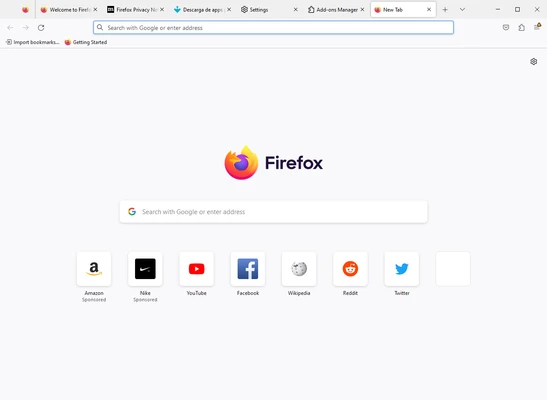
Mozilla Firefox uses a clean and customizable interface with a combined address and search bar, tab management, bookmarks, and browser controls.
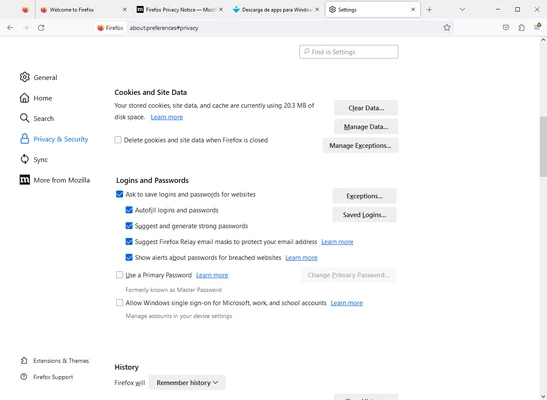
Users can customize the toolbar, change themes, install extensions, and adjust privacy and security settings. Firefox View also provides quick access to recently used tabs and supported synchronized browsing data.
Installation and Setup
Download the Mozilla Firefox 64-bit installer and run it on a compatible Windows computer.
Follow the on-screen instructions to complete the installation. After installation, you can import bookmarks and browsing data from another browser, customize the interface, configure privacy settings, and sign in to Firefox Sync if you want to synchronize data across devices.
How to Use
-
Launch Mozilla Firefox after installation.
-
Enter a website address or search term in the address bar.
-
Open multiple websites using tabs.
-
Use the Back and Forward buttons to navigate between pages.
-
Save frequently visited websites as bookmarks.
-
Customize the toolbar, theme, and browser settings.
-
Install extensions to add additional functionality.
-
Use Private Browsing when you do not want Firefox to retain local browsing history.
-
Enable Firefox Sync to access supported browsing data across devices.
-
Use the built-in PDF tools when viewing or editing supported PDF documents.
FAQ
Is Mozilla Firefox free?
Yes. Mozilla Firefox is a free and open-source web browser.
Is Firefox available for 64-bit Windows?
Yes. Firefox provides a 64-bit version for supported Windows systems.
Does Firefox block trackers?
Yes. Enhanced Tracking Protection is built into Firefox and blocks many common tracking technologies.
What is Total Cookie Protection?
Total Cookie Protection limits cookies so that websites cannot easily use them to track users across different websites.
Can Firefox synchronize data between devices?
Yes. Firefox Sync can synchronize supported data such as bookmarks, passwords, history, and open tabs between devices.
Does Firefox support extensions?
Yes. Mozilla Firefox supports a large library of browser extensions and themes.
Can Firefox edit PDF files?
Firefox includes built-in PDF tools that allow users to work with supported PDF documents without installing a separate PDF viewer.
Does Firefox support multiple profiles?
Yes. Firefox supports multiple profiles, allowing users to keep separate browsing settings, bookmarks, history, and other data.
Can I use Firefox without an internet connection?
An internet connection is required for web browsing, but some local features, such as previously saved bookmarks and certain downloaded content, remain accessible offline.
Which Firefox version supports Windows 7 and Windows 8?
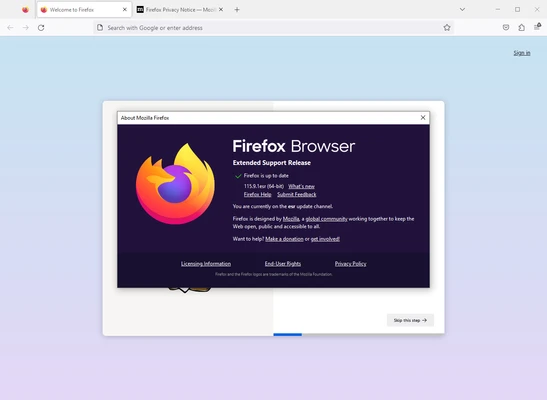
Firefox 115 ESR was the final supported major Firefox branch for Windows 7, Windows 8, and Windows 8.1. Newer Firefox versions require a supported operating system.
Alternatives
Opera – A feature-rich browser with built-in privacy tools, tab organization, and customization options.
Opera GX – A browser designed for gamers with additional gaming-focused features and resource controls.
Google Chrome – A widely used browser with extensive extension support and broad website compatibility.
Microsoft Edge – A Chromium-based browser with strong Windows integration and Microsoft services.
Brave – A privacy-focused browser with built-in ad and tracker blocking.
Pricing
Mozilla Firefox is free to download and use. The browser does not require a paid license for its core features.
System Requirements
• Operating System: Windows 10 or Windows 11
• Processor: x86-64 compatible processor
• RAM: 512 MB minimum; 2 GB or more recommended for 64-bit systems
• Storage: Approximately 200 MB or more of available space
• Graphics: DirectX 9-capable graphics hardware or compatible equivalent
Pros
• Free and open-source.
• Strong privacy and tracking protection.
• Extensive extension and theme support.
• Cross-device synchronization.
• Highly customizable interface.
• Regular security updates.
• Available for multiple operating systems.
Cons
• Some websites may perform differently compared with Chromium-based browsers.
• Memory usage can increase with many tabs and extensions.
• Some advanced features may require additional configuration.
Conclusion
Mozilla Firefox 64-bit is a reliable free web browser that combines strong privacy controls, security features, customization, and extensive extension support.
Its Total Cookie Protection, Enhanced Tracking Protection, Private Browsing, synchronization tools, PDF features, and customizable interface make it suitable for everyday browsing as well as users who want greater control over their online privacy.
For Windows users looking for a free and open-source alternative to Chrome or Edge, Firefox remains a solid choice.