


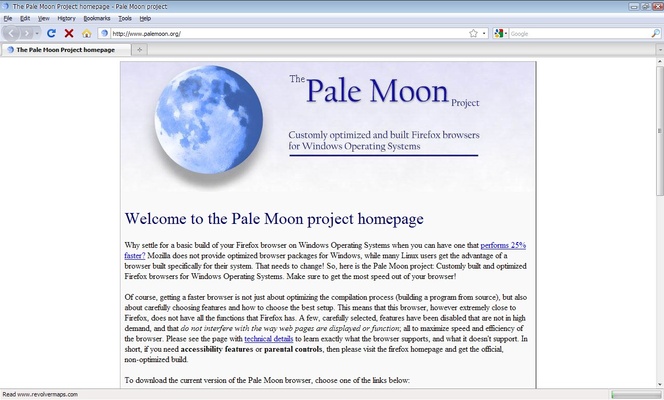
Pale Moon 64-bit Free Download for Windows – Lightweight Open Source Web Browser
Pale Moon 64-bit is a fast, lightweight, and privacy-focused web browser designed for Windows users who want a customizable alternative to mainstream browsers. Built on the independent Goanna rendering engine, Pale Moon delivers excellent browsing performance, low memory usage, and extensive customization options while maintaining compatibility with many classic Firefox extensions.
Whether you're looking for a secure browser for everyday browsing, a Firefox alternative, or a browser optimized for older and modern PCs alike, Pale Moon provides a smooth and efficient web experience without unnecessary bloat.
Why Choose Pale Moon?
Unlike many modern browsers that consume large amounts of system resources, Pale Moon focuses on speed, stability, and user control. The browser offers a familiar interface, advanced configuration options, and strong privacy protections, making it a popular choice among power users and enthusiasts.
Pale Moon is completely free and open source, allowing users to browse the web securely while maintaining full control over their browsing environment.
Key Features
Lightweight & Fast Performance
Optimized for modern multi-core processors while remaining efficient on older hardware. Enjoy faster startup times, smooth page rendering, and reduced memory consumption.
Privacy-Focused Browsing
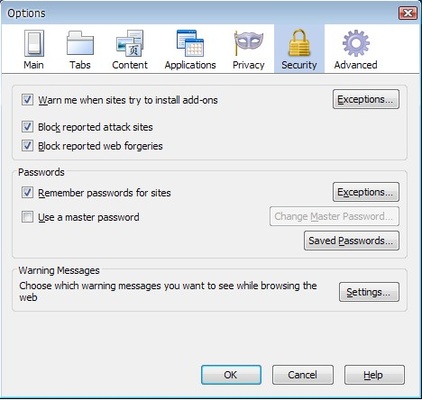
Browse without built-in telemetry, user tracking, or unnecessary background data collection. Your browsing activity stays under your control.
Advanced Customization
Customize menus, toolbars, themes, tabs, and browser settings to create a personalized browsing experience.
Legacy Extension Support
Continue using many classic Firefox extensions and add-ons that are no longer supported by modern Firefox releases.
Open Source Browser
Built on an independently maintained codebase with transparent development and active community support.
Enhanced Security
Regular security updates, modern encryption support, and privacy-conscious development practices help keep your browsing safe.
Highly Configurable Interface
Access advanced browser settings and customization options that are often unavailable in mainstream browsers.
Cross-Platform Compatibility
Available for Windows and Linux, allowing users to enjoy a consistent browsing experience across different operating systems.
Main Features
- Fast web browsing with optimized Goanna engine
- Low CPU and RAM usage
- Support for classic Firefox add-ons
- Built-in privacy protections
- Custom themes and appearance settings
- Advanced tab management
- Bookmark and profile migration tools
- HTML5 and CSS3 support
- Secure browsing with regular updates
- Open-source development model
Ideal For
- Users looking for a Firefox alternative
- Privacy-conscious internet users
- Older and low-spec PCs
- Power users who want browser customization
- Open-source software enthusiasts
- Users who prefer traditional browser interfaces
How to Use
- Download and install Pale Moon on your Windows PC.
- Import bookmarks and settings from another browser.
- Customize the interface, themes, and toolbar layout.
- Install compatible extensions and add-ons.
- Start browsing with improved speed and privacy.
System Requirements
Operating System: Windows 11, Windows 10, Windows 8, Windows 7 (64-bit)
Processor: Modern Intel or AMD processor
RAM: 512 MB minimum (2 GB recommended)
Storage: 100 MB free disk space
Internet Connection: Required for downloads and updates
Pros
- Lightweight and fast browser
- Strong privacy protection
- Open-source and free
- Extensive customization options
- Supports legacy Firefox extensions
- Low system resource usage
- Stable and secure browsing experience
Cons
- Some modern websites may have compatibility issues
- Limited support for WebExtensions
- No built-in VPN service
- Smaller extension ecosystem compared to Chrome
Conclusion
Pale Moon 64-bit is an excellent lightweight web browser for Windows users seeking speed, privacy, and customization. With its low resource consumption, support for classic Firefox extensions, and strong focus on user control, it remains one of the best open-source browser alternatives available today.
If you're searching for a fast browser for Windows, a privacy-focused browser, or a customizable Firefox alternative, Pale Moon is definitely worth downloading.