Microsoft Edge is a modern web browser developed by Microsoft for Windows, macOS, Android, and iOS. Built on the Chromium engine, it offers fast browsing, strong security, extensive extension support, and synchronization across devices.
It includes features such as Microsoft Copilot integration, vertical tabs, Collections, built-in PDF tools, tracking prevention, and Sleeping Tabs. It is also compatible with extensions from the Chrome Web Store, making it an easy alternative for users switching from Google Chrome.
What's New
- Improved Microsoft Copilot integration for browsing, writing, and research.
- Enhanced performance and memory management with Sleeping Tabs.
- Improved vertical tabs and workspace features for better tab organization.
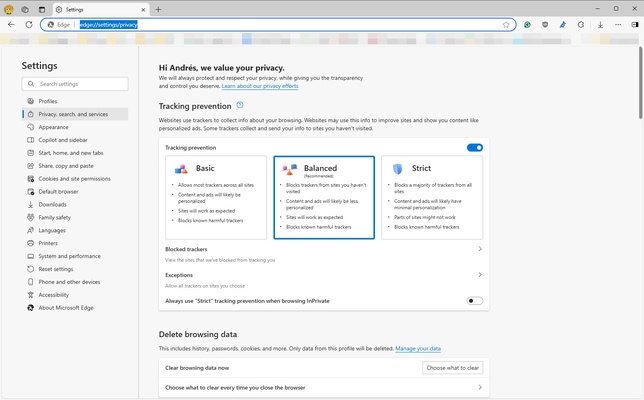
- Enhanced privacy controls and tracking prevention.
- Improved PDF viewing, annotation, and document tools.
- Better synchronization of bookmarks, passwords, history, and open tabs.
- Improved security against phishing, malware, and other online threats.
- General performance, stability, and user interface improvements.
Key Features
- Chromium Engine – Provides fast performance and broad website compatibility.
- Microsoft Copilot – Built-in AI tools for searching, summarizing, writing, and research.
- Sleeping Tabs – Automatically reduces resource usage from inactive tabs.
- Vertical Tabs – Organize and manage large numbers of open tabs more efficiently.
- Collections – Save and organize websites, images, notes, and other online content.
- Extensions – Supports Microsoft Edge Add-ons and Chrome Web Store extensions.
- Built-in Security – Includes Microsoft Defender SmartScreen, tracking prevention, and sandboxing.
- PDF Tools – Open, read, annotate, fill out, and manage PDF documents directly in the browser.
- Cross-Device Sync – Synchronize bookmarks, passwords, browsing history, settings, and open tabs.
- InPrivate Browsing – Browse privately without saving local browsing history and other session data.
- Web Capture – Take screenshots and capture content directly from web pages.
- Immersive Reader – Provides a simplified reading experience for supported web pages.
User Interface
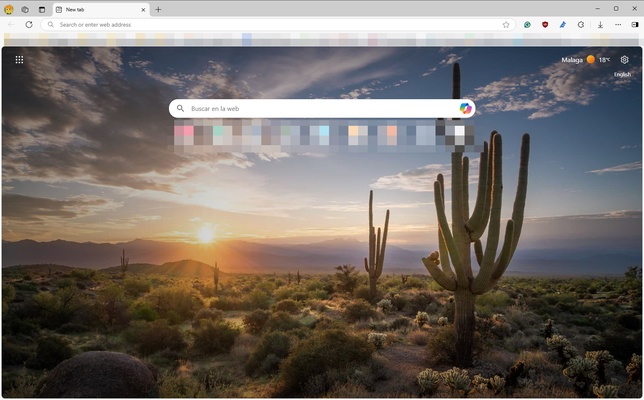
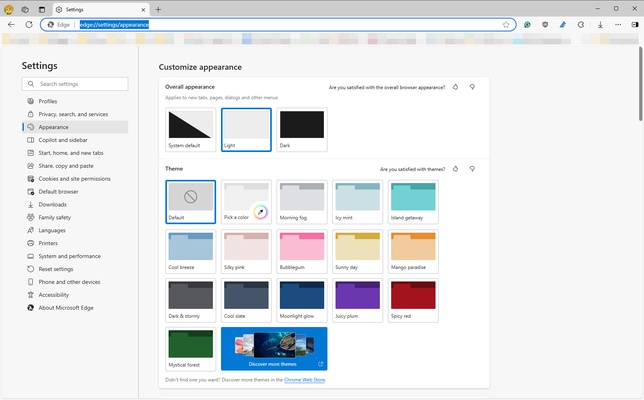
Microsoft Edge features a clean and modern interface with an address bar, tab management tools, sidebar features, and customizable settings.
The browser supports vertical tabs, multiple profiles, workspaces, and customizable start pages. Its interface is familiar to Chrome users while providing additional Microsoft-specific features.
Installation and Setup
Microsoft Edge is included with Windows 10 and Windows 11. Users can also download the latest version for supported operating systems.
After installation, launch Edge and sign in with a Microsoft account if you want to synchronize browsing data across devices. You can also import bookmarks, passwords, browsing history, and other information from another browser.
How to Use
Launch – Open Microsoft Edge from the Start menu, desktop, or taskbar.
Browse the Web – Enter a website address or search query into the address bar.
Manage Tabs – Open multiple tabs, pin frequently used pages, or enable vertical tabs for better organization.
Install Extensions – Open the Extensions menu and install extensions from Microsoft Edge Add-ons or the Chrome Web Store.
Use Copilot – Access Microsoft Copilot for supported AI-assisted browsing, writing, and research features.
Sync Data – Sign in with your Microsoft account to synchronize bookmarks, passwords, history, settings, and open tabs.
Browse Privately – Open an InPrivate window when you do not want Edge to save local browsing history.
FAQ
Is Microsoft Edge free?
Yes. Microsoft Edge is free to download and use.
Does Microsoft Edge support Chrome extensions?
Yes. Edge supports extensions from the Chrome Web Store in addition to extensions available through Microsoft Edge Add-ons.
Is Microsoft Edge available for Mac?
Yes. Microsoft Edge is available for macOS as well as Windows, Android, and iOS.
Can I import bookmarks from Chrome or Firefox?
Yes. Edge includes built-in tools for importing bookmarks, browsing history, saved passwords, and other browser data.
Does Microsoft Edge support PDF files?
Yes. Edge includes a built-in PDF reader with features such as viewing, annotation, and form filling.
Does Microsoft Edge use Chromium?
Yes. The current desktop version of Microsoft Edge is based on the Chromium browser engine.
Can I synchronize Edge across multiple devices?
Yes. After signing in with a Microsoft account, supported browsing data can be synchronized across compatible devices.
Is Microsoft Edge secure?
Edge includes security features such as Microsoft Defender SmartScreen, tracking prevention, sandboxing, automatic updates, and password protection.
Alternatives
Google Chrome – A popular Chromium-based browser with extensive extension support and strong integration with Google services.
Mozilla Firefox – An open-source browser with strong privacy features and extensive customization options.
Brave – A privacy-focused Chromium-based browser with built-in ad and tracker blocking.
Opera – A feature-rich browser with built-in tools such as a VPN, ad blocker, and sidebar.
Vivaldi – A highly customizable browser designed for advanced users who want extensive control over the interface.
System Requirements
- Operating System: Windows 10 or Windows 11
- Processor: 1 GHz or faster
- RAM: 1 GB for 32-bit systems or 2 GB for 64-bit systems
- Storage: At least 500 MB of available disk space
- Internet: Required for downloading, updates, and online services
PROS
- Fast Chromium-based browsing
- Strong security features
- Supports Chrome extensions
- Built-in AI and productivity tools
- Cross-device synchronization
- Good PDF and web-reading features
- Free to use
CONS
- Can consume significant memory with many tabs open
- Some features are closely integrated with Microsoft services
- AI features may require an internet connection
- Less privacy-focused than some alternatives
Conclusion
Microsoft Edge is a capable and feature-rich web browser that combines Chromium compatibility with Microsoft's security, productivity, and AI tools.
Its support for Chrome extensions, cross-device synchronization, built-in PDF tools, vertical tabs, and performance features makes it a practical choice for everyday browsing. For Windows users, especially those already using Microsoft services, Edge is a solid alternative to Chrome and other popular browsers.