Telegram is a free messaging application that lets you send messages, photos, videos, documents, and other files across multiple devices. Telegram Desktop connects to your existing Telegram account, allowing chats and media to stay synchronized between your smartphone, tablet, and Windows PC.
The desktop client also supports voice and video calls, group chats, channels, file sharing, usernames, Stories, bots, and a wide range of privacy and customization options. It can be used for personal communication as well as team, community, and business messaging.
What's New
Recent Telegram releases have introduced improvements across messaging, calls, AI-assisted features, profiles, Stories, bots, and account security. Depending on the current version, notable additions include:
-
AI-powered summaries for long channel posts and supported web content.
-
Passkey support for faster account authentication.
-
New profile colors and additional customization options.
-
Improvements to Stories, reactions, and interactive content.
-
Enhanced bot interfaces with more interactive controls.
-
Improvements to group calls, comments, and reactions.
-
New options for managing contact information and birthdays.
-
Additional improvements to the interface for a more consistent experience across devices.
Telegram is updated frequently, so available features may vary depending on the version and platform.
Key Features
Instant Messaging
Send text messages, voice messages, photos, videos, documents, and other types of files. Cloud-based synchronization allows conversations to remain available across supported devices.
Groups and Channels
Create or join large groups for communities, teams, and discussions. Channels provide a way to publish content to large audiences.
Voice and Video Calls
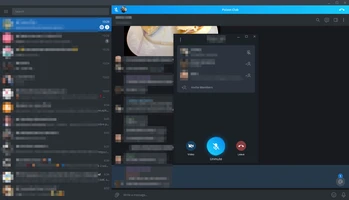
Make voice and video calls with individual contacts and participate in group communication features.
File Sharing
Send documents, archives, audio files, images, videos, and other supported file types directly through chats.
Cloud Synchronization
Messages and cloud-stored media are synchronized across devices, allowing you to switch between your phone and desktop without manually transferring conversations.
Usernames and Contacts
Contact people through usernames without necessarily sharing a phone number, depending on their privacy settings.
Privacy and Security
Telegram provides features such as two-step verification, passcodes, disappearing messages, and Secret Chats. Secret Chats use end-to-end encryption, while ordinary cloud chats use client-server encryption and are stored in Telegram's cloud infrastructure.
Bots and Mini Apps
Telegram supports bots and interactive applications that can provide additional functionality for communities, businesses, automation, and other use cases.
User Interface
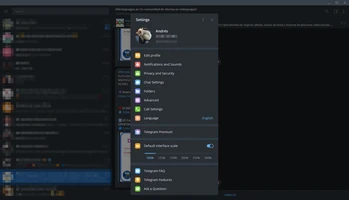
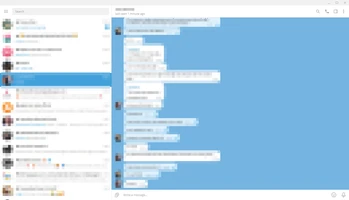
Telegram Desktop uses a familiar messaging layout with the chat list and conversations displayed in the main window. Contacts, groups, channels, settings, notifications, and privacy options are accessible through the desktop interface.
The application also provides customization options for themes, backgrounds, notifications, and other interface preferences.
Installation and Setup
Download the Telegram Desktop installer for your operating system and run the setup file. After installation:
-
Launch Telegram Desktop.
-
Sign in to your existing Telegram account.
-
Follow the on-screen authentication instructions.
-
Allow your existing chats and media to synchronize.
-
Configure notifications, privacy, appearance, and other settings as needed.
A valid phone number is required to create or authenticate a Telegram account.
How to Use
Start a Conversation
Select a contact or search for a username to begin a chat.
Send Files and Media
Use the attachment controls in a conversation to send photos, videos, documents, and other supported files.
Create a Group
Create a group for conversations with friends, teams, or communities and invite other members.
Join a Channel
Search for public channels or open an invitation link to follow published content.
Make Calls
Open a supported conversation and use the voice or video call controls to communicate with a contact.
Customize Telegram
Open Settings to adjust notifications, privacy, appearance, language, and other preferences.
FAQ
What is Telegram Desktop?
Telegram Desktop is the computer version of Telegram. It connects to your Telegram account and synchronizes supported cloud chats and media with your other devices.
Is Telegram free?
Yes. Telegram offers free messaging, calling, file sharing, groups, and channels. Telegram Premium is an optional paid subscription that provides additional features.
Can I use Telegram on multiple devices?
Yes. Telegram supports simultaneous use across phones, tablets, and computers, with cloud-based chats synchronized between supported devices.
Does Telegram support voice and video calls?
Yes. Telegram supports voice and video calls, as well as group communication features.
Are Telegram messages end-to-end encrypted?
Not all Telegram chats use end-to-end encryption by default. Regular cloud chats are encrypted between the client and Telegram's servers, while Secret Chats use end-to-end encryption. Users should choose the appropriate chat type when stronger end-to-end privacy is required.
Can I send files with Telegram?
Yes. Telegram supports sharing documents, archives, images, videos, audio files, and other types of files. The maximum file size depends on the current Telegram account and service limits.
Do I need a phone number to use Telegram?
A phone number is required for account registration or authentication, although Telegram provides username and privacy options that can reduce the need to share your number with other users.
Can Telegram be used for business?
Yes. Telegram can be used for team communication, customer interaction, community management, broadcasting, automation, and other business-related purposes.
Alternatives
Popular alternatives to Telegram include WhatsApp, Signal, Discord, and Slack.
WhatsApp is widely used for personal messaging and calling, Signal places a stronger emphasis on private communication, Discord focuses heavily on communities and voice-based communication, while Slack is primarily designed for workplace collaboration.
Pricing
Telegram's core messaging service is free to use. An optional Telegram Premium subscription provides additional features and higher limits. Availability and pricing can vary by platform and region.
System Requirements
-
Operating System: Windows 7 or later
-
RAM: 1 GB or higher recommended
-
Disk Space: Approximately 100 MB or more
-
Internet Connection: Required for messaging, synchronization, calls, and online services
-
Account: A Telegram account and valid phone number are required
Actual requirements may vary between Telegram Desktop versions.
PROS
-
Free core messaging and communication features.
-
Synchronizes chats across multiple devices.
-
Supports groups, channels, bots, and file sharing.
-
Includes voice and video calling.
-
Available on multiple desktop and mobile platforms.
-
Extensive privacy, notification, and interface settings.
-
Suitable for both personal communication and large communities.
CONS
-
Some advanced features are available only with Telegram Premium.
-
Regular cloud chats are not end-to-end encrypted by default.
-
The large number of features can make the application feel complex to new users.
-
Privacy depends partly on how users configure their accounts and choose between regular and Secret Chats.
Conclusion
Telegram Desktop is a versatile messaging client for users who want to access Telegram conversations and services from a Windows computer. Its combination of multi-device synchronization, file sharing, groups, channels, calling, bots, and customization makes it suitable for both everyday messaging and large online communities.
For users who already use Telegram on a smartphone, the desktop client provides a convenient way to continue conversations and manage shared content from a larger screen.