



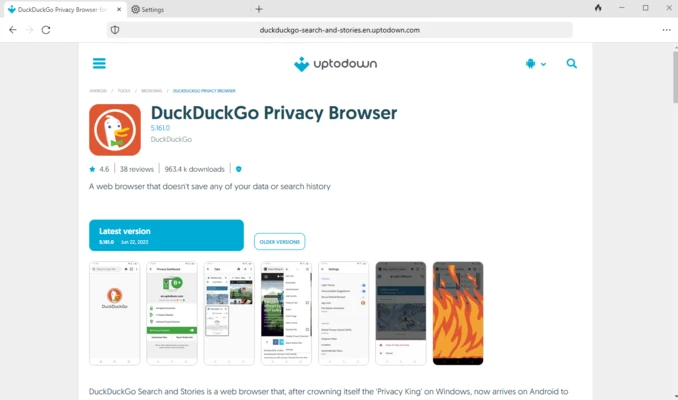
DuckDuckGo Browser is a free privacy-focused web browser designed to protect users from online tracking and unwanted data collection.
Unlike traditional browsers that rely heavily on user tracking and personalized advertising, DuckDuckGo Browser focuses on privacy by blocking trackers, forcing encrypted connections, and providing private search features.
It is developed by DuckDuckGo and is available for Windows, macOS, Android, and iOS devices.
The browser is designed for users who want a cleaner and more private browsing experience without complex security configurations.
Key Features
Privacy Protection
DuckDuckGo Browser automatically blocks many hidden trackers and reduces the amount of personal information collected while browsing.
Private Search
The built-in DuckDuckGo search engine allows users to search the web without storing personal search history or creating advertising profiles.
Tracker Blocking
The browser blocks third-party tracking scripts that monitor browsing activity across different websites.
Smarter Encryption
It automatically upgrades many connections to encrypted HTTPS versions when available, helping protect user data during browsing.
Fire Button
The Fire Button allows users to instantly clear:
- Open tabs
- Browsing history
- Website data
This provides a quick way to remove local browsing information.
Simple Privacy Controls
Users can easily manage privacy settings without installing additional extensions or security tools.
User Interface
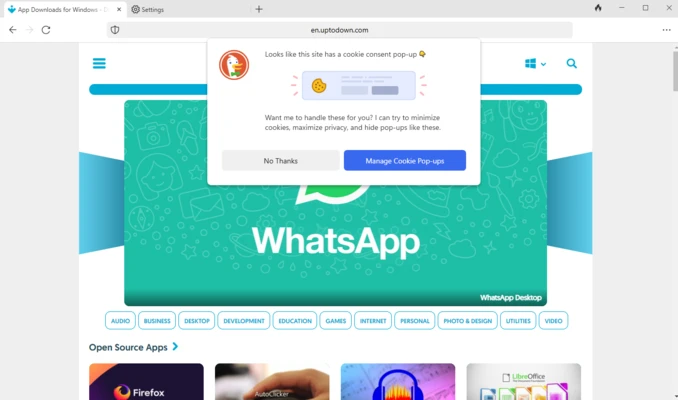
DuckDuckGo Browser features a clean and simple interface designed for everyday browsing.
The layout is similar to other modern browsers, with a search bar, tabs, bookmarks, and privacy controls easily accessible from the main window.
The browser focuses on simplicity, making it suitable for both beginners and experienced users.
Installation and Setup
- Download DuckDuckGo Browser for your operating system.
- Run the installer and complete the setup process.
- Open the browser and choose privacy settings.
- Start browsing with built-in privacy protection enabled.
No additional security extensions are required.
How to Use
Browse the Web
Enter a website address or search keywords in the address bar.
Use Private Search
Search directly through DuckDuckGo without personalized tracking.
Manage Privacy Settings
Open browser settings to customize tracker blocking and security options.
Clear Browsing Data
Click the Fire Button to quickly remove browsing history and open tabs.
FAQ
Is DuckDuckGo Browser free?
Yes. DuckDuckGo Browser is completely free to download and use.
Is DuckDuckGo Browser safe?
Yes. It includes built-in privacy protection features such as tracker blocking and encrypted connections.
Does DuckDuckGo Browser track users?
No. DuckDuckGo focuses on minimizing user tracking and does not build advertising profiles based on personal browsing history.
Does DuckDuckGo Browser support extensions?
Currently, extension support is limited compared with browsers like Chrome or Firefox.
Is DuckDuckGo Browser available for Windows?
Yes. DuckDuckGo Browser supports Windows, macOS, Android, and iOS platforms.
Alternatives
Brave Browser
A privacy-focused browser with built-in ad blocking, tracker protection, and support for Chrome extensions.
Firefox
An open-source browser known for strong privacy controls and extensive customization options.
Chrome
Google's popular browser offering fast performance and a large extension ecosystem.
Microsoft Edge
A Chromium-based browser with Windows integration and Microsoft services.
Opera
A feature-rich browser with built-in tools such as ad blocking and VPN services.
Pricing
DuckDuckGo Browser is 100% FREE.
There are no paid versions, subscriptions, or premium unlocks.
System Requirements
Windows
- Windows 10 or Windows 11
- 64-bit processor recommended
- Minimum 2GB RAM
- Internet connection required
Other Platforms
Available on:
- macOS
- Android
- iOS
Requirements vary depending on the platform.
PROS
- Strong privacy protection
- Built-in tracker blocking
- Private search engine
- Simple and easy-to-use interface
- Free on all platforms
CONS
- Limited extension support
- Some websites may behave differently due to privacy protection
- Fewer advanced customization options compared with Chrome or Firefox
- No built-in VPN
Conclusion
DuckDuckGo Browser is an excellent choice for users who prioritize online privacy and security.
With built-in tracker blocking, private search, and simple privacy controls, it provides a safer alternative to traditional web browsers.
Although it lacks the extensive extension ecosystem available in Chrome and Firefox, DuckDuckGo Browser delivers a clean, lightweight, and privacy-focused browsing experience for everyday users.