Opera is a fast and feature-rich web browser for Windows that combines everyday browsing with built-in privacy, productivity, and customization tools.
Based on the Chromium browser engine, Opera provides compatibility with modern websites while adding features such as an integrated ad blocker, VPN, sidebar, Workspaces, Tab Islands, device synchronization, and the Aria AI assistant.
Opera for PC is designed for users who want more built-in functionality without relying heavily on third-party extensions.
What’s New
Recent versions of Opera continue to focus on performance, productivity, privacy, and AI-powered browsing.
Key updates include:
-
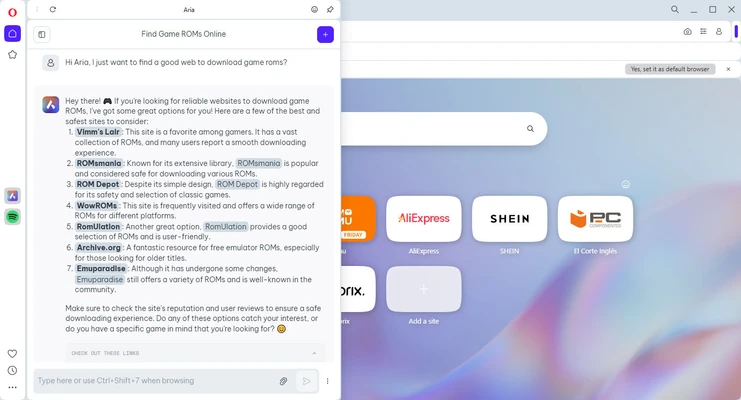
Aria AI Assistant – Provides built-in AI tools for searching, generating content, summarizing information, and interacting with webpages.
-
Tab Islands – Groups related tabs together to keep large browsing sessions organized.
-
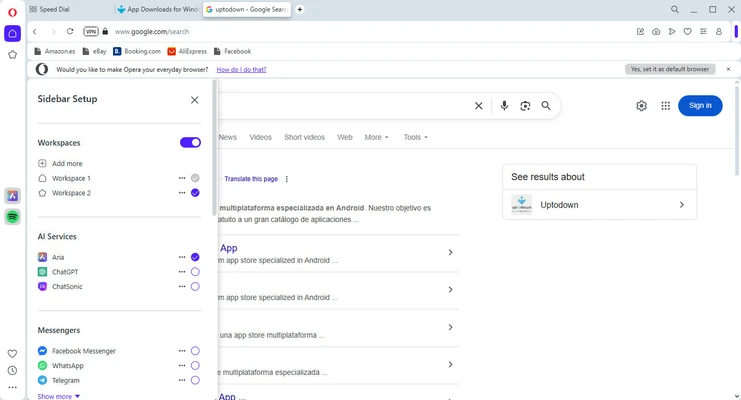
Improved Workspaces – Helps separate tabs and browsing activities for different projects.
-
Enhanced Privacy Tools – Includes improvements to the built-in ad and tracker blocking features.
-
Performance Improvements – Ongoing optimizations for startup time, page loading, and overall browser responsiveness.
-
Sidebar Improvements – Provides convenient access to supported messaging, media, and productivity services.
-
Improved Device Synchronization – Makes it easier to access bookmarks, tabs, and other browsing data across supported devices.
-
Interface Updates – Continues to refine the browser's layout, navigation, and customization options.
Key Features
Built-in Ad Blocker – Blocks many advertisements and can improve page loading speed while reducing visual clutter.
Tracker Blocking – Helps prevent supported tracking technologies from monitoring browsing activity.
Free VPN – Provides an integrated VPN feature for supported browsing traffic without requiring a separate VPN application.
Tab Islands – Automatically groups related tabs and makes it easier to manage large numbers of open webpages.
Workspaces – Create separate browsing spaces for different tasks, projects, or activities.
Aria AI – Provides an integrated AI assistant for supported search, content generation, summarization, and browsing tasks.
Sidebar – Provides quick access to selected messaging, media, and browser features without opening separate applications.
Extensions – Supports Opera add-ons and a large selection of Chrome extensions.
Flow – Allows users to share links, notes, and files between compatible Opera devices.
Battery Saver – Helps reduce power consumption when browsing on laptops.
Visual Bookmarks – Provides a visual way to save and access frequently visited websites.
Sync – Synchronizes supported browsing information such as bookmarks, tabs, passwords, and settings across devices.
Video Pop-Out – Allows supported online videos to remain visible in a floating window while browsing other pages.
Customization – Supports themes, wallpapers, keyboard shortcuts, and various browser settings.
User Interface
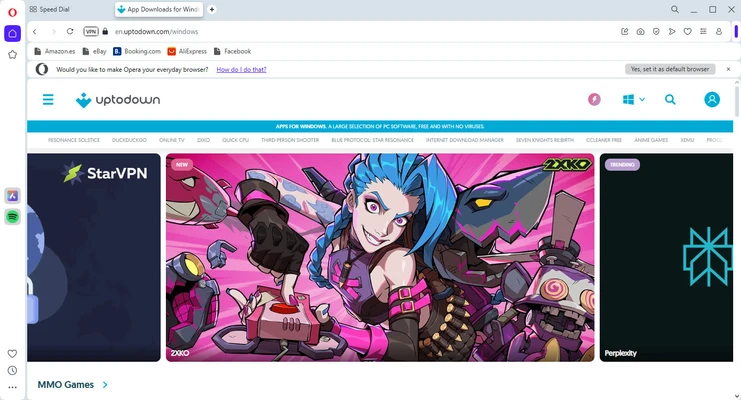
Opera uses a modern Chromium-based interface with the address bar and tabs positioned at the top and a feature-rich sidebar alongside the main browsing area.
The sidebar provides quick access to selected browser tools and integrated services, while Workspaces and Tab Islands help organize large browsing sessions.
The Speed Dial start page provides quick access to frequently visited websites, bookmarks, and other shortcuts.
Despite its extensive feature set, the basic browsing interface remains familiar to users who have experience with other Chromium-based browsers.
Installation and Setup
-
Download the latest Opera installer for Windows.
-
Run the installer and follow the on-screen instructions.
-
Choose the installation location if required.
-
Launch Opera after installation is complete.
-
Sign in to an Opera account if you want to synchronize supported browsing data.
-
Import bookmarks, passwords, and other information from another browser if needed.
-
Configure privacy, ad blocking, VPN, appearance, and other preferences.
-
Install additional extensions from Opera's add-on catalog or compatible Chrome extensions.
How to Use
Browse the Web – Enter a website address or search term into the combined address and search bar.
Manage Tabs – Open multiple webpages in tabs and use Tab Islands or Workspaces to organize them.
Save Bookmarks – Add frequently visited websites to your bookmarks for quick access later.
Enable Ad Blocking – Open Opera settings and configure the built-in ad blocking options for supported websites.
Use the VPN – Enable the browser's VPN feature from the privacy settings when you need the additional routing provided by Opera's built-in service.
Use Aria – Open the AI assistant from the browser interface to perform supported AI-powered search, writing, and webpage-related tasks.
Install Extensions – Add Opera extensions or compatible Chrome extensions to expand browser functionality.
Sync Devices – Sign in to your Opera account to synchronize supported bookmarks, tabs, passwords, and other browser data.
Use Workspaces – Create separate workspaces for different projects or browsing activities.
Use Tab Islands – Group related tabs together to keep complex browsing sessions organized.
FAQ
Is Opera free?
Yes. Opera is free to download and use. Some integrated services and features may have their own limitations or separate terms.
Does Opera support Chrome extensions?
Yes. Opera is based on Chromium and supports many Chrome extensions in addition to its own extension ecosystem.
Does Opera have a built-in VPN?
Yes. Opera includes a built-in VPN feature. It is integrated directly into the browser and is intended primarily for supported browser traffic rather than replacing a full-device VPN service.
Does Opera have an ad blocker?
Yes. Opera includes a built-in ad blocker that can be enabled and configured through the browser settings.
What is Opera One?
Opera One is the modern version of the Opera browser that introduced a redesigned interface and features such as Tab Islands and integrated AI capabilities.
What is Aria in Opera?
Aria is Opera's built-in AI assistant. It can provide supported AI-powered search, content generation, summarization, and other browser-related assistance.
Can I import data from another browser?
Yes. Opera can import supported browsing data such as bookmarks and other information from compatible browsers.
Can I synchronize Opera between devices?
Yes. Signing in with an Opera account allows supported browsing data to be synchronized between compatible devices.
Does Opera work on Windows 11?
Yes. Opera supports modern Windows versions, including Windows 11 and Windows 10.
Alternatives
Opera GX – A gaming-focused browser with additional controls for CPU, RAM, network usage, and gaming-related features.
Google Chrome – A widely used Chromium-based browser with extensive extension support and strong compatibility with modern websites.
Mozilla Firefox – A popular browser with a strong focus on customization, privacy, and an independent browser engine.
Microsoft Edge – A Chromium-based browser with deep integration with Windows and Microsoft services.
Brave – A privacy-focused Chromium-based browser with built-in ad and tracker blocking.
Pricing
Opera is free to download and use.
The standard browser does not require a subscription or license purchase. Some optional services or features may be subject to separate terms or pricing.
System Requirements
-
Operating System: Windows 10 and Windows 11
-
Processor: 64-bit Intel or AMD processor
-
Memory: 512 MB RAM or more
-
Storage: Approximately 1 GB or more of available disk space recommended
-
Internet Connection: Required for web browsing, updates, and online services
Pros
-
Free to use
-
Built-in ad and tracker blocking
-
Integrated VPN feature
-
Tab Islands and Workspaces
-
Built-in AI assistant
-
Supports Chrome extensions
-
Cross-device synchronization
-
Highly customizable interface
-
Useful sidebar and productivity features
Cons
-
Uses considerable system resources with many tabs
-
Some integrated features may not appeal to all users
-
Built-in VPN is not a replacement for a full-device VPN
-
Feature-rich interface can feel busy compared with simpler browsers
Conclusion
Opera is a versatile web browser that combines Chromium compatibility with a broad collection of built-in features. Its integrated ad blocker, VPN, AI assistant, Workspaces, Tab Islands, synchronization, and customization tools make it suitable for users who want more functionality without installing numerous additional extensions.
Although its large feature set can make the interface feel more complex than minimalist browsers, Opera provides a capable browsing environment for everyday web use, productivity, entertainment, and multitasking.