
Go to Windows platform Display platforms icon
Go to Windows platform Go to Mac platform Go to Android platform
FileZilla icon

FileZilla

3.69.0
Tim Kosse
4.1
11.87 MB size

The most used client for uploading files via FTP

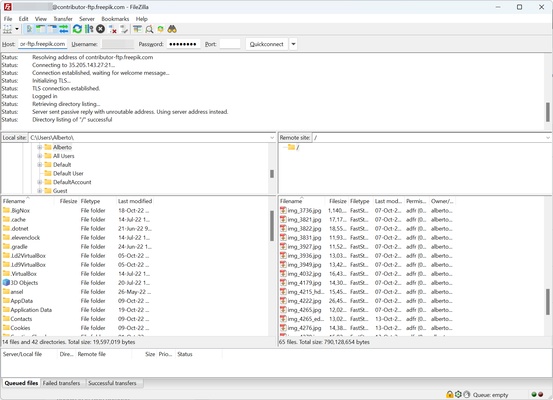
FileZilla is the most commonly used program for uploading files to an FTP server. This tool is open source and completely free, so anyone can use it. It supports protocols such as FTP, FTP over TLS (FTPS) and SFTP. The latter encrypt all content sent to the server, ensuring that no one can intercept the files on their way to the server.

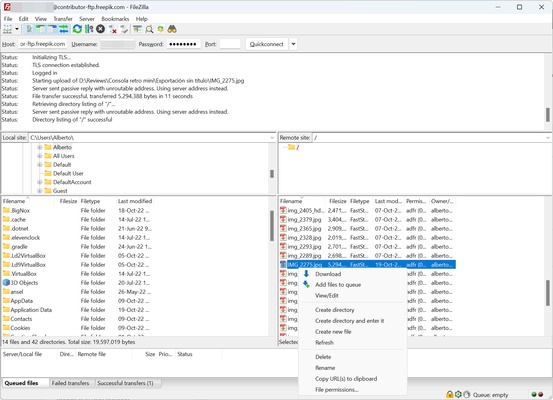
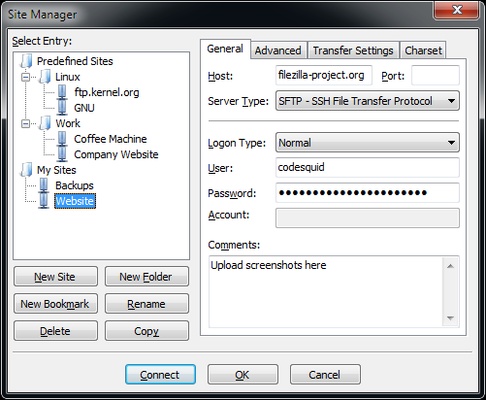
FileZilla lets you configure profiles to upload content to a specific address. You can add parameters such as an IP address, port, username and password. Thanks to this, all you have to do is select that profile and you will be able to manage the files on the FTP server, whether that's a local or external server.

With FileZilla, you can interrupt the download or upload of a file, and resume it later from the exact point you left it. However, the server you are downloading it from must support this function.

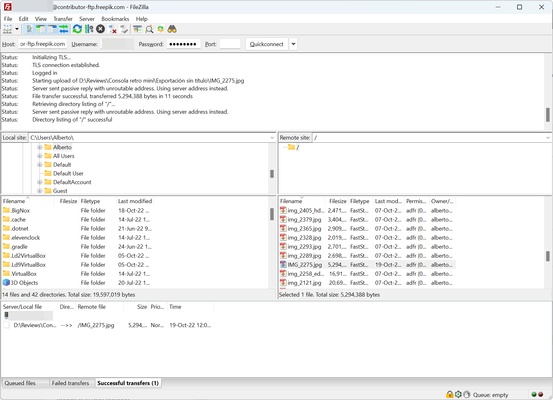
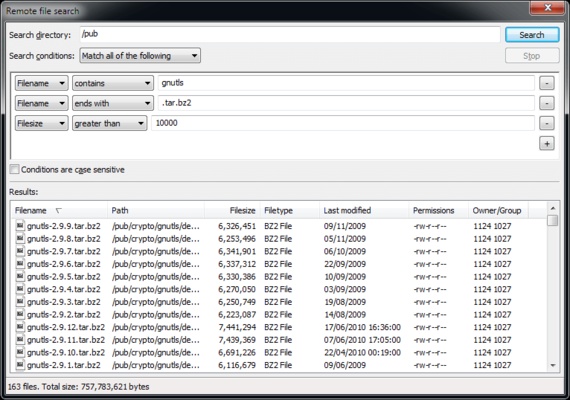
FileZilla is particularly useful for uploading a large number of files or large files, especially those larger than 4 GB, to a server. With this tool, you can take advantage of your connection's maximum speed, as well as set speed limits or IP filters.

If you are looking to upload files to an FTP, SFTP or FTPS server, then try downloading FileZilla.

Frequent questions

Which network protocols does FileZilla support?

FileZilla is a program for uploading files to FTP servers. It supports FTP, SFTP and FTPS protocols. Thanks to this, it allows you to upload files to a server through a secure path to prevent others from stealing your content.

Is FileZilla free?

FileZilla is an open-source program that is completely free of charge. However, there is a paid version available that allows you to upload content to hosting services such as Google Drive, Microsoft OneDrive or Amazon S3.

Is FileZilla secure?

FileZilla allows you to securely upload files to an FTP server. The program establishes a connection between your computer and the server. It also supports SFTP and FTPS secure protocols.

Which should I download, FileZilla Server or FileZilla Client?

FileZilla allows access to an FTP server through FileZilla Client. If you want to create a server that others can access, or access it yourself from another location, you have to download FileZilla Server.

Information about FileZilla

License GNU
Op. System Windows
Category Internet
Language English 5 more
Author Tim Kosse
permission icon Permissions Not applicable
Date 2026-06-02
Size 11.87 MB
File type EXE

Apps recommended for you

Slack icon
Slack for Windows is a team collaboration tool that streamlines communication, file sharing, and project management with channels and direct messaging.
Epic Privacy Browser icon
Epic Privacy Browser for Windows is a privacy-focused web browser that blocks trackers, ads, and enhances online security for anonymous browsing.
Surfshark icon
Browse the Internet securely with this VPN
Pale Moon 34.3.2 (64-bit) icon
Super fast Goanna-based browser designed for the best possible performance
AnyViewer icon
AnyViewer is a powerful remote desktop connection software
Brave Browser 1.93.129 (64-bit) icon
Load web pages 3x to 6x faster, better privacy and protection!
Telegram for Desktop 7.1.2 icon
Speedy alternative to WhatsApp. Send Telegrams from any device!
Multi Commander 16.2.0 Build 3211 (64-bit) icon
A multi-tabbed file manager that is an alternative to the Windows Explorer
NxFilter 4.7.5.5 icon
NxFilter is a DNS filter for blocking harmful or unwanted websites
OkayFreedom VPN 1.9.7.0 icon
Securely surf the web and unlock restricted content
TunnelBear 4.20.0.0 icon
A friendly, secure and private VPN
DataVare NSF to PST Converter Expert 2.0 icon
Smart Way to Export NSF files to PST format on Windows
Maxthon 7.5.3.2400 icon
A suite of state-of-art, cloud-powered web browsers
CloudMounter 3.8.2156 icon
Mount cloud storage as local drive on Windows computers!
PS5 Remote Play 9.5.0.8040 icon
Control your PlayStation 5 console from a Windows PC!
KakaoTalk for Windows 26.8.1.5315 icon
Offers a convenient sync between your Windows PC and mobile device
Linphone icon
Linphone is an open-source VoIP app that enables users to make voice and video calls over the internet with high-quality audio and video support.
Portable Pale Moon icon
Portable Pale Moon for Windows is a lightweight, privacy-focused web browser that offers fast browsing with customization options, without the need for installation.
PS5 Remote Play 9.5.0.8040 icon
Control your PlayStation 5 console from a Windows PC!
Microsoft Teams icon
Un espacio integral para la comunicación y productividad de equipos.
Linphone 6.2.2 icon
A complete, secure and interoperable SIP software solution!
Zoiper 5.6.13 icon
Free or cheap calls with any VoIP provider!
Firefox Developer Edition 154.0b2 (64-bit) icon
Get the latest features, fast performance, and the development tools!
Camfrog Video Chat 8.5.0 icon
Free Video Chat Rooms & Live Webcams for Windows