Go to Windows platform Display platforms icon
Go to Windows platform Go to Mac platform Go to Android platform
Opera GX 132.0.5905.82 (64-bit) icon

Opera GX 132.0.5905.82 (64-bit)

132.0.5905.82
Opera Software
5.0
size

The gaming browser built for gamers with RAM and CPU limiters!

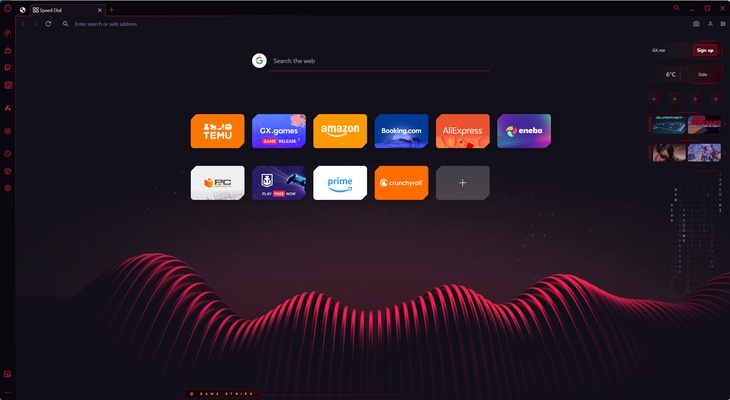
Opera GX is a gaming-focused version of the Opera browser designed to enhance both browsing and gaming performance on Windows PC.

It allows users to control system resource usage while browsing and integrates popular gaming tools and services directly into the browser.


Overview

Opera GX is built specifically for gamers who want a browser that does not interfere with gaming performance.

It includes built-in tools for limiting CPU, RAM, and network usage, along with integrations for Twitch, Discord, and other gaming platforms.

With its customizable design and performance-focused features, Opera GX delivers a unique browsing experience tailored for gaming environments.


Key Features

GX Control (Performance Management)

  • Limit CPU usage to free up system resources
  • Control RAM usage for optimized performance
  • Adjust network bandwidth usage
  • Keep browser active while gaming

Gaming Integrations

  • Built-in Twitch sidebar integration
  • Discord access directly in the browser
  • GX Corner for gaming news, deals, and releases
  • Real-time notifications for live streams

GX Design & Customization

  • Fully customizable themes and colors
  • Animated wallpapers and visual effects
  • Gaming-inspired interface design
  • Personal UI configuration options

GX Sound

  • Custom in-browser sound effects
  • Designed in collaboration with professional sound designers
  • Optional audio feedback for interactions

Built-in Tools

  • Free built-in VPN (browser-level)
  • Integrated ad blocker
  • Video pop-out player (YouTube & Twitch)
  • Sidebar messenger apps (WhatsApp, Telegram, Facebook Messenger, etc.)
  • Chrome extension support

Why Choose Opera GX

Opera GX is ideal for users who want to browse the internet without sacrificing gaming performance.

Its resource limiter ensures that the browser does not consume excessive CPU or memory, making it suitable for gaming and streaming setups.


Best For

  • Gamers
  • Streamers
  • Content creators
  • Multi-tasking users
  • Low-resource PC setups

Opera GX vs Opera Browser

Opera GX

  • Designed for gaming
  • CPU, RAM, and network limiters
  • Twitch & Discord integration
  • Highly customizable UI
  • Gaming-focused news and tools

Opera Browser

  • General-purpose browsing
  • Broader OS support (Linux, mobile, etc.)
  • Standard feature set
  • Less resource control

Pros

  • Excellent performance control tools
  • Built-in gaming integrations
  • Highly customizable interface
  • Free VPN and ad blocker included
  • Chrome extension support

Cons

  • Can feel heavy on older systems
  • Some features are gaming-specific and unnecessary for general users
  • Limited to Windows and macOS

System Requirements

  • Windows 10 / 11
  • macOS (latest versions supported)
  • 2 GB RAM minimum (4 GB recommended)
  • Internet connection required
  • 200 MB disk space

Conclusion

Opera GX is a powerful gaming browser designed to optimize performance while providing a feature-rich browsing experience. With built-in resource controls and gaming integrations, it is an excellent choice for gamers and streamers.

Information about Opera GX 132.0.5905.82 (64-bit)

License Freeware
Op. System Windows
Category Internet
Language English
Author Opera Software
permission icon Permissions Not applicable
Date 2026-06-19
Size
File type Official Website

Apps recommended for you

DreamMail icon
DreamMail for Windows is an email client that allows users to manage multiple accounts with a simple and customizable interface.
Vivaldi (64-bit) icon
An advanced browser made with the power user in mind
Outlook icon
Microsoft's official email client
4n6 MBOX Data Viewer icon
4n6 MBOX Data Viewer for Windows is a tool that allows users to view and analyze MBOX email files without requiring an email client.
Softaken MBOX Duplicate Remover icon
Remove multiple MBOX Duplicate emails without error with Softaken Tool
Mailbird icon
A powerful email client for Windows
Element icon
Element for Windows is a secure, open-source messaging app that supports end-to-end encryption and decentralized communication across multiple platforms.
ChrisPC Free VideoTube Downloader icon
Enjoy your favorite YouTube videos, from anywhere
Remote Desktop Manager Enterprise 2026.2.11.0 icon
An application used to manage all your remote connections!
Vivaldi 8.0.4033.50 (64-bit) icon
An advanced browser made with the power user in mind
Wavebox 10.149.2.96 icon
Join the wave of next generation web-desktop communication tools!
Studio 3T 2026.11.0 icon
The Professional Client, IDE and GUI software for MongoDB!
Firefox 152.0.1 (64-bit) icon
One of the World's Most Popular Web Browsers for Windows
Slack for Windows 4.50.141 icon
Team communication software for the 21st century
Google Chrome 149.0.7827.156 (64-bit) icon
The fast, free browser that's built for the modern web
Viber for Windows 28.1.1.0 icon
Make free calls to other users, on any device and network!
GainTools OLM Converter Software icon
Professional Solution for Converting Mac Outlook OLM files
Firefox Developer Edition 152.0b8 (64-bit) icon
Get the latest features, fast performance, and the development tools!
WeChat icon
Download WeChat for Windows and enjoy seamless messaging, voice, and video calls right from your desktop.
v2rayN icon
v2rayN for Windows is a network proxy tool that helps users access the internet securely and bypass restrictions.
qBittorrent icon
Easy-to-use Bittorrent client
WhatsApp Desktop icon
WhatsApp Desktop for Windows allows users to send messages, make calls, and sync chats directly from their desktop with a seamless connection to the mobile app.
SSuite NetSurfer E-Gamer x64 icon
Dedicated gaming and streaming browser with Ultra-Low latency!
Slack for Windows 4.50.141 icon
Team communication software for the 21st century