


Vivaldi Browser is a highly customizable, feature-rich web browser designed for power users who want full control over their browsing experience on Windows 11 and Windows 10.
Built on the Chromium engine, Vivaldi supports Chrome extensions while offering advanced customization, productivity tools, and strong privacy protection.
Overview
Developed by Vivaldi Technologies and co-founded by former Opera CEO Jon Stephenson von Tetzchner, Vivaldi focuses on flexibility, personalization, and user control.
Unlike traditional browsers, Vivaldi allows users to fully customize layout, behavior, shortcuts, and workflow, making it one of the most adaptable browsers available today.
Key Features
Full Customization
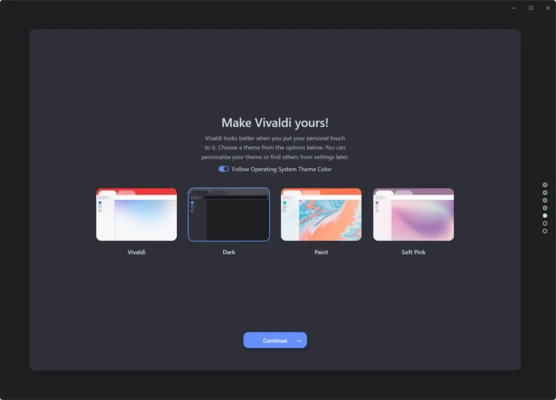
- Customize layout, themes, and interface elements
- Move address bar and tab positions freely
- Personalize keyboard shortcuts and mouse gestures
- Flexible UI designed for individual workflows
Advanced Tab Management
- Tab stacking for grouping related tabs
- Tab tiling for split-screen browsing
- Workspaces for better organization
- Efficient handling of large numbers of tabs
Built-in Productivity Tools
- Integrated Notes panel with screenshots and attachments
- Built-in email client (Vivaldi Mail)
- Calendar and feed reader support
- Web panels for quick access to apps and websites
Smart Navigation Tools
- Quick Commands for instant search and control
- Advanced address bar suggestions
- Custom command creation support
- Fast navigation across tabs, history, and settings
Privacy and Security
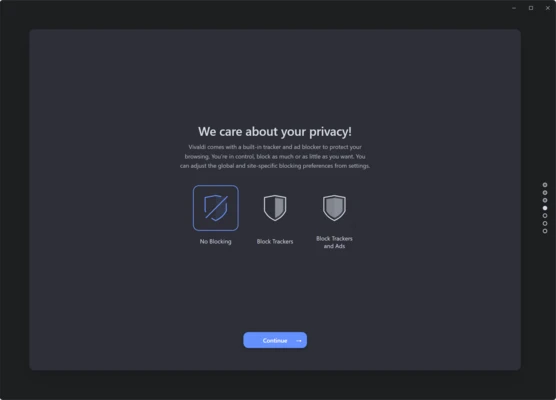
- Built-in tracker and ad blocker
- No user tracking or data collection
- Strong privacy-focused architecture
- Enhanced site permission controls
Performance & Usability
- Faster startup and tab switching
- Optimized Chromium engine updates
- Smooth multitasking performance
- Stable cross-platform sync system
Why Choose Vivaldi
Vivaldi is ideal for users who want more than a standard browser. It offers deep customization, built-in productivity tools, and strong privacy protection without sacrificing performance or compatibility.
It is especially suited for users who manage multiple workflows, research-heavy browsing, or advanced tab usage.
Best For
- Power users
- Developers and researchers
- Productivity-focused users
- Privacy-conscious users
- Multi-tab heavy browsing workflows
Pros
- Extremely customizable interface
- Powerful tab management tools
- Built-in productivity features (Mail, Notes, Calendar)
- Strong privacy protection
- Supports Chrome extensions
Cons
- Learning curve for new users
- Can feel complex for casual browsing
- Slightly heavier than minimal browsers
System Requirements
- Windows 10 / Windows 11
- 2 GB RAM minimum (4 GB recommended)
- 200 MB available disk space
- Internet connection required
- Intel/AMD processor (64-bit recommended)
Conclusion
Vivaldi Browser is a powerful and flexible Chromium-based browser designed for users who demand full control over their browsing environment. With advanced tab management, deep customization, and built-in productivity tools, it stands out as one of the best browsers for power users.