SoftEther VPN Gate Client Plugin is a free and open-source plugin for SoftEther VPN Client that allows users to connect to public VPN Gate relay servers operated by volunteers around the world.
It provides an easy way to route internet traffic through a remote VPN server, helping protect your connection on public networks and access services that may be unavailable from your current location.
VPN Gate does not require registration or a paid subscription. Available public servers can change frequently, so connection speed and availability may vary depending on the selected server.
Key Features
Free Public VPN Servers: Connect to VPN Gate relay servers provided by volunteers worldwide.
No Registration Required: Use available public VPN servers without creating an account.
Multiple VPN Protocols: Supports SoftEther VPN, OpenVPN, L2TP/IPsec, and SSTP connections.
Global Server Locations: Choose servers from different countries and regions.
Encrypted Connections: Uses VPN tunneling to protect traffic between your device and the selected VPN server.
IP Address Masking: Websites and online services see the VPN server's public IP address instead of your original IP address.
Firewall Compatibility: SoftEther VPN uses SSL-based tunneling designed to work across many network environments.
Server Information: The client displays available servers along with information such as location, uptime, speed, and latency.
Open Source: The underlying SoftEther VPN software is open-source and developed by the University of Tsukuba.
Installation and Setup
-
Install SoftEther VPN Client on your Windows PC.
-
Install the VPN Gate Client Plugin.
-
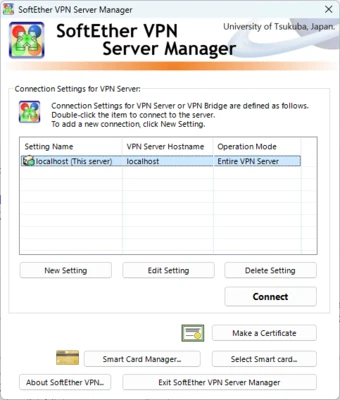
Launch SoftEther VPN Client Manager.
-
Open VPN Gate Public VPN Relay Servers.
-
Select an available server from the list.
-
Double-click the server or click Connect to the VPN Server.
-
Accept the connection terms and wait for the VPN connection to be established.
How to Use
Select a Server: Open the public relay server list and choose a server based on location, speed, and latency.
Connect: Double-click the selected server to establish a VPN connection.
Check the Connection: Once connected, your internet traffic will be routed through the selected VPN server.
Change Servers: Disconnect from the current server and select another available relay server when necessary.
Disconnect: Close the VPN connection from SoftEther VPN Client Manager when you no longer need it.
FAQ
Is SoftEther VPN Gate Client Plugin free?
Yes. VPN Gate is a free service and does not require a paid subscription or user registration.
Does VPN Gate require SoftEther VPN Client?
Yes. The VPN Gate Client Plugin is designed to work with SoftEther VPN Client.
Can I choose a VPN server by country?
Yes. The public relay server list provides servers from different countries and regions.
Are VPN Gate servers always available?
No. VPN Gate servers are operated by volunteers, so servers can appear or disappear at any time. Speed and availability can also vary.
Is VPN Gate secure?
VPN encryption protects traffic between your device and the VPN server. However, because public relay servers are operated by third parties, users should avoid sending highly sensitive information through untrusted servers.
Does VPN Gate work on Windows 11?
Yes. The SoftEther VPN Client and VPN Gate Client Plugin support modern Windows versions, including Windows 11.
Can I use VPN Gate on Android or iPhone?
The VPN Gate Client Plugin itself is designed for SoftEther VPN Client on Windows. Other devices can connect to VPN Gate servers using supported VPN protocols and compatible VPN clients.
Alternatives
Proton VPN: A privacy-focused VPN service with a free plan.
Windscribe: Offers free and paid VPN plans with support for multiple platforms.
TunnelBear: A simple VPN service designed for users who want an easy-to-use interface.
Pricing
Free
-
No subscription required
-
No registration required
-
Access to public VPN Gate relay servers
-
Free to download and use
System Requirements
-
Operating System: Windows 7, 8, 10, or 11
-
Processor: 1 GHz or faster
-
RAM: 512 MB or more
-
Storage: At least 100 MB of free disk space
-
Internet Connection: Required
PROS
-
Free and open-source
-
No registration required
-
Public servers available worldwide
-
Supports multiple VPN protocols
-
Easy server selection
-
Useful for accessing different regional networks
CONS
-
Server performance varies considerably
-
Volunteer-operated servers may disappear without notice
-
No guaranteed server availability
-
Public VPN servers require additional trust considerations
-
Primarily designed for Windows through SoftEther VPN Client
Conclusion
SoftEther VPN Gate Client Plugin is a useful free VPN tool for users who want access to public VPN servers without paying for a commercial VPN subscription. Its large volunteer-operated network and simple server selection make it easy to get started.
However, server speed, reliability, and availability can vary significantly. Users should also consider the trust implications of connecting through publicly operated VPN servers, especially when handling sensitive information.
Note: VPN Gate public relay servers are operated by volunteers, and their availability and performance may change at any time.