


DreamMail is a freeware email client designed for managing multiple email accounts from a single Windows application. It supports common email protocols such as POP3 and SMTP and provides tools for email management, filtering, templates, contacts, attachments, backups, and RSS feeds.
DreamMail is aimed at both home users and professional users who need a traditional desktop email client with a wide range of configuration options. It also offers regular, portable, and Pro editions.
What's New
DreamMail is a relatively mature email client, so recent updates primarily focus on compatibility, stability, bug fixes, and improvements to existing email management features.
Because development and platform support may vary between releases, users should check the version information provided with the current installer before upgrading.
Key Features
Multiple Email Accounts: Manage multiple email accounts from a single application.
POP3 and SMTP Support: Connect to email services using commonly supported email protocols.
Email Filtering: Create rules and filters to organize incoming messages and reduce unwanted mail.
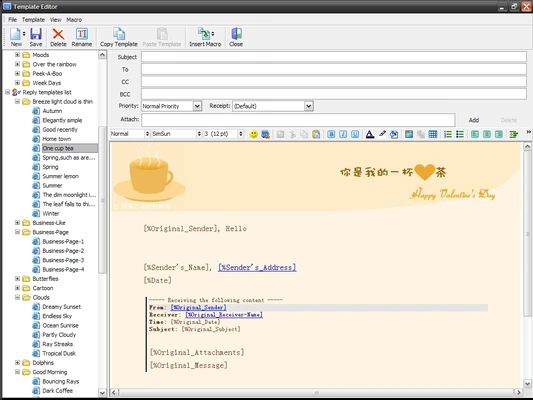
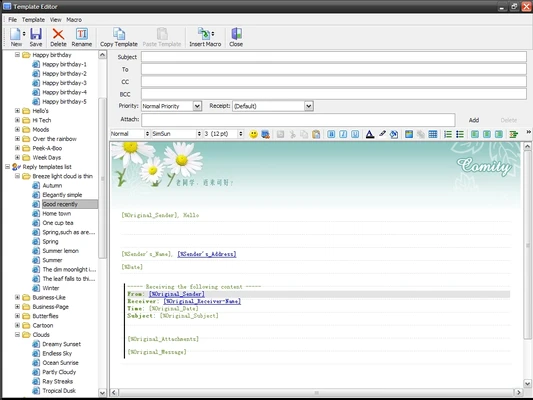
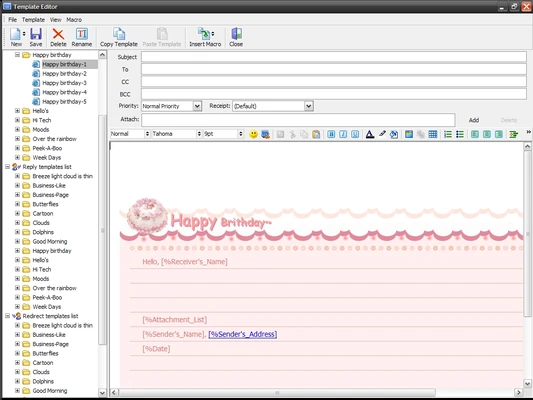
Email Templates: Create reusable message templates for frequently sent emails.
RSS Support: Subscribe to and manage RSS feeds directly from the application.
Contact Management: Store and manage contact information alongside email accounts.
Attachment Manager: Provides dedicated tools for handling email attachments.
Email Backup: Back up messages and related data for easier recovery and migration.
Password Protection: Protect selected messages or folders with passwords.
HTML and Text Conversion: Convert email content into HTML or text files when required.
Portable Version: A portable edition is available for users who prefer to run the application without a traditional installation.
Calendar Support: Includes basic calendar-related functionality for organizing schedules and information.
User Interface
DreamMail uses a traditional desktop email interface similar to the layout found in older versions of Outlook Express and other classic Windows mail clients.
The main window is divided into several areas. The left panel contains mailboxes and folder navigation, while the central area displays email messages. Common controls are available from the top toolbar.
Individual messages can be opened in separate windows, providing access to standard email functions such as recipients, subject lines, message composition, attachments, contacts, and digital signatures.
The application also includes separate interfaces for contacts, templates, attachments, calendar functions, and other management tools. Its extensive configuration options allow users to customize many aspects of the client.
Installation and Setup
DreamMail uses a relatively small Windows installation package. Run the installer and follow the on-screen instructions to select the installation location and complete the setup.
After installation, launch DreamMail and configure one or more email accounts. You can enter the required server information, account credentials, and connection settings manually when necessary.
Some versions may display Chinese text during installation or in parts of the interface. If an English interface is available, the language can generally be changed through the application's settings.
How to Use
-
Launch DreamMail after completing the installation.
-
Add an existing email account using the account management settings.
-
Enter the required POP3, SMTP, or other supported server information.
-
Check your inbox and organize messages using folders and filters.
-
Create new messages and use templates for frequently sent emails.
-
Manage contacts and attachments through the corresponding tools.
-
Configure RSS feeds if you want to read subscribed feeds within DreamMail.
-
Use the backup and security options to protect important email data.
-
Open the preferences section to customize the interface and advanced settings.
FAQ
Is DreamMail free?
Yes. DreamMail is available as freeware, although different editions may provide different features.
Does DreamMail support multiple email accounts?
Yes. It is designed to allow users to manage multiple email accounts within the same application.
Does DreamMail support POP3 and SMTP?
Yes. DreamMail supports commonly used email protocols including POP3 and SMTP.
Does DreamMail work on Windows 11?
DreamMail has been offered for modern Windows versions, including Windows 10 and Windows 11. Compatibility may vary depending on the specific release.
Does DreamMail have a portable version?
Yes. A portable edition has been available for users who prefer not to perform a traditional installation.
Can I change DreamMail from Chinese to English?
Some versions provide language options that allow users to switch the interface language through the application settings. Available languages can vary by version.
Does DreamMail support email filtering?
Yes. The client provides filtering and rule-based tools for organizing incoming messages.
Alternatives
Microsoft Outlook: A comprehensive desktop email and productivity application with integrated email, calendar, contacts, tasks, and other organizational tools.
Mozilla Thunderbird: A free and open-source email client with support for multiple accounts, extensions, customizable settings, and advanced email management.
Proton Mail: A privacy-focused email service that provides encrypted communication and a web-based interface, with dedicated applications for supported platforms.
Pricing
DreamMail is available as freeware. The software has also been distributed in different editions, including regular, portable, and Pro versions.
System Requirements
-
OS: Windows 8, Windows 10, or Windows 11
-
Processor: 1 GHz or faster
-
RAM: 512 MB or more
-
Disk Space: Approximately 100 MB or more
-
Internet Connection: Required for sending and receiving email
Pros
-
Free email client
-
Supports multiple email accounts
-
Traditional and familiar interface
-
Email filtering and organization tools
-
RSS feed support
-
Built-in contact and attachment management
-
Supports email backups
-
Portable version available
-
Lightweight compared with many modern email suites
Cons
-
Interface looks dated
-
Primarily designed for Windows
-
Some versions may have limited language options
-
Documentation and community resources are more limited than those of major email clients
-
Compatibility with newer email services may vary
Conclusion
DreamMail is a lightweight Windows email client that combines traditional email management with a range of advanced organizational tools. Its support for multiple accounts, filtering, templates, RSS feeds, contacts, attachments, and backups makes it suitable for users who prefer a feature-rich desktop mail application.
Although its interface is dated compared with newer email clients, DreamMail remains a practical option for users who want a conventional Windows email management tool with extensive configuration options.