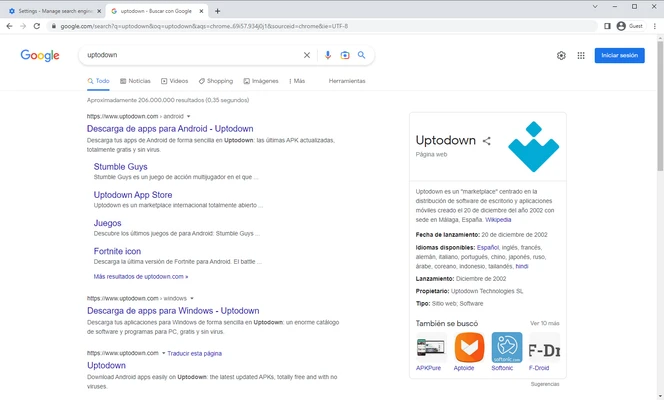
Google Chrome is a fast, secure, and highly popular web browser built to handle modern web applications and heavy daily browsing. It combines a clean, minimalist design with powerful backend engineering to deliver rapid page loading speeds and instant search responses.
By integrating deeply with the Google ecosystem, Chrome allows you to seamlessly sync your personal bookmarks, saved passwords, and open tabs across your desktop, phone, and tablet, making it an excellent all-around browser for everyday internet use.
Overview and Key Features
-
Smart Omnibox Integration: Combines the address bar and search engine into a single input field that provides real-time search suggestions, calculator answers, and URL completions as you type.
-
Cross-Device Synchronization: Logs securely into your Google Account to instantly carry over your browsing history, payment details, autofill configurations, and open browser tabs to any active mobile or desktop device.
-
Massive Extension Ecosystem: Grants direct access to the Chrome Web Store, allowing you to install thousands of custom themes, ad-blockers, developer tools, and productivity plugins.
-
Built-In Google Utilities: Features native, one-click website translation via Google Translate, built-in media streaming through Chromecast protocols, and offline integration for tools like Google Docs and Gmail.
-
Advanced Resource Management: Utilizes updated Memory Saver and Energy Saver modules to automatically freeze inactive background tabs, drastically lowering RAM consumption and saving laptop battery life.
-
Multi-Profile Isolation: Allows you to create distinct browser profiles within a single installation, keeping your personal search history, work bookmarks, and browser extensions completely separate.
-
Robust Safe Browsing: Protects your local workspace with an integrated password manager, proactive phishing alerts, automated malware blocking, and a sandboxed architecture that stops harmful site scripts from reaching your operating system.
How to Use
-
Run the downloaded installer package to automatically download and configure the browser workspace on your system.
-
Launch the application via the desktop shortcut to open a clean new tab window.
-
Type a search query or a specific website URL directly into the top omnibox and press Enter.
-
Click the "+" icon at the top of the screen or press Ctrl+T to open multiple website tabs inside the same window.
-
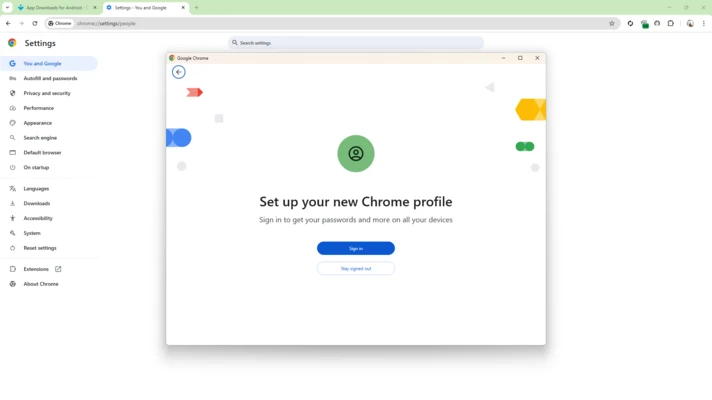
Click on your profile icon in the upper-right corner and sign into your Google account to initiate background data syncing.
-
Click the three-dot menu icon in the top-right corner and select Settings to change your default search engine, home page, or appearance themes.
-
Navigate to the Chrome Web Store to look up, download, and manage your custom extension tools.
-
Use the built-in Task Manager (Shift+Esc) to check which active tabs or plugins are using the most system resources and close them down if your PC slows down.
Pros and Cons Pros
-
Exceptional rendering speeds and cutting-edge support for advanced web graphics and WebGPU applications.
-
Seamless out-of-the-box integration with Google services like Drive, Pay, Docs, and Translate.
-
Clean, intuitive interface that is easy for beginners to navigate while staying flexible for power users.
-
Massive, unparalleled third-party library of web extensions and security plug-ins. Cons
-
Known for heavy system memory consumption, as it spins up separate background OS processes for every single open tab and running extension.
-
Privacy-conscious users may find the extensive, default data-sharing telemetry connected to Google's ad networks undesirable.
-
Drastically restricts deep local user interface customizations compared to more modular open-source layouts.
Top Alternatives
-
Microsoft Edge: A highly efficient Chromium-based alternative featuring native Windows integration, lower RAM consumption, and built-in shopping assistant tools.
-
Mozilla Firefox: A completely independent, open-source web browser highly favored for its strict user privacy protection, tracking blockers, and custom UI options.
-
Brave: A privacy-first browser built on the Chromium engine that automatically strips out invasive web tracking, blocks video ads by default, and minimizes background script loads.
-
Opera GX: A specialized version of the Opera browser tailored specifically for PC gaming setups, featuring manual, real-time CPU, RAM, and network bandwidth limiters.