


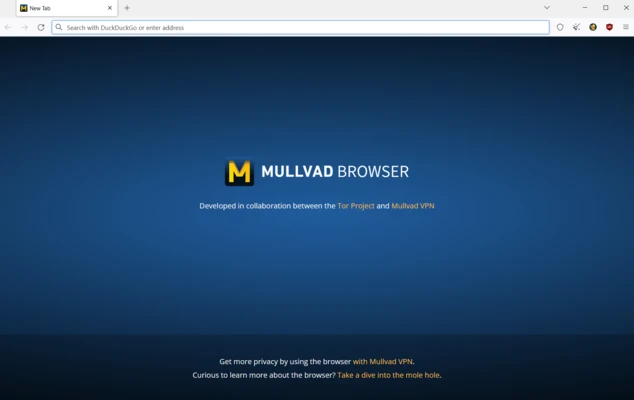
Mullvad Browser is a free, privacy-focused web browser designed to reduce online tracking and fingerprinting while providing a clean and secure browsing experience.
Developed through a collaboration between the Mullvad VPN team and the Tor Project, the browser comes with privacy-focused settings and extensions enabled by default. It is designed to make users' browser configurations more similar to one another, helping reduce the amount of identifying information websites can collect.
Unlike many mainstream browsers, Mullvad Browser does not include built-in advertising, telemetry, or user-tracking features. It is available for Windows, macOS, and Linux.
Key Features
Privacy Protection – Helps prevent websites and third-party services from tracking browsing activity and collecting personal information.
Tracker and Ad Blocking – Includes built-in protections against many advertisements, trackers, and other unwanted web content.
Anti-Fingerprinting – Uses standardized browser settings and privacy protections to make individual users harder to distinguish from one another.
Cookie Protection – Limits cross-site tracking by isolating cookies and other browsing data.
HTTPS Support – Encourages secure connections when accessing websites that support HTTPS.
uBlock Origin – Includes uBlock Origin for blocking advertisements, trackers, and other unwanted web resources.
No Telemetry – Does not rely on built-in user-tracking or telemetry systems for advertising purposes.
User Interface
Mullvad Browser uses a familiar browser interface with an address bar, tabs, bookmarks, and standard navigation controls.
Its design is intentionally straightforward rather than heavily customized. Privacy-related settings and browser protections are accessible from the toolbar, allowing users to review or adjust how websites are handled.
The browser also includes uBlock Origin, giving users additional control over advertisements, trackers, scripts, and other webpage elements.
Installation and Setup
- Download the appropriate installer for Windows, macOS, or Linux.
- Run the installer and follow the on-screen instructions.
- Launch Mullvad Browser after installation.
- Review the default privacy settings if you want to customize them.
- Import bookmarks if needed.
- Start browsing normally.
No Mullvad VPN subscription is required to use the browser itself.
How to Use
Browse the Web
Open a new tab and enter a website address or search query in the address bar.
Manage Privacy Settings
Use the browser's privacy and security controls to adjust protection levels and website permissions.
Block Trackers and Ads
uBlock Origin works in the background to block many advertisements, trackers, and unwanted web requests.
Manage Cookies
Cookie and site-data protections help reduce cross-site tracking.
Use a VPN
Mullvad Browser can be used together with Mullvad VPN or another VPN service. The browser itself does not provide a free VPN connection.
FAQ
What is Mullvad Browser?
Mullvad Browser is a free privacy-focused browser designed to reduce tracking, fingerprinting, and unwanted data collection.
Is Mullvad Browser free?
Yes. The browser is free to download and use.
Does Mullvad Browser include a VPN?
No. Mullvad Browser is separate from Mullvad VPN. A VPN service can be used alongside the browser, but a VPN subscription is not required to use the browser.
Does it block advertisements?
Yes. The browser includes uBlock Origin and privacy protections that can block many advertisements and trackers.
Is Mullvad Browser based on Chromium?
No. Mullvad Browser is based on Mozilla Firefox technology, not Chromium.
What platforms does it support?
It is available for Windows, macOS, and Linux. There is currently no native mobile version.
Can I use browser extensions?
Yes, but Mullvad recommends keeping extensions to a minimum because additional extensions can increase browser fingerprint uniqueness.
Alternatives
Tor Browser – A privacy-focused browser designed to route browsing traffic through the Tor network.
Brave Browser – A Chromium-based browser with built-in advertisement and tracker blocking.
Firefox – A flexible browser with extensive privacy controls and customization options.
Opera – A feature-rich browser with built-in tools for privacy, customization, and productivity.
Pricing
Mullvad Browser is 100% free.
There are no premium browser features, subscriptions, or in-app purchases required to use the browser.
Mullvad VPN is a separate paid service.
System Requirements
- Operating System: Windows 10 or later, macOS, Linux
- Architecture: 64-bit systems supported
- Storage: Sufficient free space for the browser installation
- Internet Connection: Required for web browsing and updates
PROS
- Strong privacy protection
- Anti-fingerprinting features
- Built-in tracker and ad blocking
- Free and open source
- No built-in advertising or telemetry
- Available for Windows, macOS, and Linux
- Simple interface
CONS
- No native mobile version
- Fewer customization options than mainstream browsers
- Some websites may behave differently with stronger privacy protections
- Using additional extensions can reduce fingerprinting protection
Conclusion
Mullvad Browser is an excellent choice for users who prioritize privacy and want to reduce online tracking and browser fingerprinting.
Its built-in privacy protections, anti-fingerprinting technology, and tracker blocking provide a strong privacy-focused browsing experience without requiring a paid subscription.
It is particularly well suited to users who want stronger privacy by default rather than a browser packed with additional services and features.
Note: Mullvad Browser is free to use. A separate VPN service is not required.