


FileZilla Overview
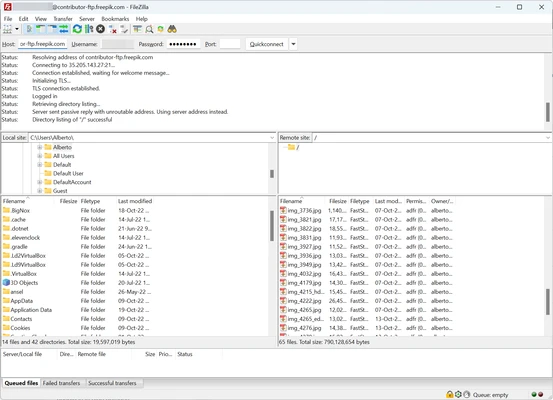
FileZilla is a free and open-source FTP client for Windows that allows users to transfer files between local computers and remote servers. It supports FTP, FTPS (FTP over SSL/TLS), and SFTP (SSH File Transfer Protocol), making it a reliable tool for website management, server maintenance, and file synchronization tasks.
Widely used by web developers and IT professionals, FileZilla provides a stable and efficient way to upload, download, and manage files on remote systems. It is available for Windows, macOS, and Linux, and is known for its simplicity, performance, and broad protocol support.
FileZilla also offers a separate Server edition, allowing users to host their own FTP server for file sharing and remote access.
Key Features
-
Support for FTP, FTPS, and SFTP protocols
-
Cross-platform compatibility (Windows, macOS, Linux)
-
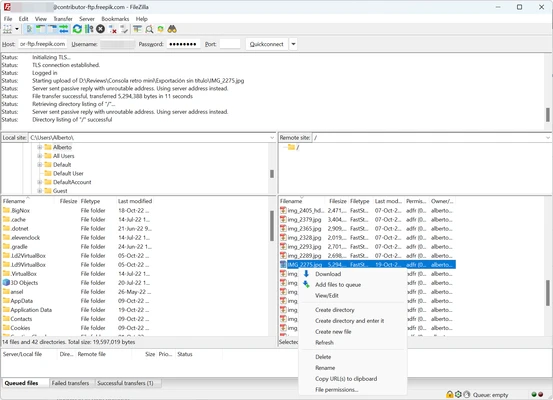
Drag-and-drop file transfers
-
Tabbed interface with multiple connections
-
Site Manager for saved server profiles
-
Directory comparison between local and remote files
-
Resume support for interrupted transfers
-
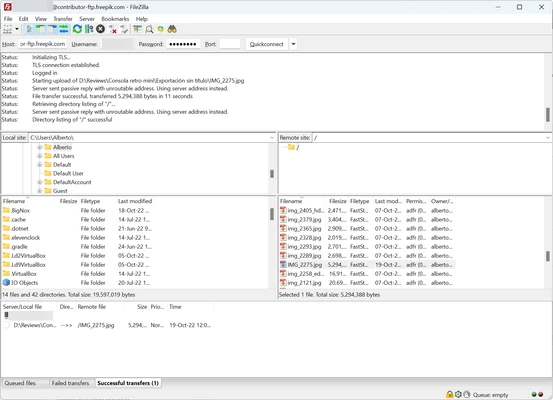
Transfer queue management
-
Large file support (over 4GB)
-
Network configuration wizard
-
Remote file editing support
-
Logging and error reporting system
-
IPv6 support
Pros
-
Free and open-source
-
Easy to use interface
-
Supports secure transfer protocols
-
Stable and widely adopted
-
Works across multiple operating systems
-
Good performance for large file transfers
Cons
-
Interface feels outdated compared to modern clients
-
Advanced configuration may be complex for beginners
-
Occasional ads for the Pro version in installer (depending on source)
Conclusion
FileZilla is one of the most widely used FTP clients for Windows, offering reliable file transfer capabilities with support for FTP, FTPS, and SFTP. Its simplicity, stability, and cross-platform support make it a practical choice for developers, administrators, and anyone managing remote servers.