WhatsApp for Windows is the official desktop messaging app that lets you send messages, make voice and video calls, share files, and stay connected with friends, family, and coworkers directly from your PC.
The Windows app provides a convenient way to access your WhatsApp conversations on a larger screen. It supports message synchronization across linked devices, desktop notifications, file sharing, voice and video calls, group chats, and end-to-end encrypted communication.
WhatsApp for Windows works with your existing WhatsApp account. After installing the app, simply link your computer to your phone by scanning the QR code displayed on the desktop.
Features and Highlights
Instant Messaging
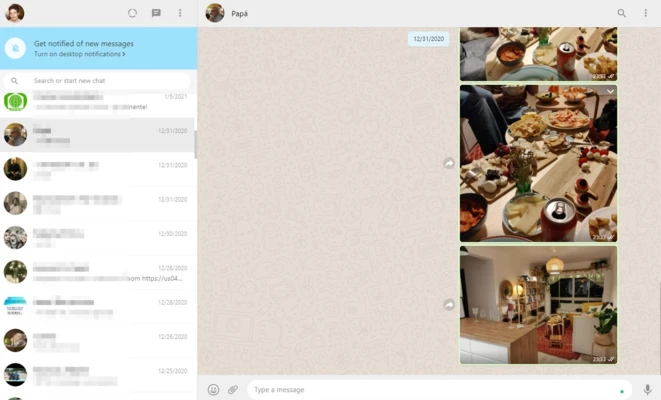
Send and receive text messages, emojis, voice messages, photos, videos, and other media directly from your Windows PC.
Voice and Video Calls
Make voice and video calls from your desktop using a compatible microphone and webcam.
Group Chats
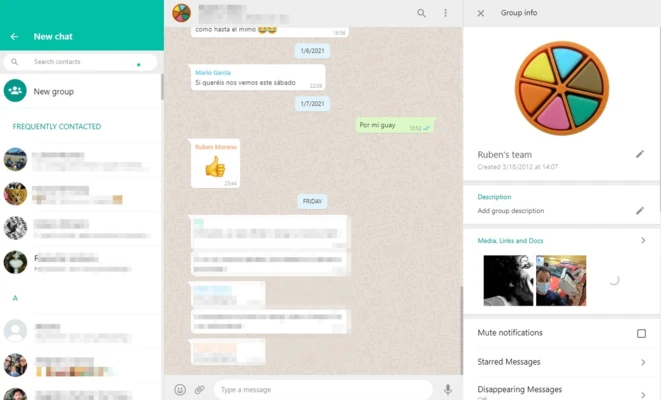
Create and participate in group conversations for family, friends, work, and other communities.
File Sharing
Share documents, images, videos, and other files directly through WhatsApp.
Multi-Device Support
Link your WhatsApp account to multiple devices and continue using your conversations across your phone and computer.
End-to-End Encryption
Personal messages and calls are protected with end-to-end encryption, helping keep your communications private.
Desktop Notifications
Receive notifications for new messages and calls without constantly checking your phone.
Dark Mode
Use a dark interface for a more comfortable viewing experience, especially in low-light environments.
Message Search
Quickly find messages, conversations, and shared content using the built-in search tools.
User Interface
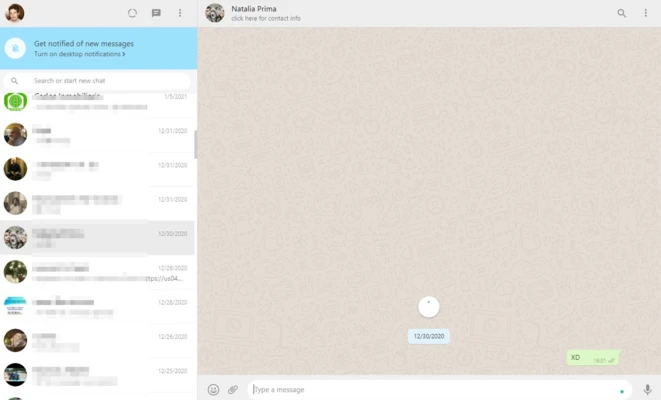
WhatsApp for Windows features a clean and familiar interface. Your conversations are displayed in the main window, while contacts, groups, calls, and settings are easily accessible from the sidebar.
The desktop layout is optimized for keyboard and mouse use, making it convenient for users who frequently communicate while working on a PC.
How to Use WhatsApp for Windows
- Download and install WhatsApp for Windows.
- Launch the application to display the QR code.
- Open WhatsApp on your smartphone.
- Go to Linked Devices.
- Select Link a Device.
- Scan the QR code displayed on your computer.
- Wait for your conversations to synchronize.
- Start sending messages, sharing files, or making calls from your PC.
Once the device has been linked, you can use WhatsApp on your computer without keeping the WhatsApp desktop application constantly connected to your phone.
FAQ
Is WhatsApp for Windows free?
Yes. WhatsApp for Windows is free to download and use. An internet connection is required for messaging, calls, and media sharing.
Do I need a smartphone to use WhatsApp for Windows?
Yes. You need an active WhatsApp account on a supported mobile device to register your account and link your Windows PC.
Can I make video calls on Windows?
Yes. WhatsApp for Windows supports voice and video calls when your PC has a compatible microphone and webcam.
Can I use WhatsApp when my phone is offline?
Yes. Linked devices can continue to use WhatsApp independently after they have been linked. However, your primary phone must periodically connect to WhatsApp to keep linked devices active.
How many devices can I link to WhatsApp?
WhatsApp allows you to link multiple companion devices to your primary account, including computers and other supported devices.
Is WhatsApp for Windows secure?
Yes. Personal messages and calls are protected by end-to-end encryption.
Can I send files from my PC?
Yes. You can send documents, photos, videos, and other supported files directly from the Windows application.
Does WhatsApp for Windows support dark mode?
Yes. The desktop application supports dark mode and other interface options.
Alternatives
Telegram – A fast messaging platform with cloud synchronization, large groups, file sharing, and support for multiple devices.
Signal – A privacy-focused messaging application offering encrypted messages and voice and video calls.
Discord – A communication platform focused on communities, group conversations, voice channels, video calls, and file sharing.
Viber – A cross-platform messaging and calling application supporting text messages, voice calls, video calls, and media sharing.
System Requirements
- Operating System: Windows 10 or Windows 11
- Architecture: 64-bit
- Processor: Modern Intel or AMD processor
- RAM: 4 GB or more recommended
- Storage: Sufficient free disk space for the application and cached media
- Internet: Required
- Microphone: Required for voice calls
- Webcam: Required for video calls
PROS
- Free to download and use
- Official WhatsApp desktop application
- Supports messages, voice and video calls
- Easy file and media sharing
- Multi-device support
- End-to-end encryption
- Clean and familiar interface
- Desktop notifications
CONS
- Requires an existing WhatsApp account
- Some features may depend on the mobile version
- Requires an internet connection
- Voice and video calls require compatible hardware
- Desktop features may differ from the mobile application
Conclusion
WhatsApp for Windows is a convenient desktop solution for users who want to manage their WhatsApp conversations from a PC. It provides messaging, group chats, file sharing, voice and video calls, desktop notifications, and multi-device support in a simple interface.
If you regularly use WhatsApp for communication, the Windows application makes it easier to stay connected while working, browsing the web, or using other desktop applications. With end-to-end encryption and support for linked devices, it is a practical choice for everyday messaging on Windows.