Go to Windows platform Display platforms icon
Go to Windows platform Go to Mac platform Go to Android platform
Quick Assist icon

Quick Assist

2024.910.2017.0
Microsoft Corporation
5
5.16 MB size

Help someone by quickly accessing their computer remotely

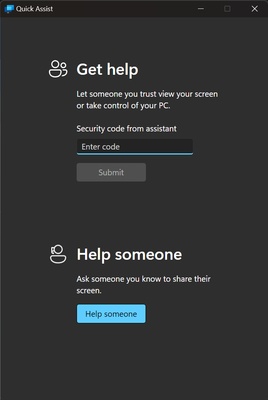
Quick Assist is a Microsoft app that offers a quick and easy way to control a computer remotely or allow someone else to control yours. In order to use Quick Assist, at least one of the computers must be logged in to a Microsoft account.

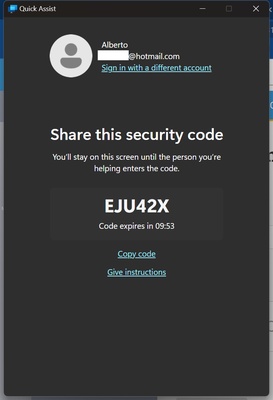
After that, a code is generated through which a certain device can give you permission to connect to it. This code is only valid for 10 minutes, after which you'll have to generate another code if you still want to connect.

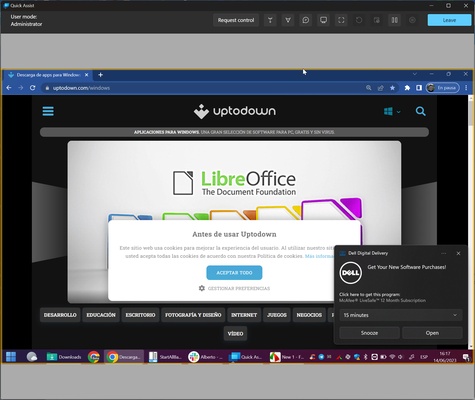
After entering the code, the connection is made in a matter of seconds. After that, you can view the other device's screen. At first, you won't be able to control the device remotely; to do so, simply press the "request access" button.

Once access is granted, you'll be able to control everything on the device that needs help. You can also point things out with a laser, as well as change the laser's color or add annotations with text and drawings. Once you've finished helping, you can close the session or pause it if you want to continue later on.

So, if you're looking for a secure and fast remote desktop app that doesn't require a complex setup, downloading Quick Assist is an excellent choice.

Information about Quick Assist

License Free
Op. System Windows
Category Internet
Language English
Author Microsoft Corporation
permission icon Permissions Not applicable
Date 2026-06-02
Size 5.16 MB
File type APPXBUNDLE

Apps recommended for you

WhatsApp Desktop Beta icon
Enjoy the latest WhatsApp news on your PC
Mozilla Firefox Beta icon
Try the latest features in the Mozilla browser
SABnzbd icon
SABnzbd for Windows is a free, open-source newsreader that automates the process of downloading and unpacking files from Usenet.
Mozilla Firefox icon
Firefox is a fast, privacy-focused web browser that offers customizable features and strong security for an improved browsing experience.
Private Internet Access icon
A VPN connection for your PC
Vivaldi 8.0.4033.50 (64-bit) icon
An advanced browser made with the power user in mind
Opera GX 132.0.5905.28 (64-bit) icon
The gaming browser built for gamers with RAM and CPU limiters!
Mailspring icon
Manage multiple email accounts efficiently with Mailspring for Windows, the fast and modern email client designed to improve productivity and communication.
Remote Desktop Manager Enterprise 2026.2.11.0 icon
An application used to manage all your remote connections!
Vivaldi 8.0.4033.50 (64-bit) icon
An advanced browser made with the power user in mind
Opera GX 132.0.5905.82 (64-bit) icon
The gaming browser built for gamers with RAM and CPU limiters!
Wavebox 10.149.2.96 icon
Join the wave of next generation web-desktop communication tools!
Studio 3T 2026.11.0 icon
The Professional Client, IDE and GUI software for MongoDB!
Firefox 152.0.1 (64-bit) icon
One of the World's Most Popular Web Browsers for Windows
Slack for Windows 4.50.141 icon
Team communication software for the 21st century
Google Chrome 149.0.7827.156 (64-bit) icon
The fast, free browser that's built for the modern web
Mailbird icon
A powerful email client for Windows
Remote Desktop Manager icon
Remote Desktop Manager for Windows is a centralized platform that helps users manage remote connections, credentials, and virtual machines securely.
Outlook icon
Microsoft's official email client
Rustdesk icon
RustDesk for Windows: Secure, high-performance remote desktop solution
Surfshark icon
Browse the Internet securely with this VPN
Opera icon
Opera is a fast and secure web browser that offers built-in ad blocking, VPN, and a customizable interface for an enhanced browsing experience.
WinGate icon
WinGate for Windows is a secure network management and proxy server software that controls internet access and enhances network performance.
Mullvad Browser icon
A browser focused on privacy