


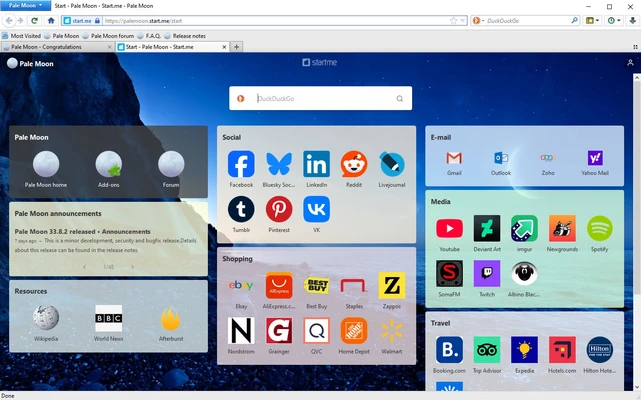
Pale Moon 64-bit is a free and open-source web browser based on the Goanna rendering engine. It is designed for users who prefer a lightweight, customizable browser with a classic interface and efficient performance.
Unlike modern Chromium-based browsers, Pale Moon focuses on simplicity, low resource usage, and user control. It is developed independently from Firefox code and provides support for many classic Firefox extensions and themes.
The browser is available for Windows and Linux, making it a suitable choice for users looking for an alternative to mainstream browsers.
Features
Lightweight Performance
Pale Moon is optimized for speed and efficiency, using fewer system resources compared with many modern browsers. It is suitable for older computers and users who prefer a lightweight browsing experience.
Goanna Browser Engine
The browser uses the Goanna rendering engine, an independently developed engine based on Mozilla technology, providing support for modern web standards while maintaining good performance.
Classic Customizable Interface
Pale Moon keeps the traditional Firefox-style interface, allowing users to customize toolbars, menus, themes, and browser settings.
Legacy Extension Support
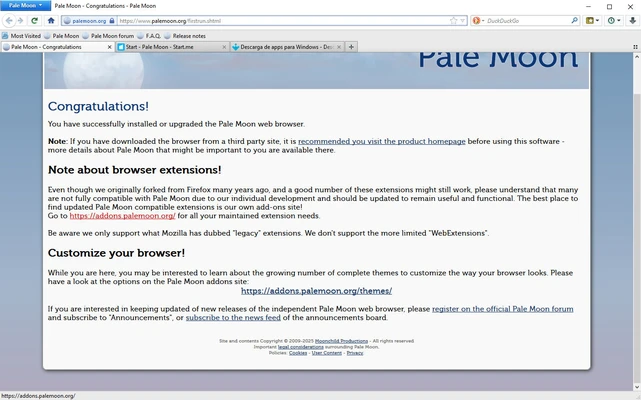
Unlike current Firefox versions, Pale Moon continues to support many classic Firefox XUL-based extensions, giving users access to older add-ons and customization options.
Privacy Protection
Pale Moon does not include built-in telemetry or unnecessary data collection, allowing users to maintain better control over their browsing information.
Open Source Development
The browser is developed as an open-source project with contributions from a dedicated community.
How to Use
- Download the Pale Moon installer for your operating system.
- Install the browser and launch it.
- Import bookmarks and settings from another browser if required.
- Customize the interface through the settings menu.
- Install compatible extensions and themes to enhance functionality.
System Requirements
- Operating System: Windows 10/11 or supported Linux distributions
- Processor: CPU with SSE2 support
- RAM: 512 MB or more recommended
- Storage: About 100 MB free disk space
PROS
- Lightweight and fast
- Low memory usage
- Highly customizable interface
- Supports classic Firefox extensions
- Open-source and privacy-focused
CONS
- Limited support for modern browser extensions
- Some websites may not work perfectly
- No DRM support for certain streaming services
- Smaller user community compared with Chrome or Firefox
FAQ
Is Pale Moon based on Firefox?
Pale Moon was originally forked from Firefox code but is now developed independently with its own browser engine and features.
Does Pale Moon support Firefox extensions?
It supports many classic Firefox extensions, but modern WebExtensions designed for newer Firefox versions are generally not compatible.
Is Pale Moon safe to use?
Yes. The browser receives regular updates and security improvements. Users should always keep the latest version installed.
Is Pale Moon free?
Yes. Pale Moon is completely free and open-source software.
Alternatives
- Firefox — Privacy-focused open-source browser with modern extension support.
- Waterfox — Firefox-based browser focused on privacy and customization.
- Brave — Chromium-based browser with built-in privacy protection.
- Vivaldi — Highly customizable browser for advanced users.
Conclusion
Pale Moon is a lightweight browser designed for users who value customization, performance, and control. While it may lack some modern web features found in Chrome or Firefox, it remains a good choice for users who prefer a classic browsing experience with lower resource usage and strong privacy features.