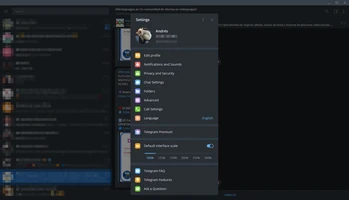

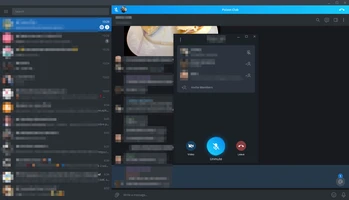
Telegram Desktop is a fast, secure, and free messaging application for Windows, macOS, and Linux. It allows users to send messages, share files, make voice and video calls, and manage large communities through groups and channels.
Unlike traditional messaging apps, Telegram synchronizes chats across multiple devices, allowing users to continue conversations seamlessly from phones, tablets, and computers.
Features
- Fast cloud-based messaging synchronization
- Send text messages, photos, videos, and files
- Support large groups and broadcast channels
- Voice and video calling
- Secret chats with enhanced privacy options
- Custom themes and interface settings
- Multi-device support
- Built-in stickers and bots
What's New
- Improved interface design
- Enhanced group communication features
- Better performance and stability
- Additional privacy and customization options
How to Use
- Install Telegram Desktop.
- Sign in with your phone number.
- Sync your existing chats.
- Start messaging contacts or joining groups.
- Customize notifications and privacy settings.
System Requirements
- Windows 10/11
- 1GB RAM or higher
- 100MB free disk space
Pros
- Fast and lightweight
- Excellent cross-device synchronization
- Large file sharing support
- Strong privacy features
Cons
- Requires phone number registration
- Some advanced features require learning
Alternatives
- WhatsApp Desktop
- Signal Desktop
- Discord
- Slack
Conclusion
Telegram Desktop is one of the most powerful messaging applications available today. With fast synchronization, large group support, and strong file-sharing capabilities, it is suitable for personal communication, communities, and business collaboration.