


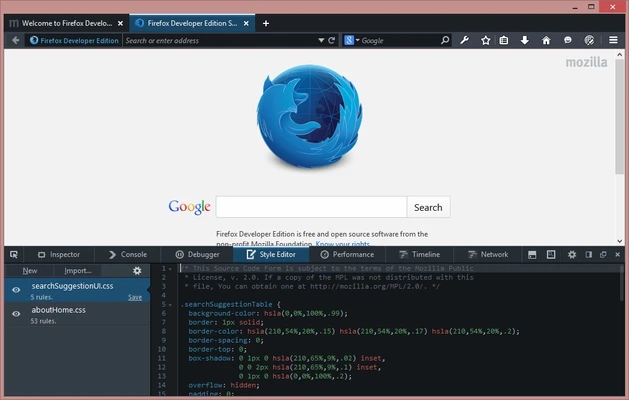
Firefox Developer Edition is a special version of Mozilla Firefox built for web developers. It includes the latest experimental web platform features along with powerful developer tools for debugging, testing, and performance analysis.
Unlike the standard Firefox browser, Developer Edition provides early access to upcoming web technologies and includes a dedicated developer profile, making it ideal for building and testing modern websites and web applications.
Key Features
- Built-in Firefox DevTools for web development.
- Inspect and debug HTML, CSS, and JavaScript.
- Responsive Design Mode for testing different screen sizes.
- Network Monitor for analyzing requests and performance.
- JavaScript Debugger with breakpoints and async debugging.
- CSS Grid, Flexbox, and Container Query inspection.
- WebSocket and Service Worker debugging.
- JavaScript Profiler for performance optimization.
- Multi-Account Containers for separate browsing sessions.
- Early access to experimental web APIs and browser features.
- Dedicated developer profile with separate settings and extensions.
How to Use
- Install and launch Firefox Developer Edition.
- Press F12 or Ctrl + Shift + I to open Developer Tools.
- Use the Inspector to examine page elements.
- Test responsive layouts with Responsive Design Mode.
- Debug JavaScript, monitor network activity, and analyze performance.
Pricing
Firefox Developer Edition is completely free to download and use.
System Requirements
- Windows 11 or Windows 10
- 1 GHz processor or faster
- 2 GB RAM minimum (4 GB recommended)
- 200 MB available disk space
- Internet connection for updates and Firefox Sync
Pros
- Free and open source
- Excellent built-in developer tools
- Early access to new web technologies
- Separate installation from standard Firefox
- Regular updates and improvements
Cons
- Experimental features may occasionally be unstable
- Higher memory usage than the standard Firefox release
- Some developers may prefer Chrome DevTools
Conclusion
Firefox Developer Edition is an excellent browser for web developers who need advanced debugging tools and access to the latest web technologies. With its powerful DevTools, responsive testing features, and dedicated developer profile, it provides a complete environment for modern web development.